
상품 설명
이 상품에는 AI로 생성된 콘텐츠가 포함되어 있습니다.
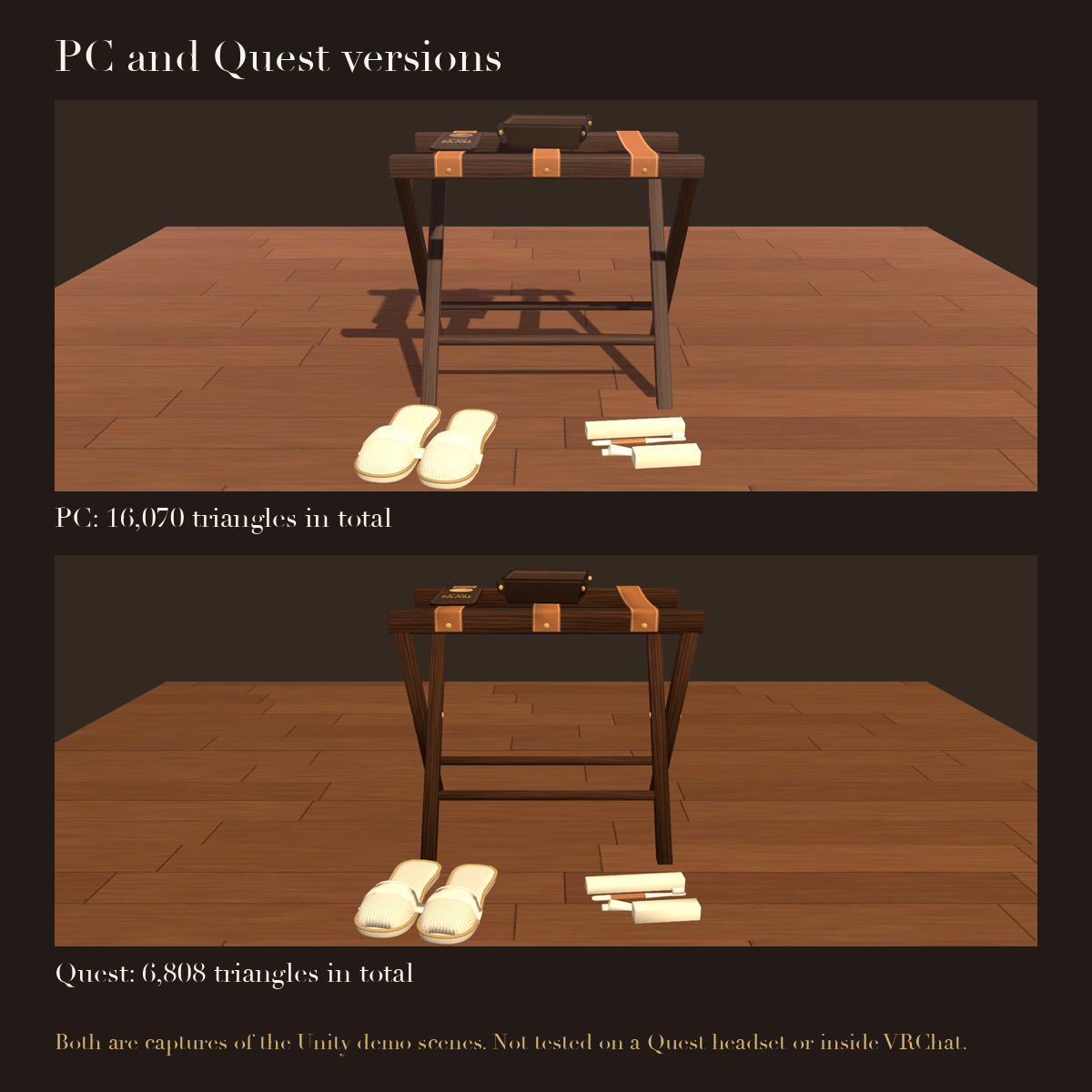
[Triangle count] Complete display arrangement: PC 16,070 / Quest 6,808 triangles.
[Triangle count] Full set: PC 16,070 / Quest 6,808 triangles.
[Choose your version] The full set includes all 5 pieces plus the display floor. Each individual version includes the PC and Quest files for the selected item. Open its .unitypackage in Unity and follow the included START_HERE_EN guide.
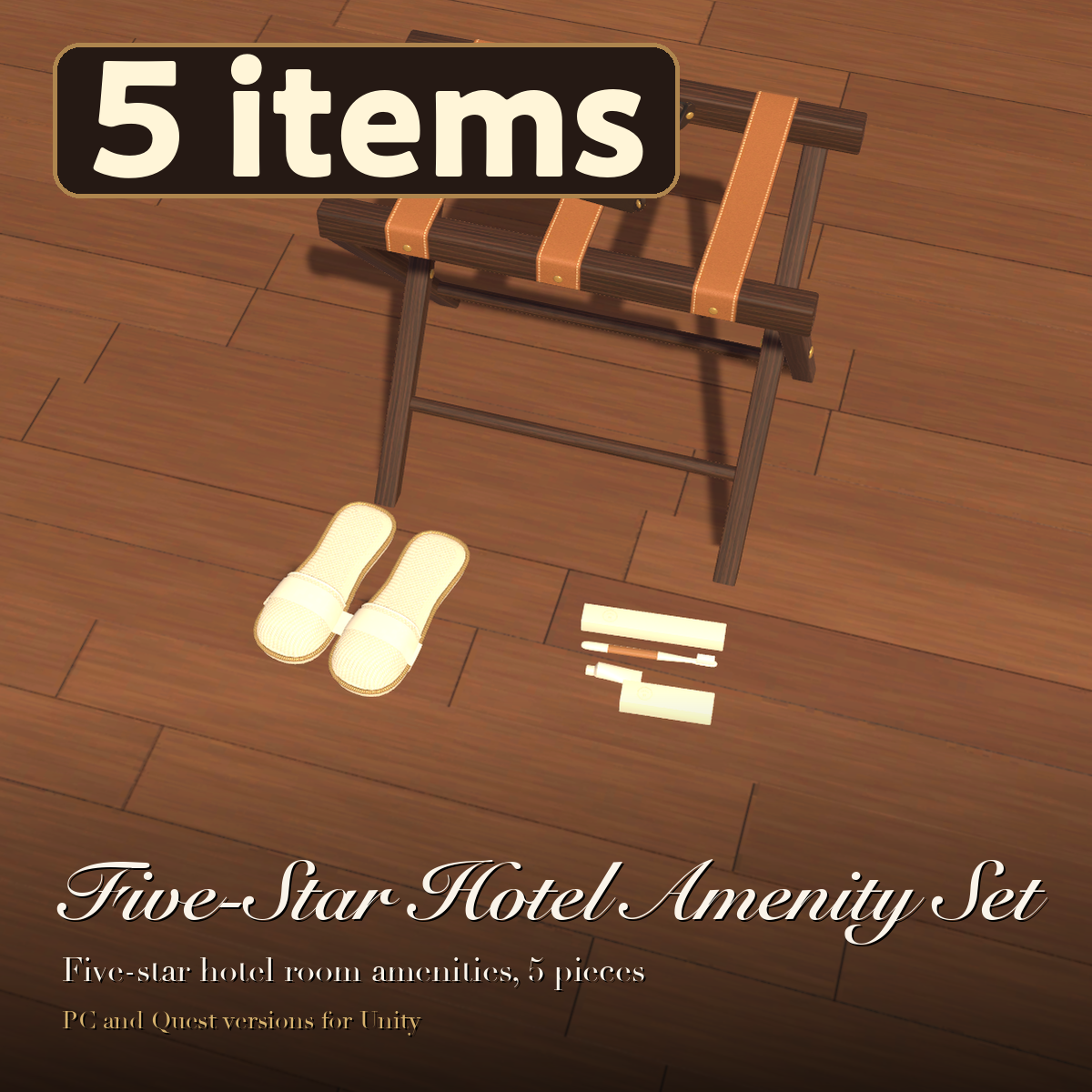
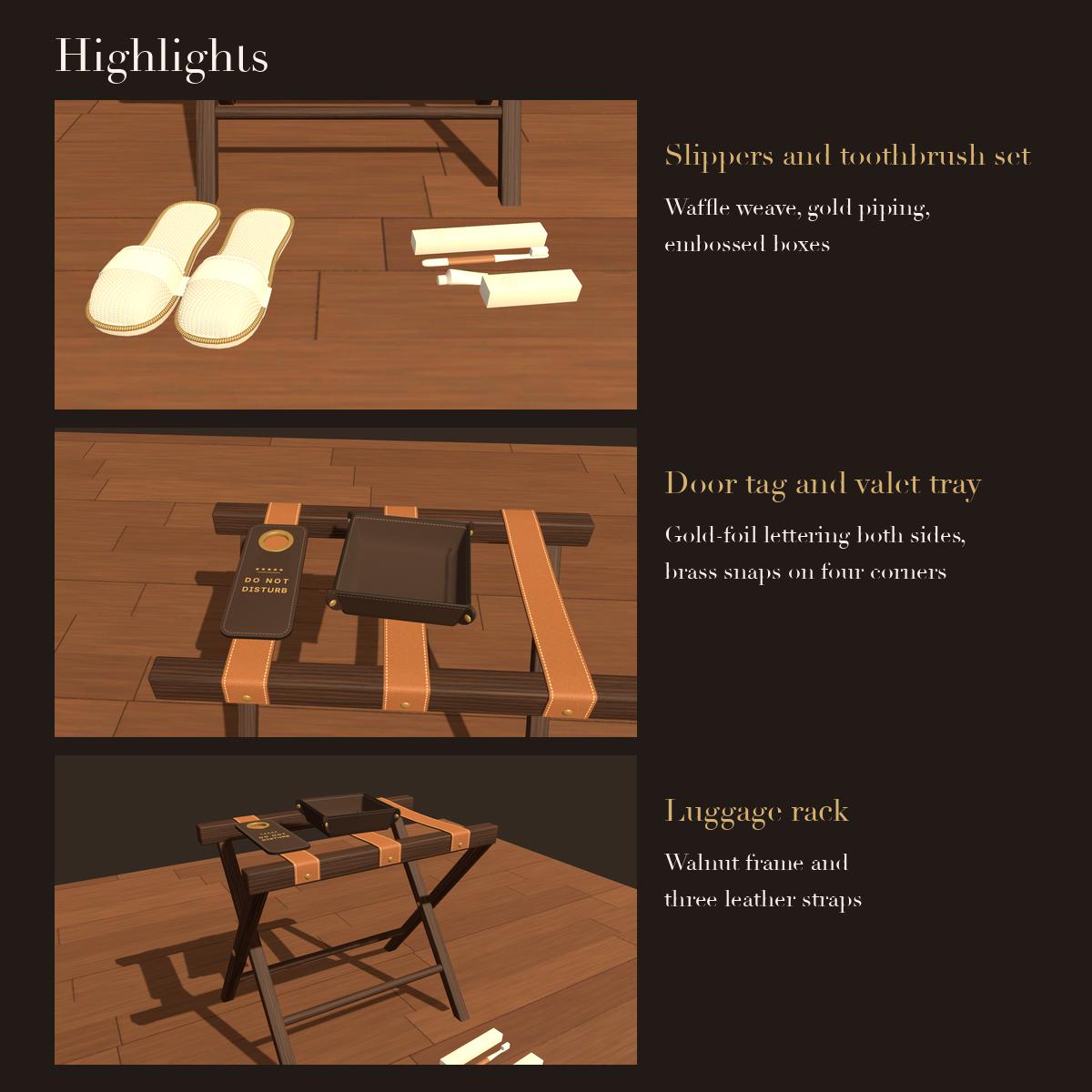
Waffle slippers, a toothbrush and toothpaste set with boxes, a leather door tag, a leather valet tray with brass snaps and a walnut luggage rack: five small pieces from a luxury hotel room.
The door tag reads "DO NOT DISTURB" on the front and "PLEASE MAKE UP ROOM" on the back in gold foil, legible up close. The hole is about 3.7 cm across, made to hang on a door handle.
3D models for Unity, intended for VRChat worlds. Both PC prefabs and lighter Quest prefabs are included. Each piece uses a single material.
Besides the full set of five (with a wooden display floor and demo scenes), each piece is also sold on its own.
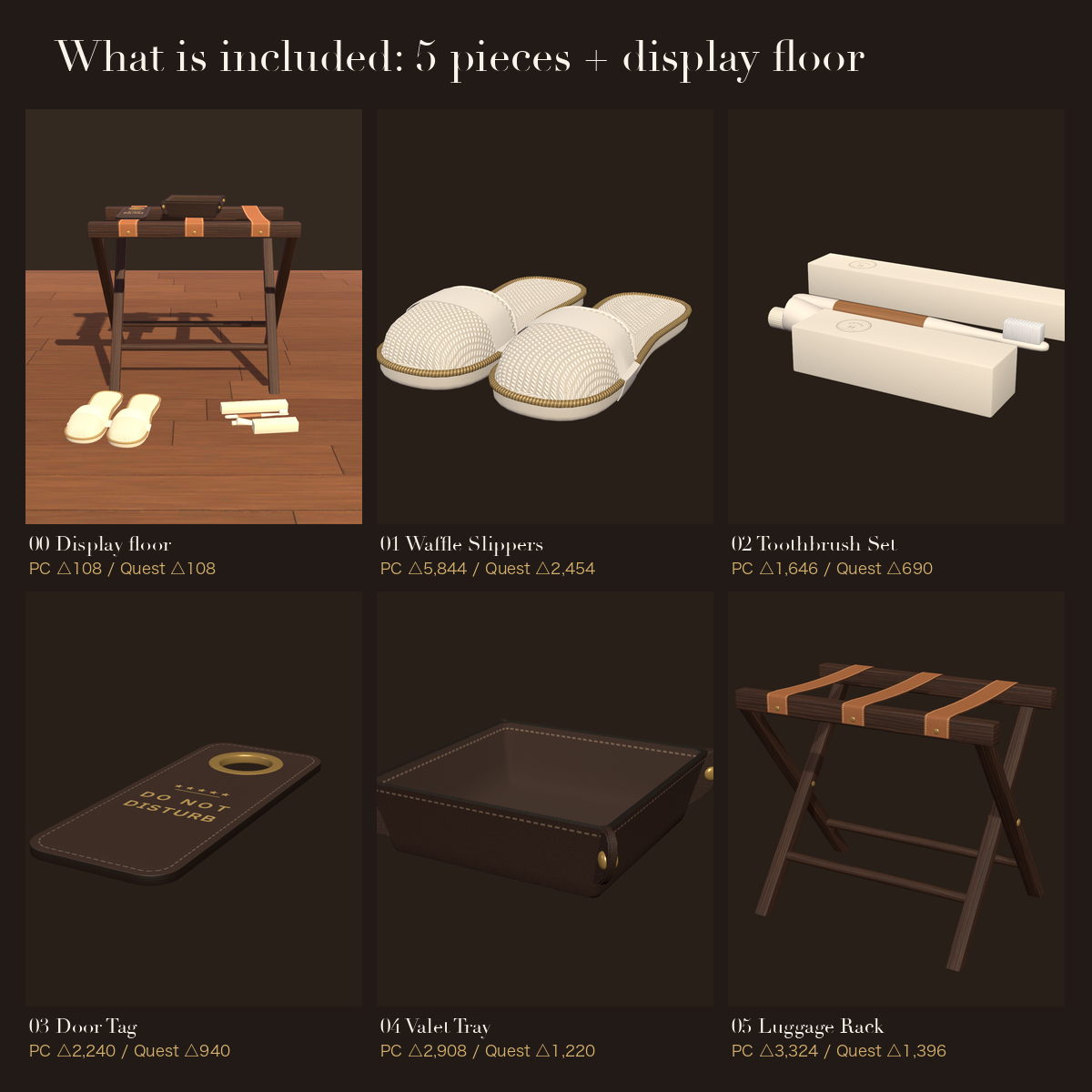
■ What is included
- 00 Display Floor (wood planks, 3 x 3 m): PC 108 tris / Quest 108 tris / W 3.00 x D 3.00 x H 0.03 m / materials: 1
- 01 Waffle Slippers (pair, with paper band): PC 5,844 tris / Quest 2,454 tris / W 0.23 x D 0.28 x H 0.06 m / materials: 1
- 02 Toothbrush & Toothpaste Set (with boxes): PC 1,646 tris / Quest 690 tris / W 0.20 x D 0.15 x H 0.03 m / materials: 1
- 03 Leather Door Tag (Do Not Disturb / Please Make Up Room): PC 2,240 tris / Quest 940 tris / W 0.09 x D 0.23 x H 0.01 m / materials: 1
- 04 Leather Valet Tray with Brass Snaps: PC 2,908 tris / Quest 1,220 tris / W 0.19 x D 0.19 x H 0.05 m / materials: 1
- 05 Walnut Folding Luggage Rack (three leather straps): PC 3,324 tris / Quest 1,396 tris / W 0.61 x D 0.43 x H 0.53 m / materials: 1
- unitypackage (prefabs, meshes, materials and textures; it installs into Assets/FiveStarHotelAmenities)
- Two demo scenes with lights set up (PC and Quest) and a prefab with all 5 pieces and the display floor placed (FiveStarHotelAmenities_Complete, FiveStarHotelAmenities_Complete_Quest) - full set only
- FBX files (PC and Quest) and texture PNGs
- Manuals (Japanese and English) and terms of use
■ PC and Quest
- PC: 16,070 triangles for the whole display arrangement. Unity built-in Standard shader, with a lighter distant version on each prefab (LODGroup).
- Quest: 6,808 triangles for the whole display arrangement (about 40% of the PC meshes). Unity built-in Mobile / Unlit shaders. Textures are capped at 1024px on Android.
- No dependency on the VRChat SDK, lilToon or other assets.
■ Quick start (Unity)
You need a Unity 2022.3.22f1 project (Built-in). On Jinxxy, download the START_HERE_EN file of your version first.
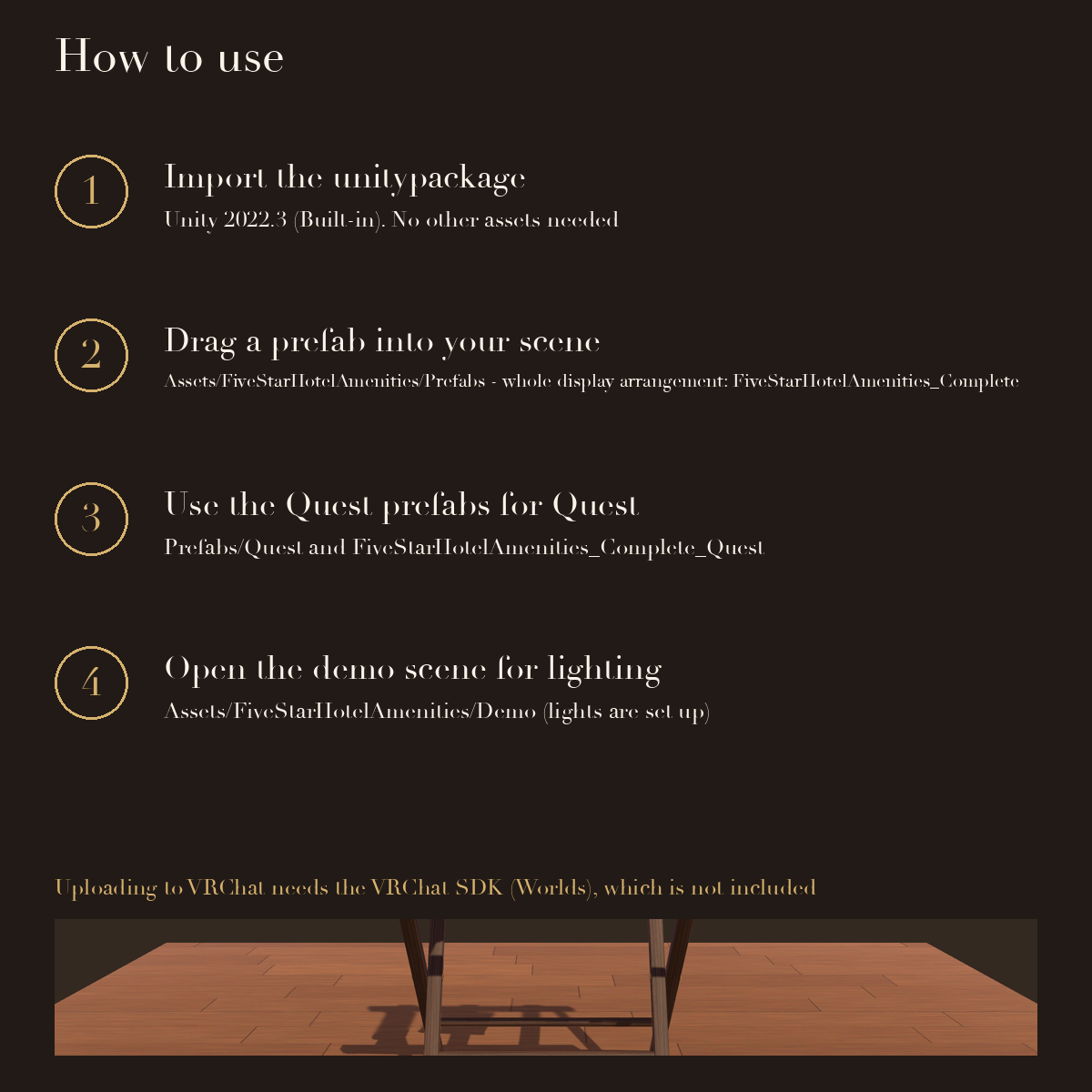
1. Double-click the unitypackage, or drag it into Unity, and press "Import".
2. From Assets/FiveStarHotelAmenities/Prefabs drag the prefab you want into the scene. For the whole display arrangement use FiveStarHotelAmenities_Complete. For Quest use Prefabs/Quest and FiveStarHotelAmenities_Complete_Quest.
3. Demo scenes with lights set up are in Assets/FiveStarHotelAmenities/Demo.
To upload a world to VRChat you need the VRChat SDK (Worlds), which is not included (add it from VCC / ALCOM).
If you place only the prefab in your own scene, set up or bake your own lighting; the lights belong to the demo scenes.
Official guide https://creators.vrchat.com/worlds/creating-your-first-world/
■ Colliders
- The slippers, toothbrush set, door tag, valet tray and luggage rack each have one box collider.
- The display floor (full set only) uses a mesh collider.
- No pickup scripts (VRC_Pickup) are included; every piece is a static prop.
- The door tag comes lying flat. To hang it on a door, rotate the prefab and position it yourself.
■ Numbers
- Version: 1.0
- Triangles for the whole display arrangement: PC 16,070 / Quest 6,808
- Per piece: see "What is included" (measured from the exported files)
- Materials: 6 (one PC and one Quest material each) Textures: 18 (2048 × 2048 px)
- Unity: 2022.3.22f1 (Built-in)
- Download size: full set 96.4 MB
■ What was checked
- The full-set unitypackage was imported into a new empty Unity 2022.3.22f1 project (Built-in, Linear) and checked: PC 40 checks passed, 0 failed; Android 40 checks passed, 0 failed. No console errors.
- Checks cover the console, package contents, missing references, prefabs and materials, Quest prefabs, the demo scenes and textures. "Android" means the same check with Unity's build target switched to Android.
- Each of the 5 single packages was imported into an empty project and checked (PC target). Failures in total: 0.
■ What was not checked
- Behaviour inside VRChat (world upload, colliders in game, frame rate)
- Display and performance on a Quest headset (only the import with Unity's Android target was checked)
- Building in a project that has the VRChat SDK
- Unity versions other than 2022.3.22f1, and Windows
- Gamma colour space projects
- Post-processing such as bloom
- Importing a single and the full set into the same project (they overwrite the same assets)
■ About the images
The product images are captures of the actual 3D models in the Unity demo scene (only text and cropping were added). In VRChat the look depends on your world lighting and settings.
■ Notes
- These are world assets. They do not attach to avatars.
- Digital goods: no returns or refunds after purchase except where required by the platform rules or applicable law.
■ How it was made
AI was used in the creation of this product.
The product images are captures of the actual 3D models in Unity. The concept image (AI-generated) is not used in the product or the product images.
Door tag lettering typeface: Inter (SIL Open Font License 1.1).
■ Terms of use (full text)
Five-Star Hotel Amenity Set - Terms of Use
Date: 2026-11-28 Seller: kAwaIi
By purchasing or downloading this data you agree to these terms. If the Japanese and English versions differ, the Japanese version applies.
ALLOWED
- Use by individuals and companies in worlds for social VR such as VRChat, in games, streams, videos, photos and illustrations
- Placing the data in a world and uploading that world as public, friends-only or private
- Use in monetised streams and videos
- Modification (recolouring, reshaping, reducing the polygon count, combining with other models)
- Commissioning someone to modify it, when both parties have purchased this data
- Use without credit (credit is appreciated)
NOT ALLOWED
- Redistributing, reselling or giving away the data itself (unitypackage, FBX, texture images and so on), modified or not
- Making the data available in a form others can extract and use (for example, bundling the unitypackage or FBX with a world download or an asset pack)
- Selling the data as an asset pack, modified or not
- Claiming the data as your own work
- Use that is against public order and morals, that defames others, or for political or religious activity
- Use in NFTs or any form that claims ownership of the data
- Use as training data for AI
SELLING WORLDS
You may publish a world using this data for free and use it as a background in monetized streams and videos.
You may sell a finished, built world only if your own creative work is its main attraction and the result is clearly distinct from the display arrangement supplied here. For example, if you design and build a larger building and use these pieces in one room, you may sell the finished world.
You may not sell the supplied display arrangement as it is or with only changes such as recoloring, rearranging or adding props. You may not redistribute or resell the assets, whether modified or unmodified, on their own or bundled with another product. A finished world you sell must not include the assets in a form that buyers can extract and reuse.
DISCLAIMER
The seller is not liable for any damage arising from use of this data.
The terms in effect at the time of purchase apply to that purchase.
Contact: https://00ookawaiioo00.booth.pm/