
상품 설명
이 상품에는 AI로 생성된 콘텐츠가 포함되어 있습니다.
AI-assisted artwork. See Good to know below.
Description
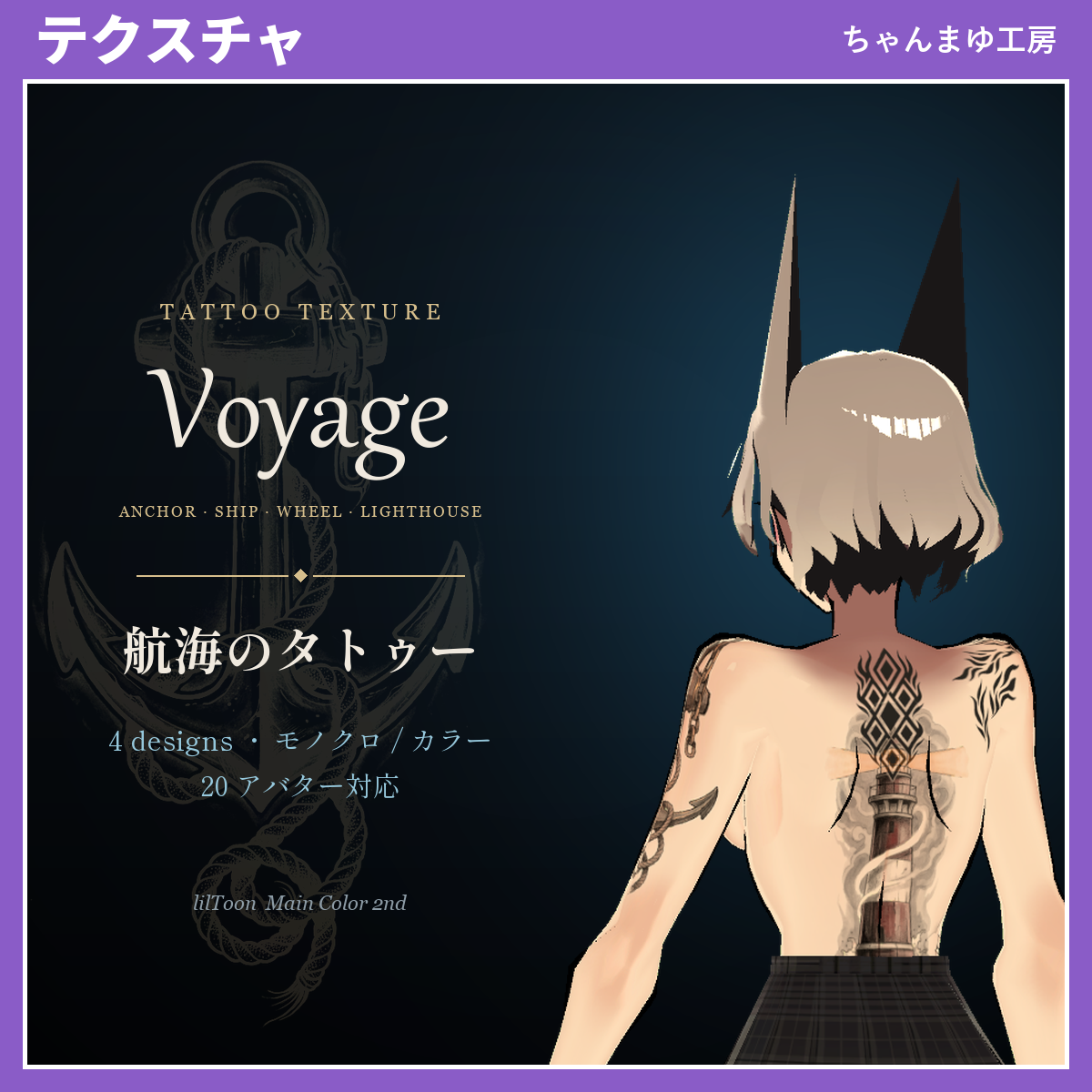
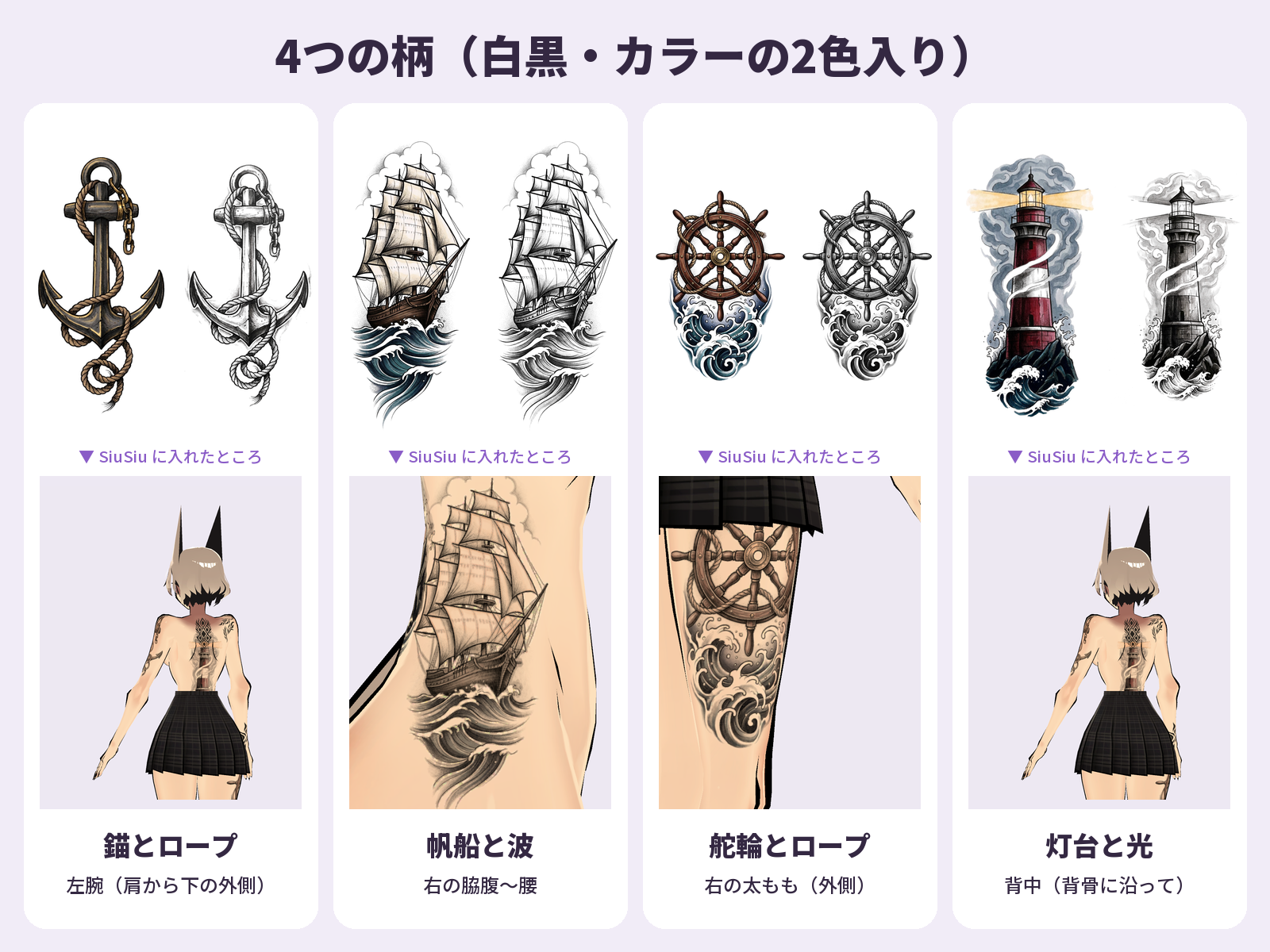
Realistic black & grey tattoo textures themed on the sea and seafaring: an old anchor wrapped in rope, a sailing ship riding the waves, a wooden ship's wheel threaded with rope, and a lighthouse shining from its rock. Classic sailor tattoo motifs, redrawn as original artwork. Comes in black & grey and in color.
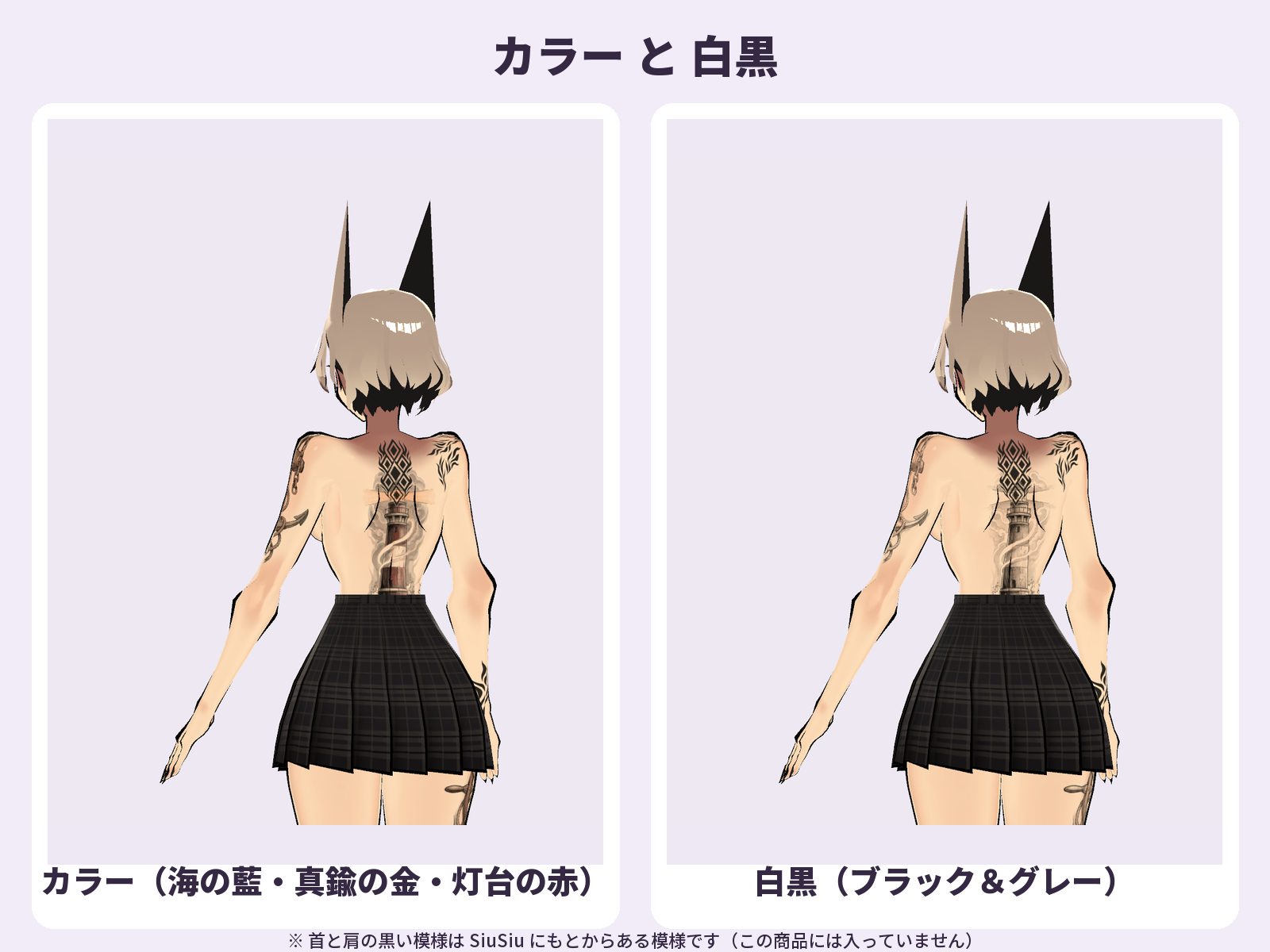
Each design comes in two versions: Black & grey, and Color (indigo sea, brass-gold anchor and wheel fittings, red-and-white lighthouse).
For each supported avatar, the tattoos are pre-positioned on that avatar's body UV as 4096×4096 transparent PNGs. Just put the PNG into lilToon's Main Color 2nd and the tattoo appears in the right place. Your avatar's original textures are not changed, so you can turn it off at any time.
Not using a supported avatar? The generic decal PNGs can be placed anywhere with lilToon's decal settings.
Designs and placement
- Anchor & Rope — left arm (outer side, from the shoulder down)
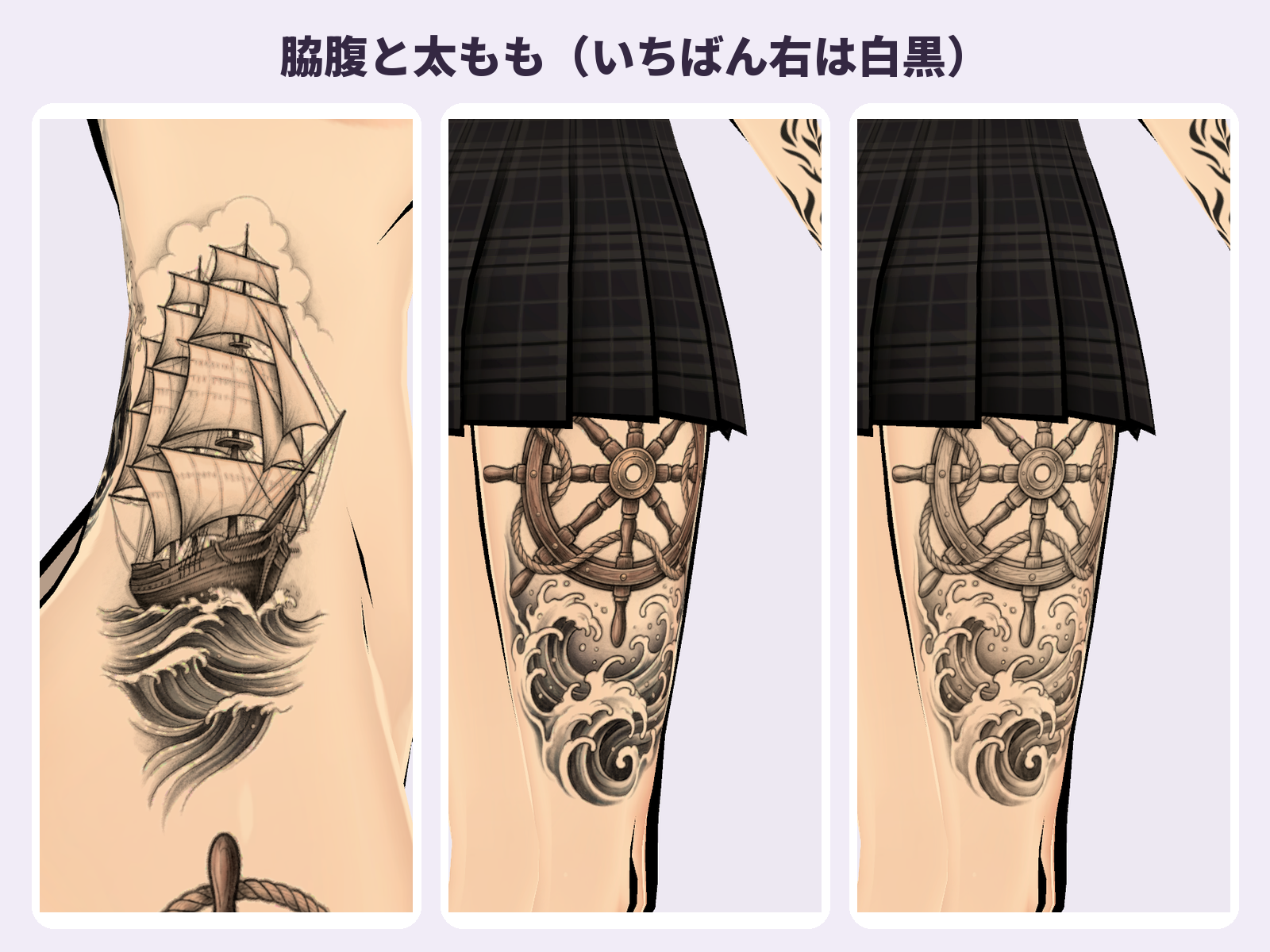
- Sailing Ship & Waves — right side (ribs to hip)
- Ship's Wheel & Rope — right thigh (outer side)
- Lighthouse & Beam — back (along the spine)
What's included
- ChanmayuKobo_Tattoo_Nautical_Set_v1.0.zip
- Per-avatar textures for 20 avatars (PNG, 4096×4096): each of the 4 designs in both versions, plus an "all 4 designs" texture that combines them on one sheet
- Generic decal PNGs (each design, both versions) for avatars not on the list
- README_EN.txt (English install guide and terms) and はじめにお読みください.txt (Japanese install guide and terms)
- The PNGs contain only the tattoo, on a transparent background. No avatar textures are included.
- Folder and file names inside the zip are in Japanese. README_EN.txt lists what each one means.
Compatibility
- Shader: lilToon (your avatar's body material must use lilToon)
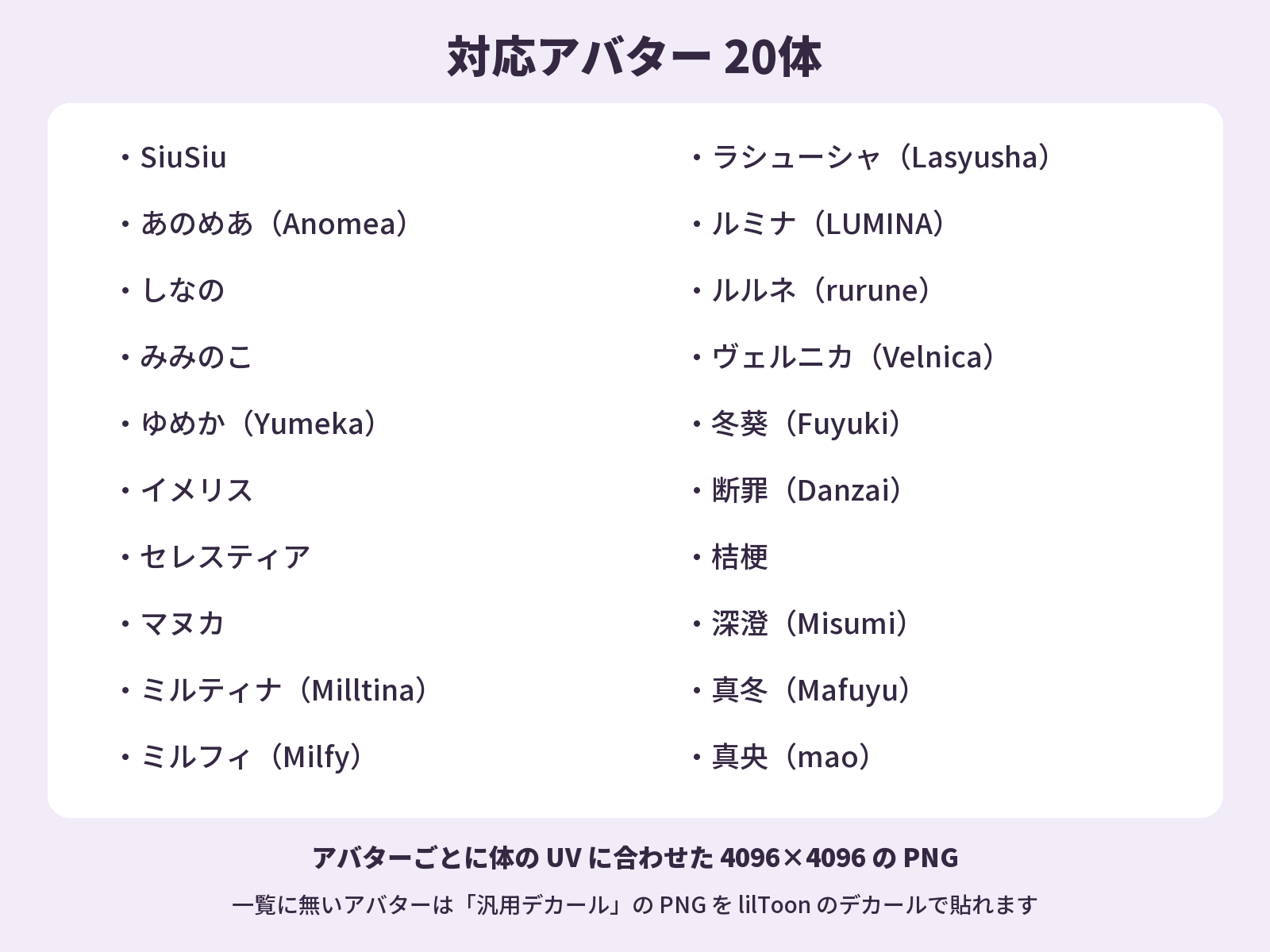
- Pre-positioned textures for these 20 avatars (avatars are sold separately on BOOTH):
- Anomea (あのめあ) — https://booth.pm/en/items/5020157
- Danzai (断罪) — https://booth.pm/en/items/3894620
- Fuyuki (冬葵) — https://booth.pm/en/items/4540757
- Imeris (イメリス) — https://booth.pm/en/items/3040745
- Kikyo (桔梗) — https://booth.pm/en/items/3681787
- Lasyusha (ラシューシャ) — https://booth.pm/en/items/4825073
- LUMINA (ルミナ) — https://booth.pm/en/items/7502898
- Mafuyu (真冬) — https://booth.pm/en/items/5007531
- Manuka (マヌカ) — https://booth.pm/en/items/5058077
- mao (真央) — https://booth.pm/en/items/6846646
- Milfy (ミルフィ) — https://booth.pm/en/items/6571299
- Milltina (ミルティナ) — https://booth.pm/en/items/6538026
- Miminoko (みみのこ) — https://booth.pm/en/items/6199796
- Misumi (深澄) — https://booth.pm/en/items/7763002
- rurune (ルルネ) — https://booth.pm/en/items/5957830
- Selestia (セレスティア) — https://booth.pm/en/items/4035411
- Shinano (しなの) — https://booth.pm/en/items/6106863
- SiuSiu — https://booth.pm/en/items/8426340
- Velnica (ヴェルニカ) — https://booth.pm/en/items/6302886
- Yumeka (ゆめか) — https://booth.pm/en/items/8672657
- Please check that your avatar is on this list before buying. Any other lilToon avatar can use the generic decals.
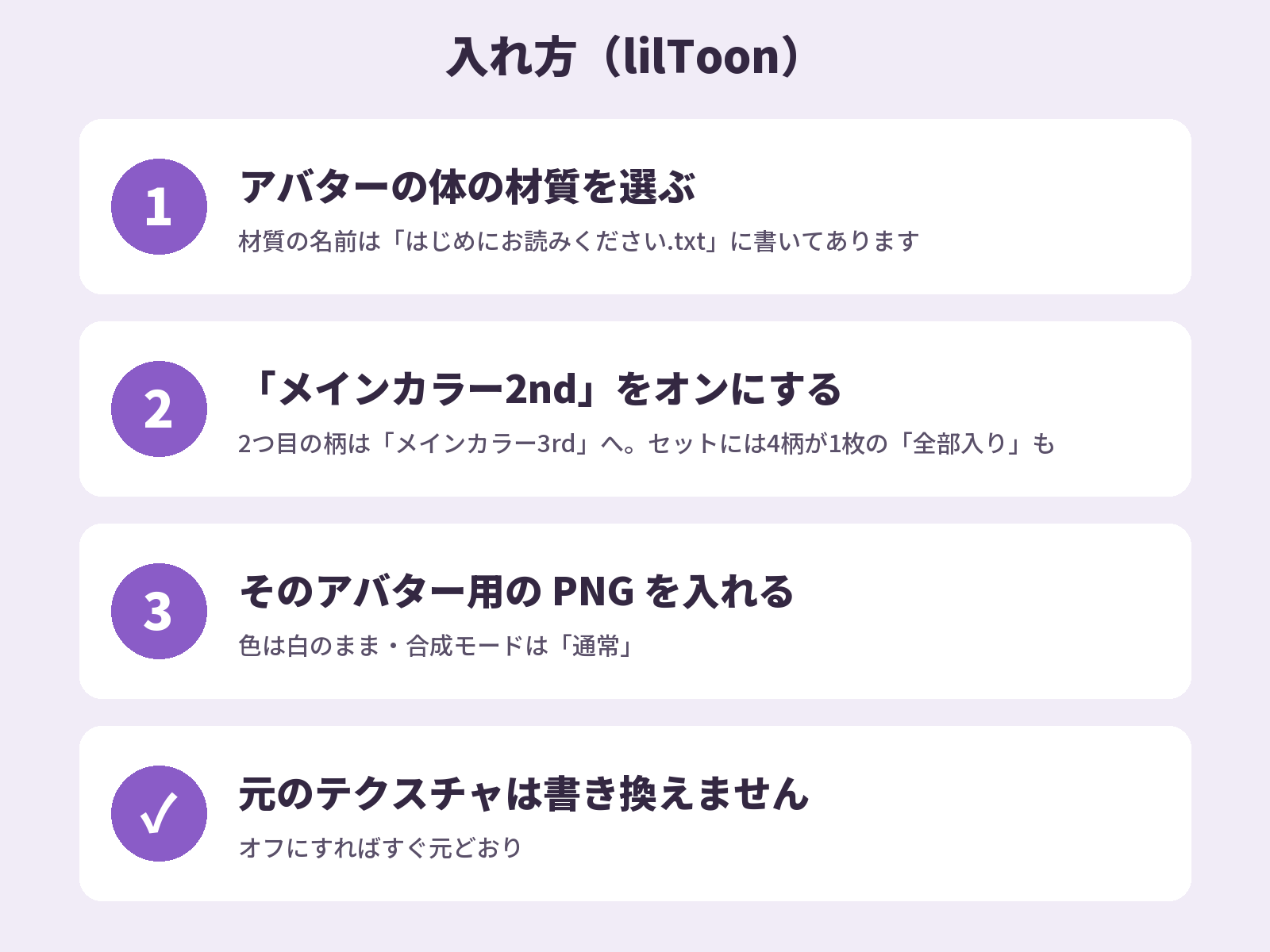
How to install
- 1. Select your avatar's body material (the material name for each avatar is in README_EN.txt).
- 2. Turn on Main Color 2nd.
- 3. Put the PNG for your avatar into Main Color 2nd's texture (keep the color white, blend mode Normal).
To add a second design, use Main Color 3rd. To wear all four at once, use the "all 4 designs" texture. Set the PNG's import Max Size to 4096 for full sharpness.
Good to know
- No avatar is included. Each avatar must be purchased separately from its creator.
- The product images show SiuSiu. The black pattern on SiuSiu's neck and shoulders is part of the avatar itself and is not included in this product.
- AI-assisted artwork: the base illustrations were generated with an AI image-generation tool, then edited and fitted to each avatar by Chanmayu Kobo. The designs are original (no existing characters or logos).
License
- You may use and edit these textures on your avatars in VRChat and similar platforms. Streams and videos are OK.
- You may not redistribute, share, resell or sell the PNG files, original or edited, in any form. This includes bundling them with an avatar or asset for sale and adding them to texture packs or asset collections.
- Do not register the textures with YouTube Content ID or any similar rights-management system.
- Full terms: the Terms of Use attached to this listing (also included in README_EN.txt). The Japanese terms on BOOTH prevail.
Japanese store: BOOTH
https://mayuyu.booth.pm/items/9105923
Single designs are also sold separately on BOOTH (Japanese store).