
상품 설명
이 상품에는 AI로 생성된 콘텐츠가 포함되어 있습니다.
AI-Assisted (script-drawn artwork; no generative-AI image tool was used). See Good to know below.
Description
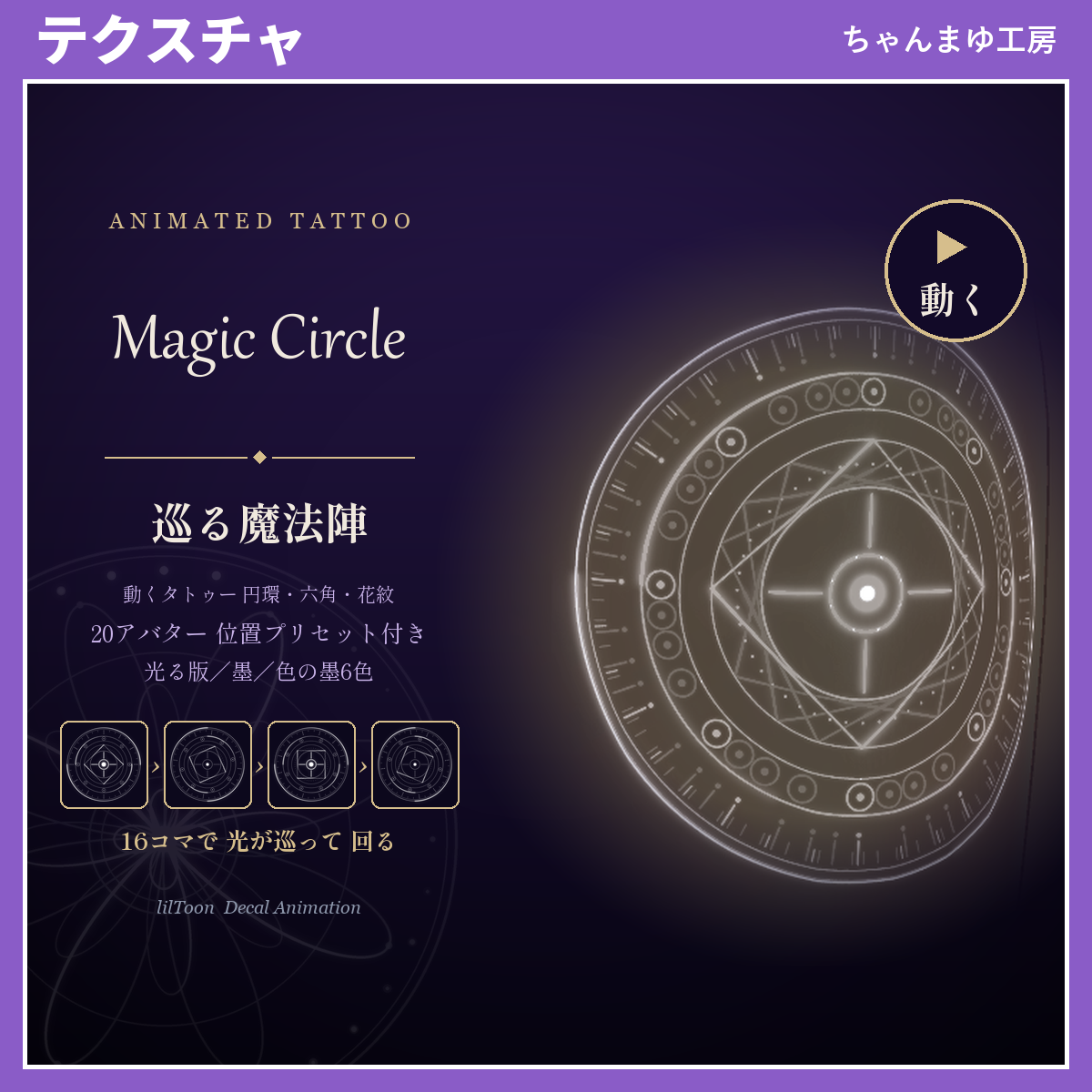
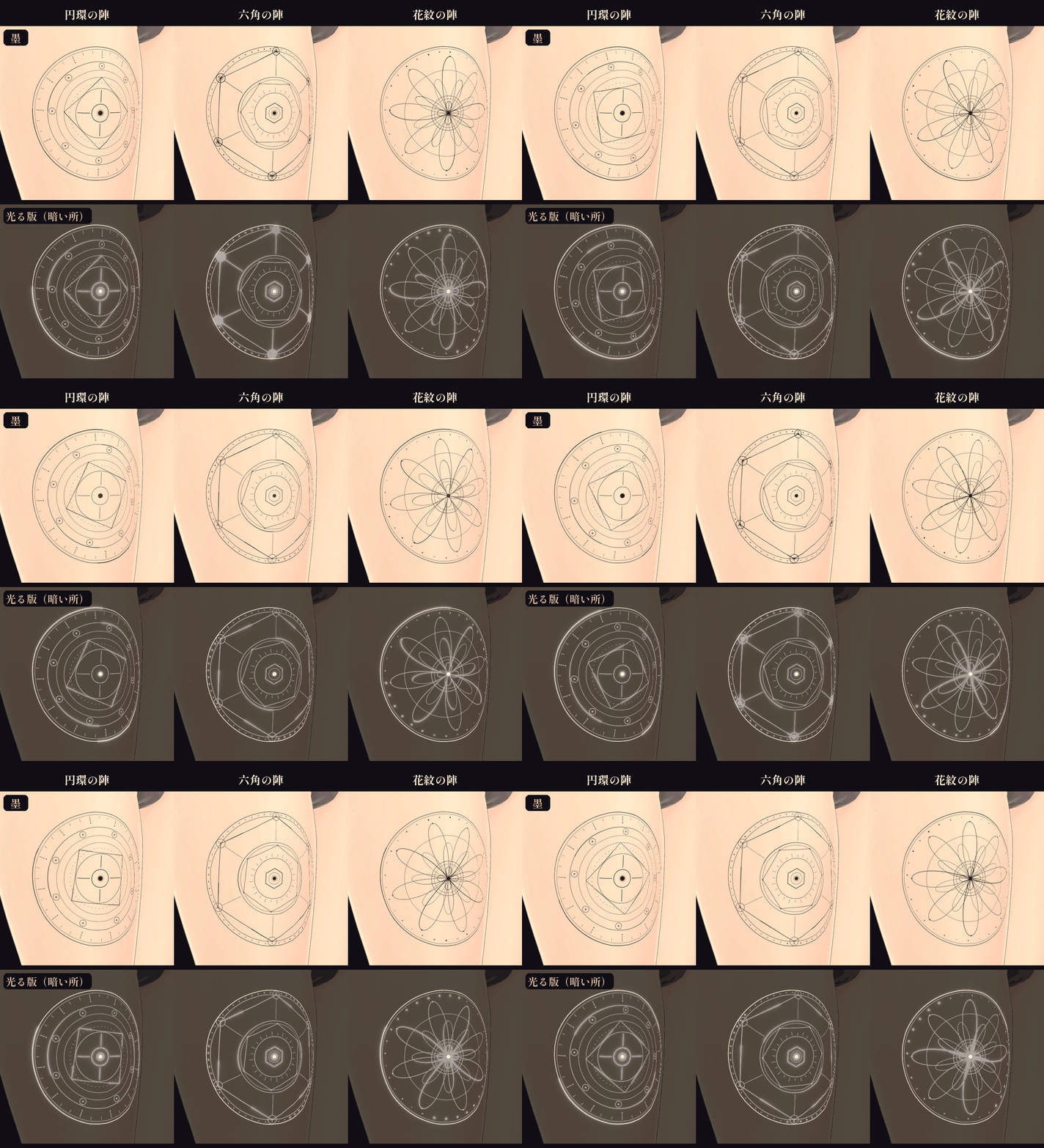
Animated tattoos of magic circles turning on your avatar's skin, in three designs: an orbit circle whose scale ring and small rings turn, a hexagon circle whose edges are traced by light, and a flower crest whose petal lines spin. The glow version is the star: in dark worlds the circle's lines glow faintly white while a head of light travels around them. Black & grey ink versions for daytime skin are included too (the rings and patterns still turn slowly in ink). In the orbit circle light runs around the outer and inner rings in opposite directions, in the hexagon circle a small ring lights up each time the light reaches a corner, and in the flower crest the large and small flowers turn in opposite directions while the outer dots light up in turn (8 frames per second, one turn every 2 seconds).
They move with lilToon's built-in Main Color 2nd decal animation (16 frames). No extra shader is needed.
Designs
- Orbit Circle — a scale ring and eight small rings turn in opposite directions while light runs around the double ring; the center pulses
- Hexagon Circle — light traces the six edges from corner to corner and each corner ring lights up; the inner hexagon and scale ring turn in opposite directions
- Flower Crest — light traces eight petal lines while large and small flowers turn in opposite directions; the outer ring of dots lights up in turn
Versions (every design includes all of these)
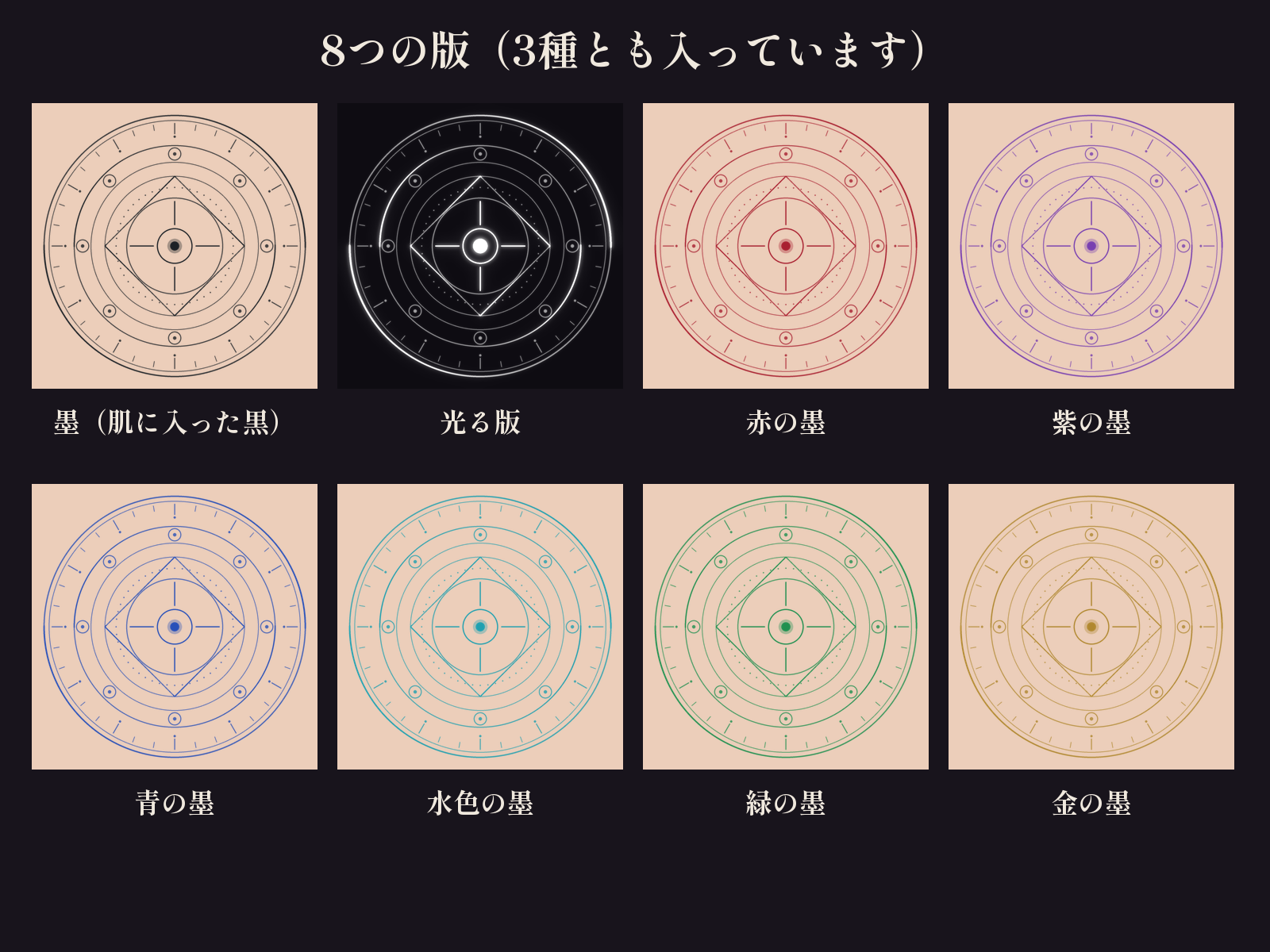
- Ink: black ink in the skin
- Glow: glows white in the dark
- Colored ink in 6 colors: red, purple, blue, aqua, green, gold
Options
- Single design: Orbit Circle
- Single design: Hexagon Circle
- Single design: Flower Crest
- 3-design set: all three in one package
What's included
- Single design: ChanmayuKobo_AnimTattoo_<Design>_v1.0.zip (unitypackage + README)
- Orbit = Orbit Circle / Hexa = Hexagon Circle / Bloom = Flower Crest
- 3-design set: ChanmayuKobo_AnimTattoo_MagicCircleSet_v1.0.zip (one unitypackage with all three + README)
- Inside the unitypackage: 4096×4096 textures (16 frames, 8 versions), sample lilToon materials, and position presets for 20 avatars
- README_EN.txt (English install guide and terms) and はじめにお読みください.txt (Japanese install guide and terms)
- Only tattoo textures and lilToon materials. No avatar or avatar textures are included.
- It installs into the same AnimTattoo folder as the other animated tattoos from Chanmayu Kobo. You can import several; nothing is overwritten.
Compatibility
- Shader: lilToon (tested with 2.3.4). Your avatar's body material must use lilToon.
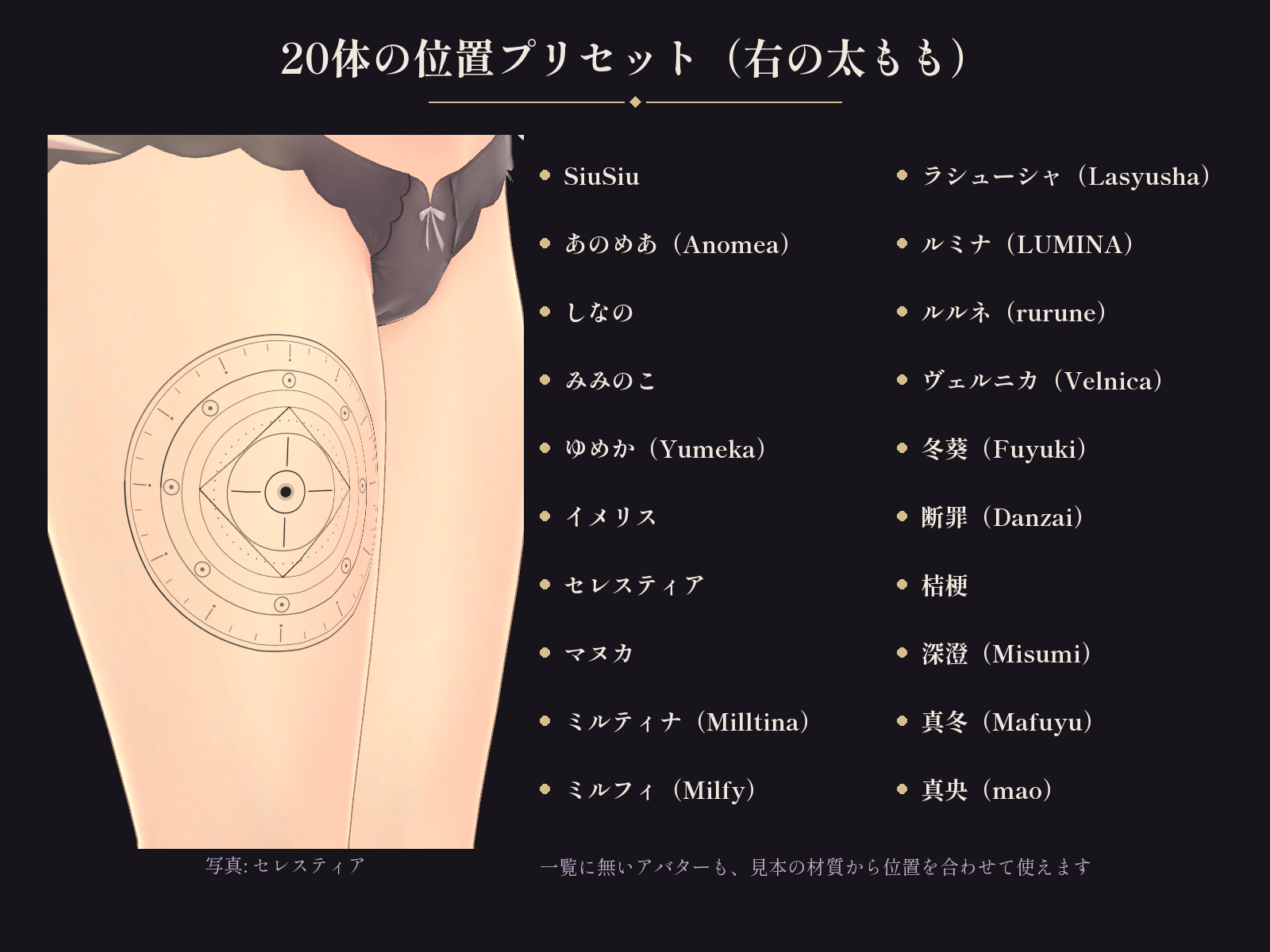
- Position presets (right thigh) for these 20 avatars (avatars are sold separately on BOOTH):
- Anomea (あのめあ) — https://booth.pm/en/items/5020157
- Danzai (断罪) — https://booth.pm/en/items/3894620
- Fuyuki (冬葵) — https://booth.pm/en/items/4540757
- Imeris (イメリス) — https://booth.pm/en/items/3040745
- Kikyo (桔梗) — https://booth.pm/en/items/3681787
- Lasyusha (ラシューシャ) — https://booth.pm/en/items/4825073
- LUMINA (ルミナ) — https://booth.pm/en/items/7502898
- Mafuyu (真冬) — https://booth.pm/en/items/5007531
- Manuka (マヌカ) — https://booth.pm/en/items/5058077
- mao (真央) — https://booth.pm/en/items/6846646
- Milfy (ミルフィ) — https://booth.pm/en/items/6571299
- Milltina (ミルティナ) — https://booth.pm/en/items/6538026
- Miminoko (みみのこ) — https://booth.pm/en/items/6199796
- Misumi (深澄) — https://booth.pm/en/items/7763002
- rurune (ルルネ) — https://booth.pm/en/items/5957830
- Selestia (セレスティア) — https://booth.pm/en/items/4035411
- Shinano (しなの) — https://booth.pm/en/items/6106863
- SiuSiu — https://booth.pm/en/items/8426340
- Velnica (ヴェルニカ) — https://booth.pm/en/items/6302886
- Yumeka (ゆめか) — https://booth.pm/en/items/8672657
- Other lilToon avatars: copy the settings from the sample material and adjust the position yourself.
How to install
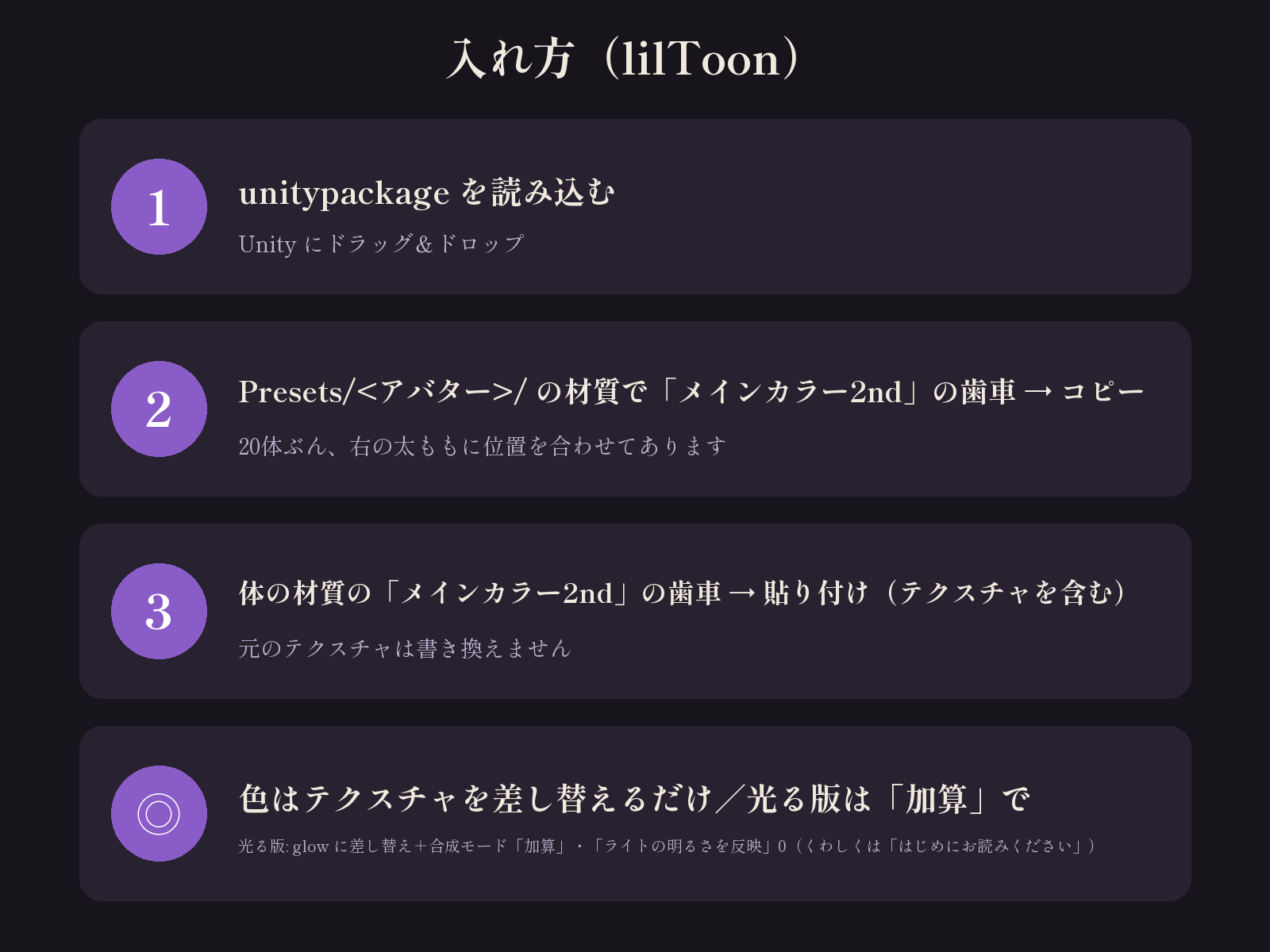
- 1. Import the unitypackage.
- 2. Open Presets/<your avatar>/, select the material, and in the Main Color 2nd section click the gear icon at the top right (▼ in older lilToon) → Copy.
- 3. Select your avatar's body material, and in Main Color 2nd click the gear icon → Paste (with texture). Plain Paste does not bring in the picture or its position.
Colored ink: just swap the texture. Glow: swap in the glow texture, then set Blending Mode to Add and Enable Lighting to 0 (or copy from the sample glow material). Speed, position and size are adjustable with numbers. Your avatar's original textures are not changed.
Good to know
- No avatar is included. Each avatar must be purchased separately from its creator.
- The product images show Selestia.
- AI-Assisted: the designs were drawn by scripts (procedural line art) that were written, like this English text, with an AI coding assistant under Chanmayu Kobo's direction, and then fitted to each avatar. No generative-AI image tool was used. The designs are original (no existing characters or logos).
License
- You may use and edit these textures on your avatars in VRChat and similar platforms. Streams and videos are OK.
- You may not redistribute, share, resell or sell the textures, original or edited, in any form. This includes bundling them with an avatar or asset for sale and adding them to texture packs or asset collections.
- Do not register the textures with YouTube Content ID or any similar rights-management system.
- Full terms: the Terms of Use attached to this listing (also included in README_EN.txt). The Japanese terms on BOOTH prevail.