🔮Fortune Telling Crystal Ball 🔮 + Table and Avatar Light
상품 설명
🔵🟢Quest/IOS compatible! Easy VRCFury Installation
Quest uses its own prefab with different materials, and no pixel-light
Prophesize your friends' futures
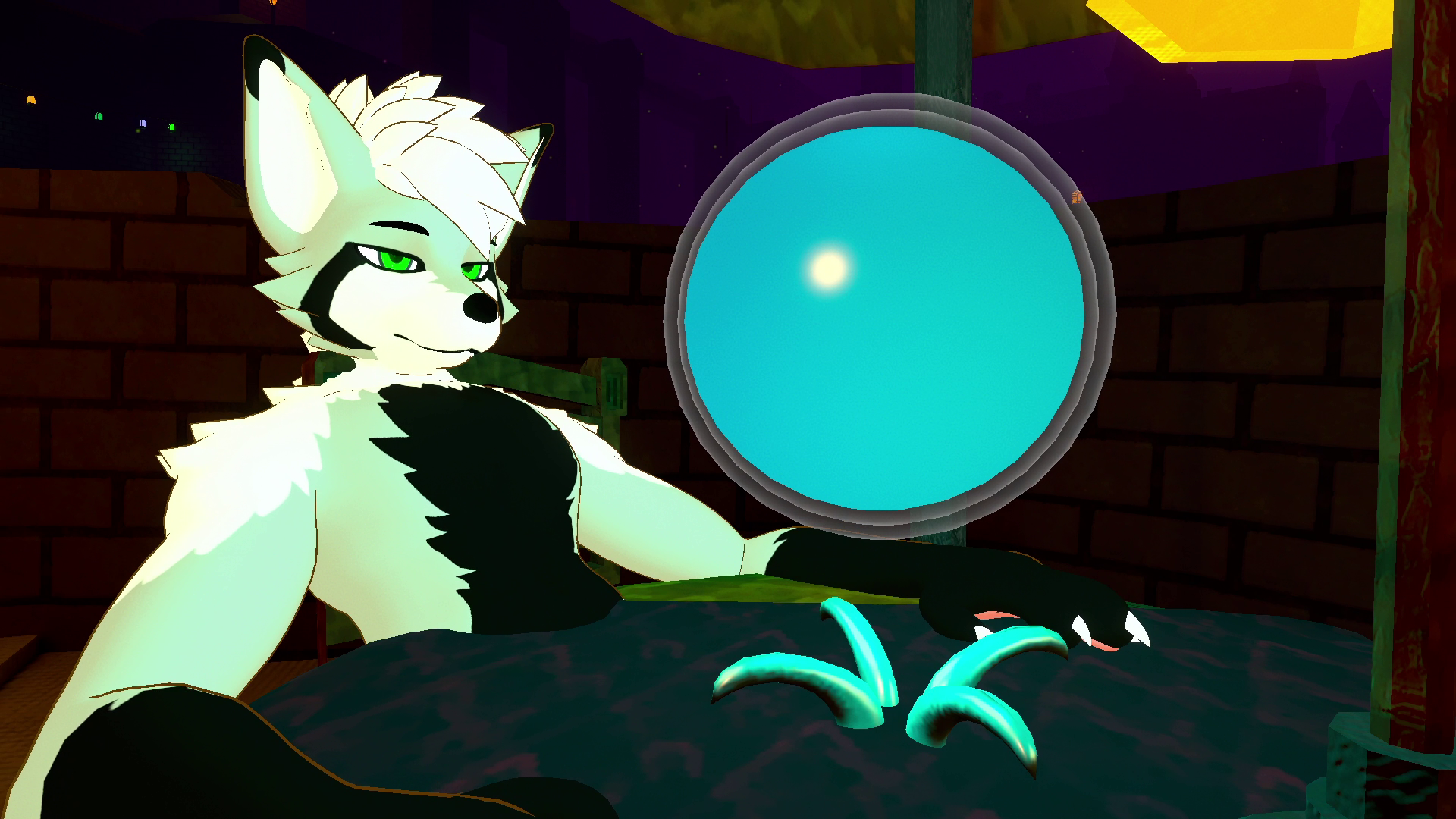
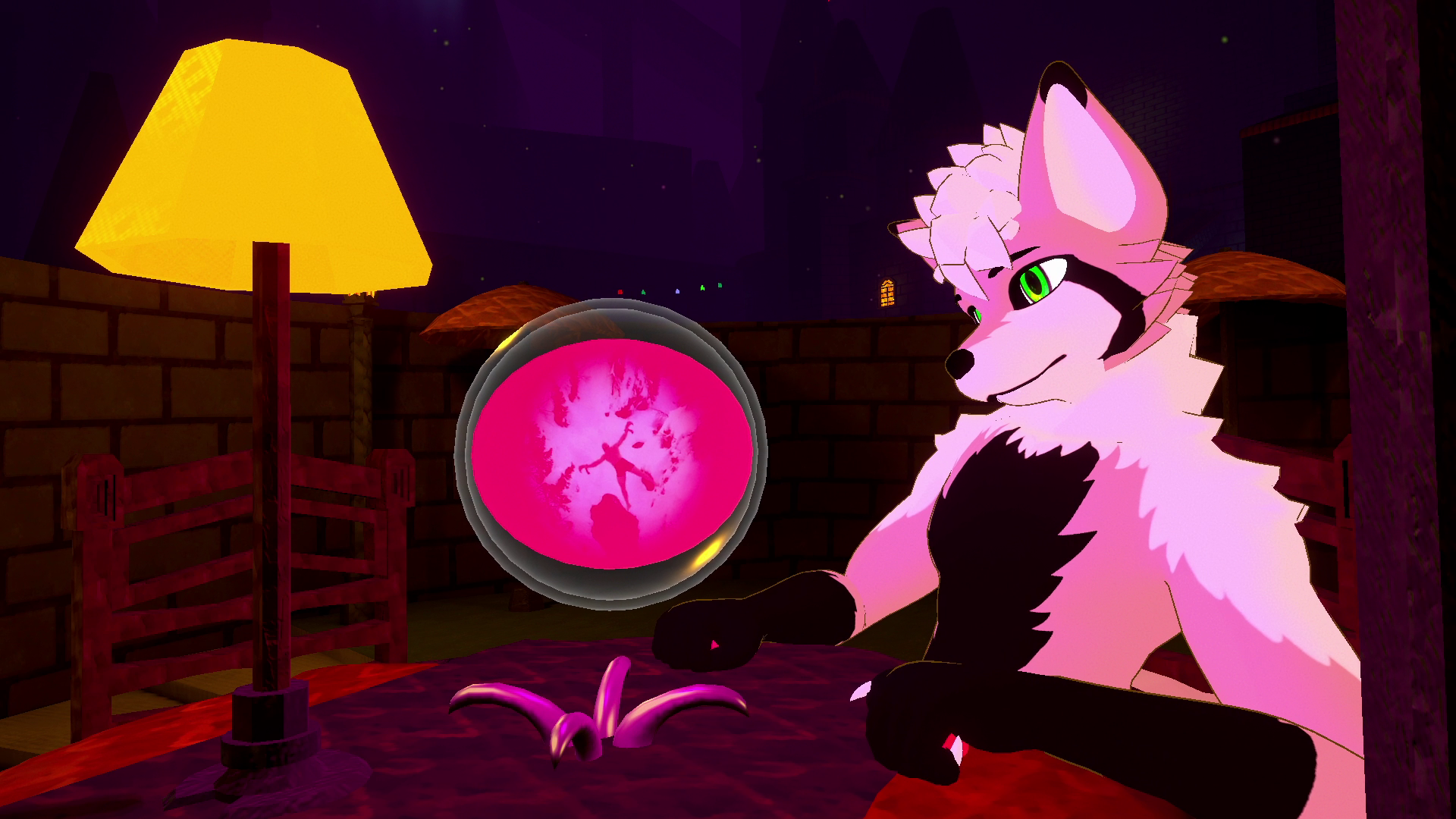
Rub the ball to interpret what lies in the future. Guaranteed to be correct 100% of the time! (if you use enough imagination.) Find out what's going to happen to your friends!
256 visions pre-loaded, can be edited with a provided template.
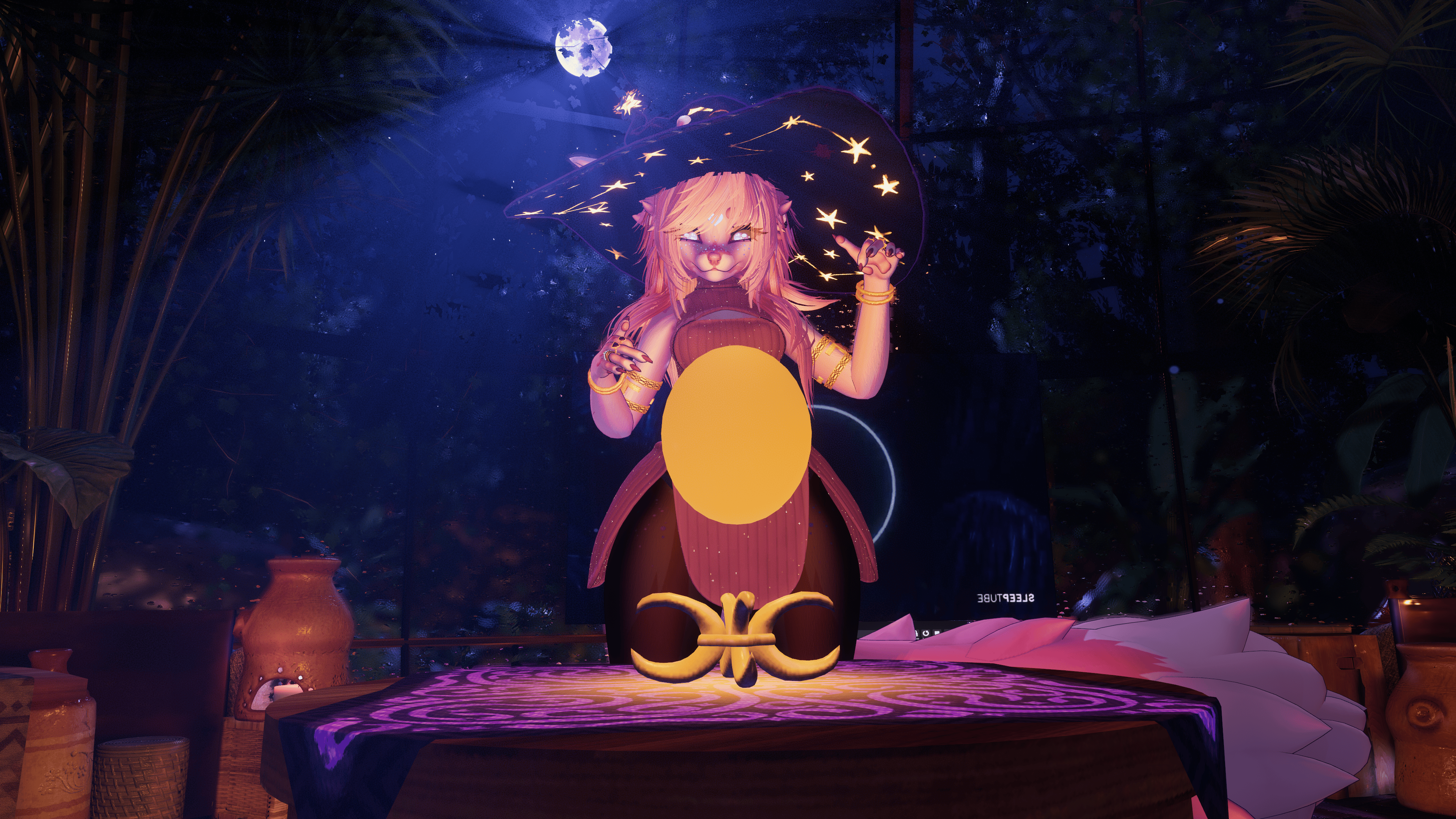
The ball can float between your hands with open-hand gestures, or lock the ball to your hand through a toggle. Enable "Light Mode" to make the ball always glow so you can use it to light up worlds.
Comes with a table and multiple pedestals/textures, or you can disable it and just use the crystal ball.
Features for the Crystal Ball
🔗 Fully synced, including late-joining world-drop sync
👻 Contains 256 visions on spritesheets
💡 Can be used as a light with a dedicated Light Mode
🖼️ Edit the visions to match your group, or put in inside jokes
🖌️ Simple texture for easy customization of the tablecloth
🫳 Any player can rub the ball with both hands to activate it
📋 Customizable table texture, hue, and pedestal
🌈 Change the default color for the ball, but it may change during readings!
Requirements
- Latest VRChat recommended Unity version and SDK, and VRCFury for easy installation
- Poiyomi shader required for PC version
Crystal Ball:
🔴 1 Light (Can be removed)
🟢 9,968 Polygons
🟢 2 Skinned Mesh Renderers
🟢 1 Particle System
🟢 4 Material Slots
🟢 4 Non-Local Contacts
💬 33 Synced Parameter Bits (VRCFury Parameter Compressor compatible)
💬 Write Defaults On
If you have any questions or issues, please open a discord support ticket! https://discord.gg/JrexBjd78m
- You must have "Self Interactions" enabled in game for all of my assets. If you are having issues, check your in-game settings and make sure self-interact is on!
TOS
- Do not redistribute or sell this asset's files on their own
- Credit me if you upload a public avatar, or include this in an avatar project
- Have fun!