
상품 설명
이 상품에는 AI로 생성된 콘텐츠가 포함되어 있습니다.
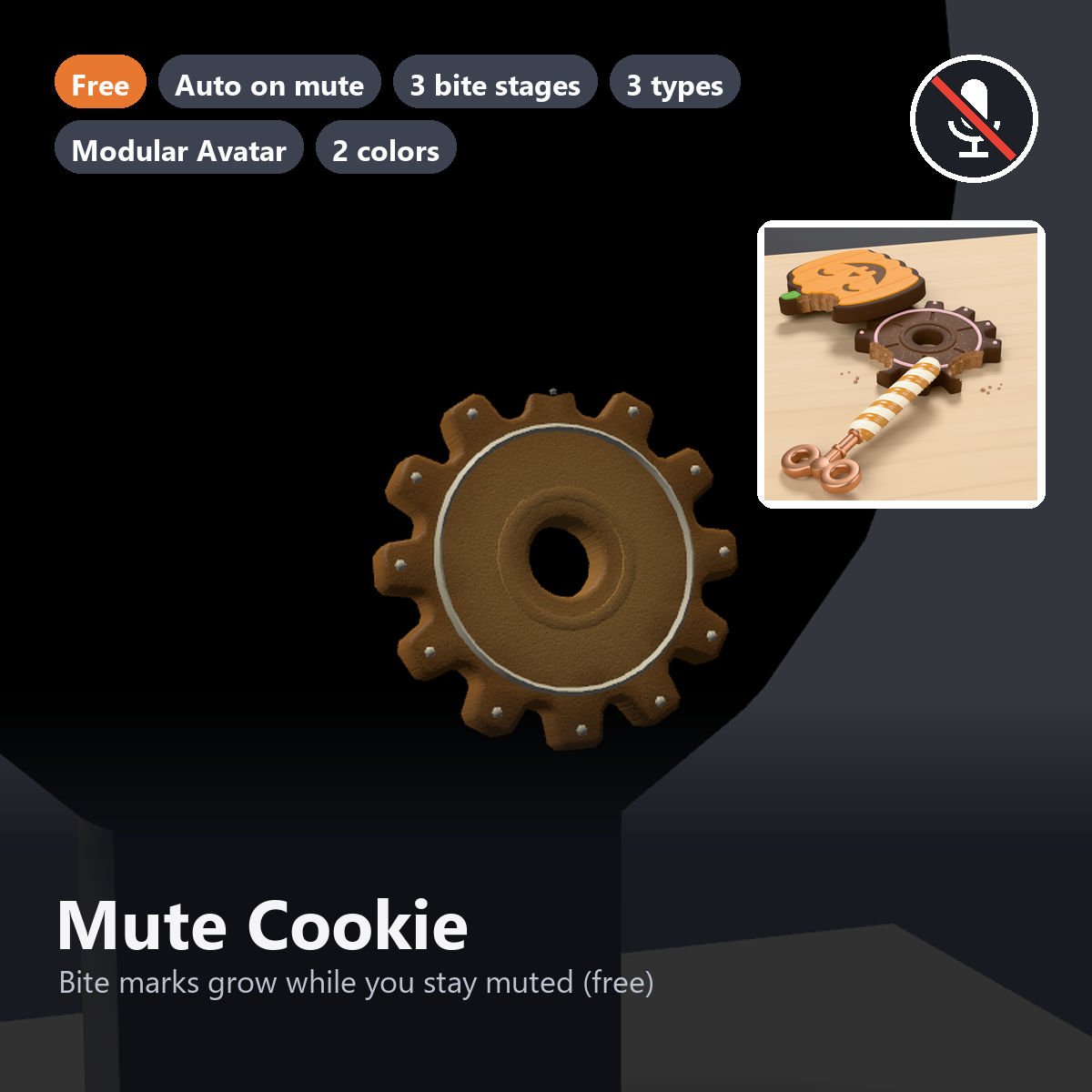
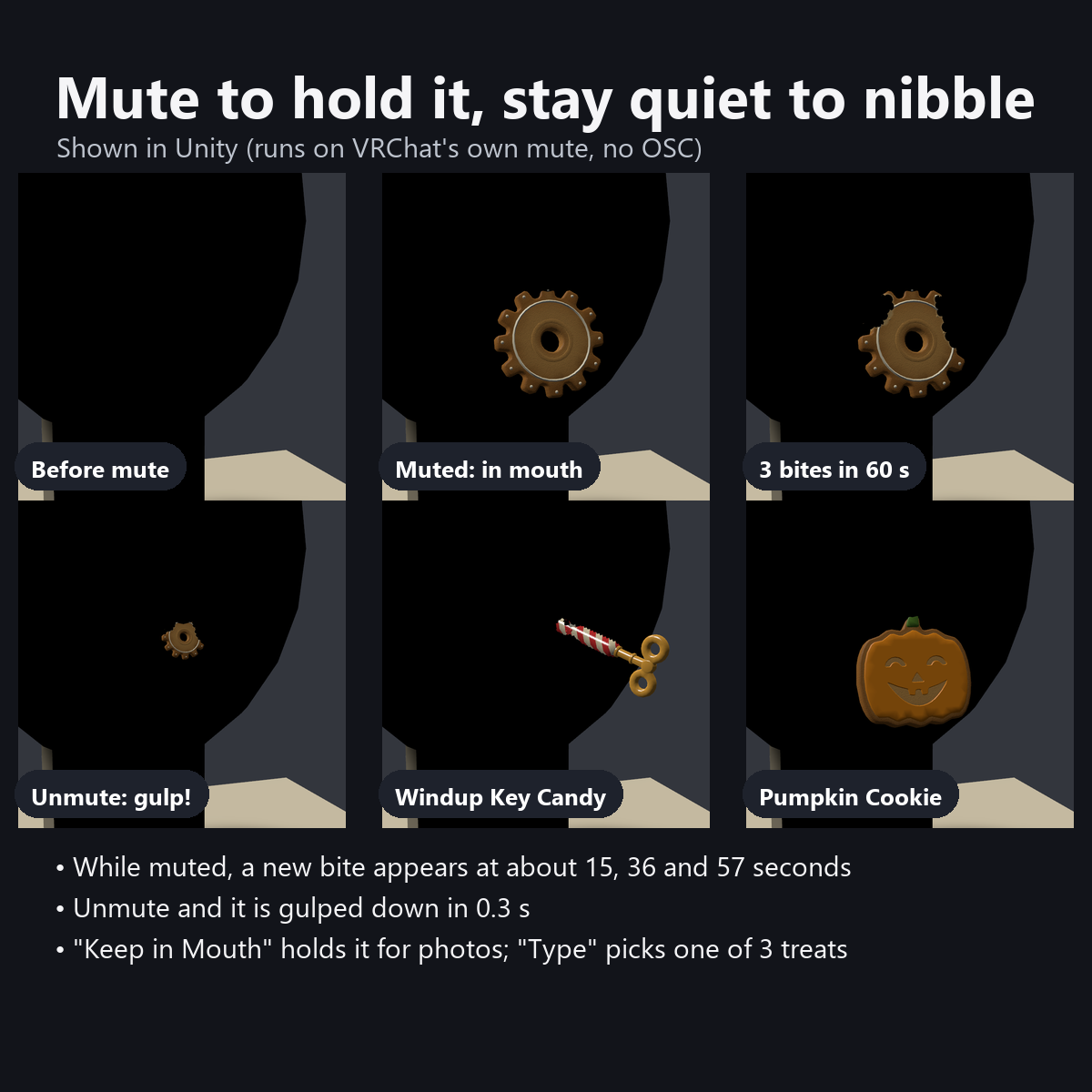
When you mute your mic, your avatar holds a gear-shaped cookie in its mouth. When you unmute, it disappears into the mouth with a little gulp.
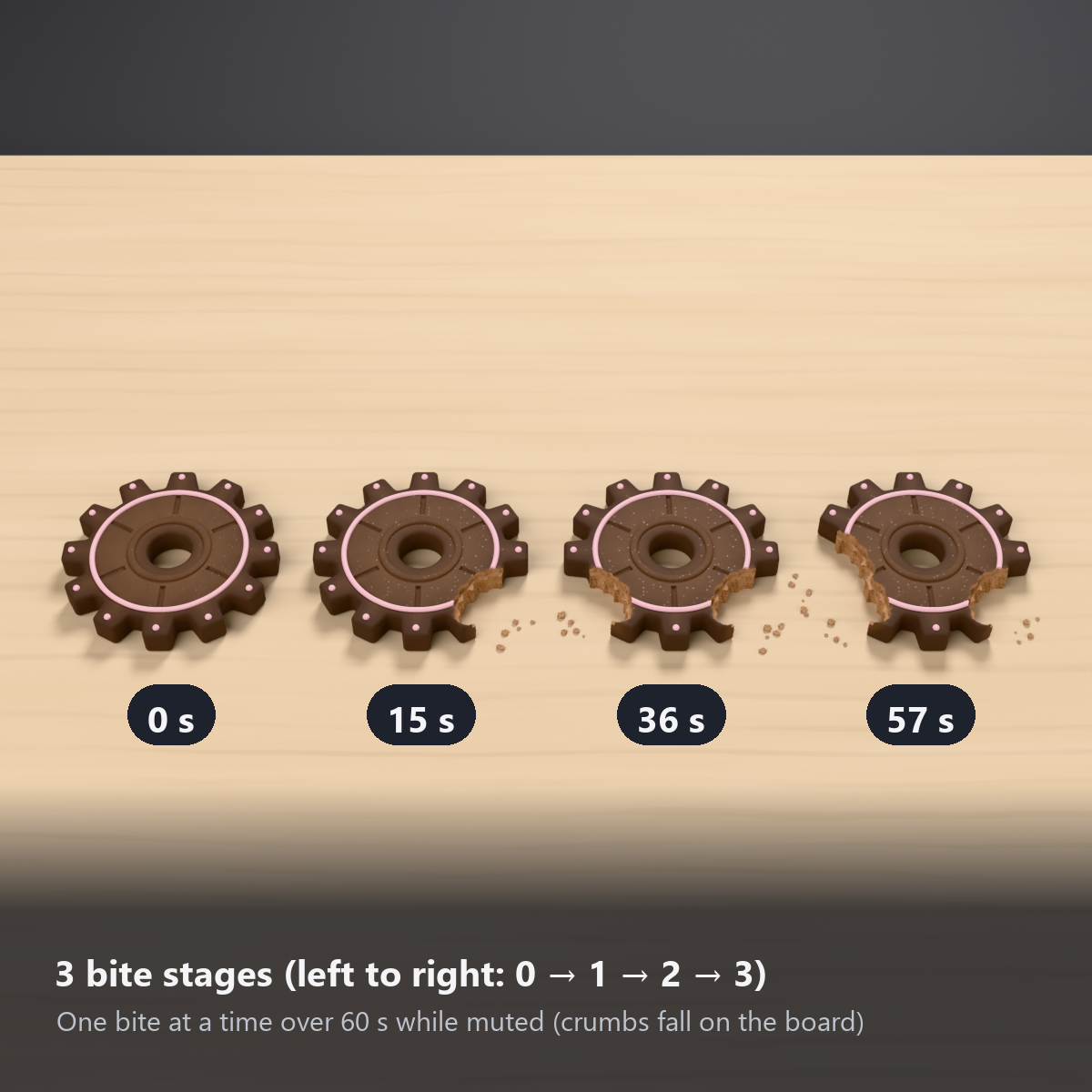
While you stay quiet, bite marks appear in 3 steps over 60 seconds, so people around you can see at a glance that you have been quiet for a while.
Choose from 3 types: gear cookie, windup key candy, or pumpkin cookie (Halloween).
This item is free, so you can try out Karakuri Komono's items. If you like it, following the shop helps a lot.
Features
- Appears automatically when you mute (reads VRChat's built-in mute state; no OSC or external app)
- Shows how long you have been quiet: bite marks grow in 3 steps over 60 seconds (at about 15, 36 and 57 seconds). The marks have the wavy shape of front teeth, and the bitten surface shows light dough with uneven color and tiny air bubbles
- Unmute and it disappears into the mouth in 0.3 seconds (a cue that you are about to talk)
- Keep in Mouth shows it without muting (for photos)
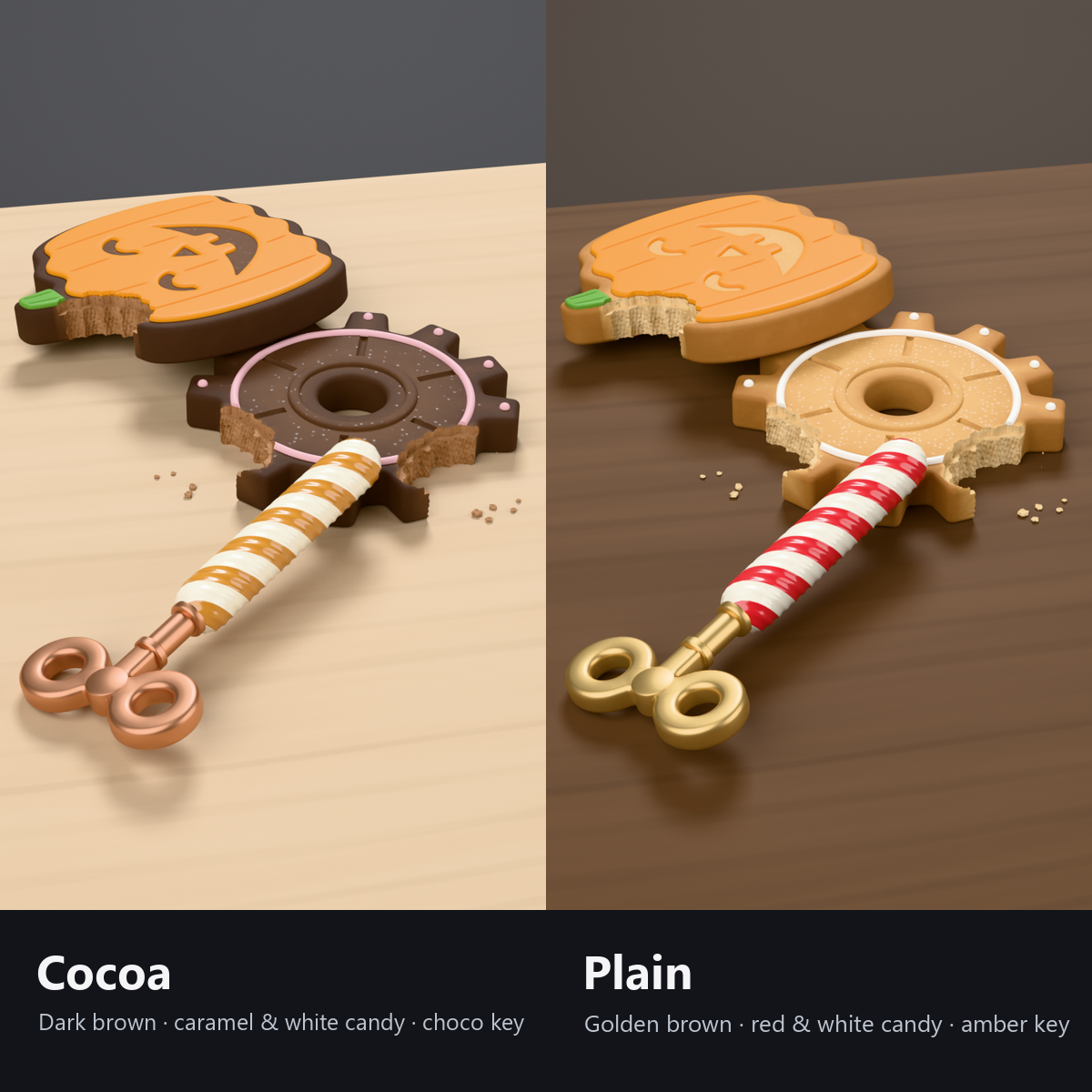
- 3 types: gear cookie (12 straight teeth, a center hole and stamped ring, white icing ring and dots) / windup key candy (twisted candy stick, two-wing key head) / pumpkin cookie (smiling icing face, ridges, green stem)
- 2 colors: Plain (golden brown; red and cream candy; amber key) / Cocoa (dark brown; caramel and white candy; chocolate key)
- Lightweight: 1 mesh, 1 material, 0 particles. Only the selected type is drawn (about 2,200 triangles at most)
- Own shader included; no need to install lilToon
- Original designs for the shapes, faces and patterns
- Modular Avatar ready: put it under your avatar and fit it to the mouth (works with any avatar)
How it works
- Your own device reads VRChat's built-in MuteSelf and passes it to everyone through a synced switch.
- Appearing, disappearing and the bite marks are all done with shaders and animations (no bones, PhysBones or particles). The bitten holes show solid dough, not an empty shell.
- The 3 types share one mesh and one material; the shader hides the 2 that are not selected (no extra materials or renderers).
Good to know
- Mouth positions differ between avatars, so after placing it there is one step to move it to the mouth (the manual explains how).
- The cookie is a hard snack, so it does not sway or stretch. There are no sound effects (a sound while muted could bother others).
Menu (English menu prefab)
- Mute Cookie > Show: cookie on/off (while OFF, it does not appear even when you mute)
- Mute Cookie > Keep in Mouth: show it without muting (for photos)
- Mute Cookie > Type: Gear Cookie / Windup Key Candy / Pumpkin Cookie
What's included
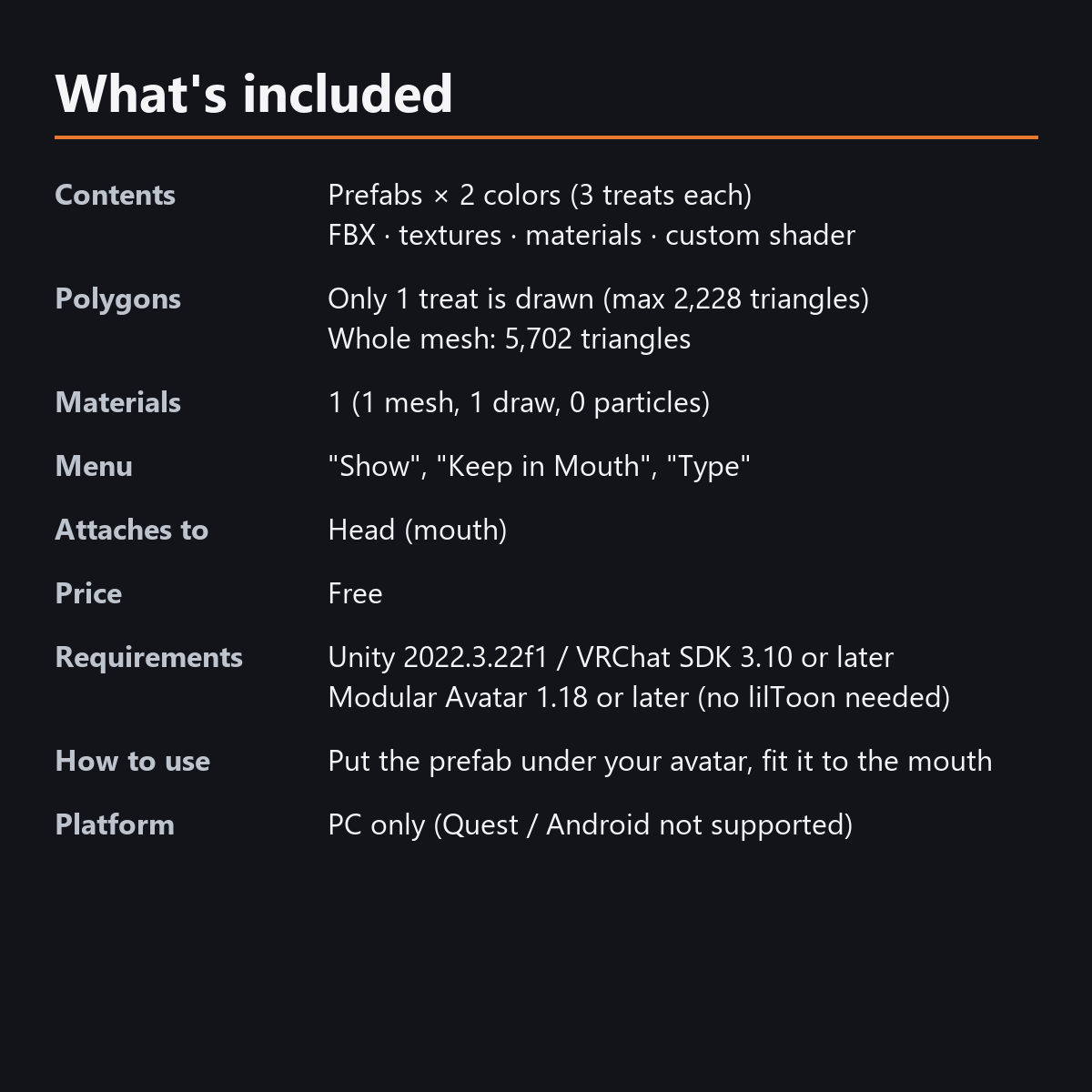
- Prefabs x 2 colors (3 cookie types in each)
- FBX, textures, material, custom shader, animations
- English-menu prefabs (_EN) next to the Japanese-menu prefabs. Use one or the other on an avatar, not both.
- Instruction manual and Terms of Use in English and Japanese
Specs
- Triangles: 5,702 for all 3 types together. Only the selected type is drawn (gear 2,228 / candy 1,384 / pumpkin 2,090)
- Materials: 1 / meshes: 1 / renderers: 1
- Synced parameters: 11 bits (Show, muted, Keep in Mouth, Type). The bite marks use no sync
- Performance (test): PC Excellent overall on a test mannequin (6,854 triangles including the mannequin's 1,152)
- No Particle Systems, PhysBones, AudioSources or Lights. No sound effects
- No extra skinned mesh
Requirements
- Unity 2022.3.22f1 (an avatar project made with VRChat Creator Companion)
- VRChat SDK (Avatars) 3.10 or later
- Modular Avatar 1.18 or later
- lilToon is not needed (custom shaders included)
Please note
- PC only. Not supported on Quest / Android.
- You cannot see things attached to your own head from your own view (this is how VRChat works). Check with a mirror or a camera.
- The bite marks are counted on each viewer's device, for 60 seconds from when the cookie appears. People who arrive later see it start from the unbitten state.
- The bite marks also grow over 60 seconds with "Keep in Mouth". To take a photo before the first bite, take it within 15 seconds or show the cookie again.
- On avatars with Write Defaults ON, the little "gulp" (shrinking) when you unmute is skipped, and the cookie disappears at once.
- If a viewer's Safety settings hide shaders, all 3 types may be shown on top of each other.
Terms of use
- You may upload it to VRChat and similar services on your own avatars, edit it, and use it in streams, videos and photos (commercial or not).
- You may not redistribute, resell or share the data (edited or not), or use it to train AI.
- Full text: Terms_of_Use.txt in the download.
Also on BOOTH
This item is also sold on BOOTH, the Japanese marketplace: https://karakuri-komono.booth.pm/items/8940944
How this was made (AI-Assisted)
The 3D shapes, materials, shaders and texts of this item were made with scripts written with AI assistance. A person checked how it looks and moves in Unity before release.