
Free Windup Key - Spins Faster When You Talk, Stops When AFK | VRChat
상품 설명
이 상품에는 AI로 생성된 콘텐츠가 포함되어 있습니다.
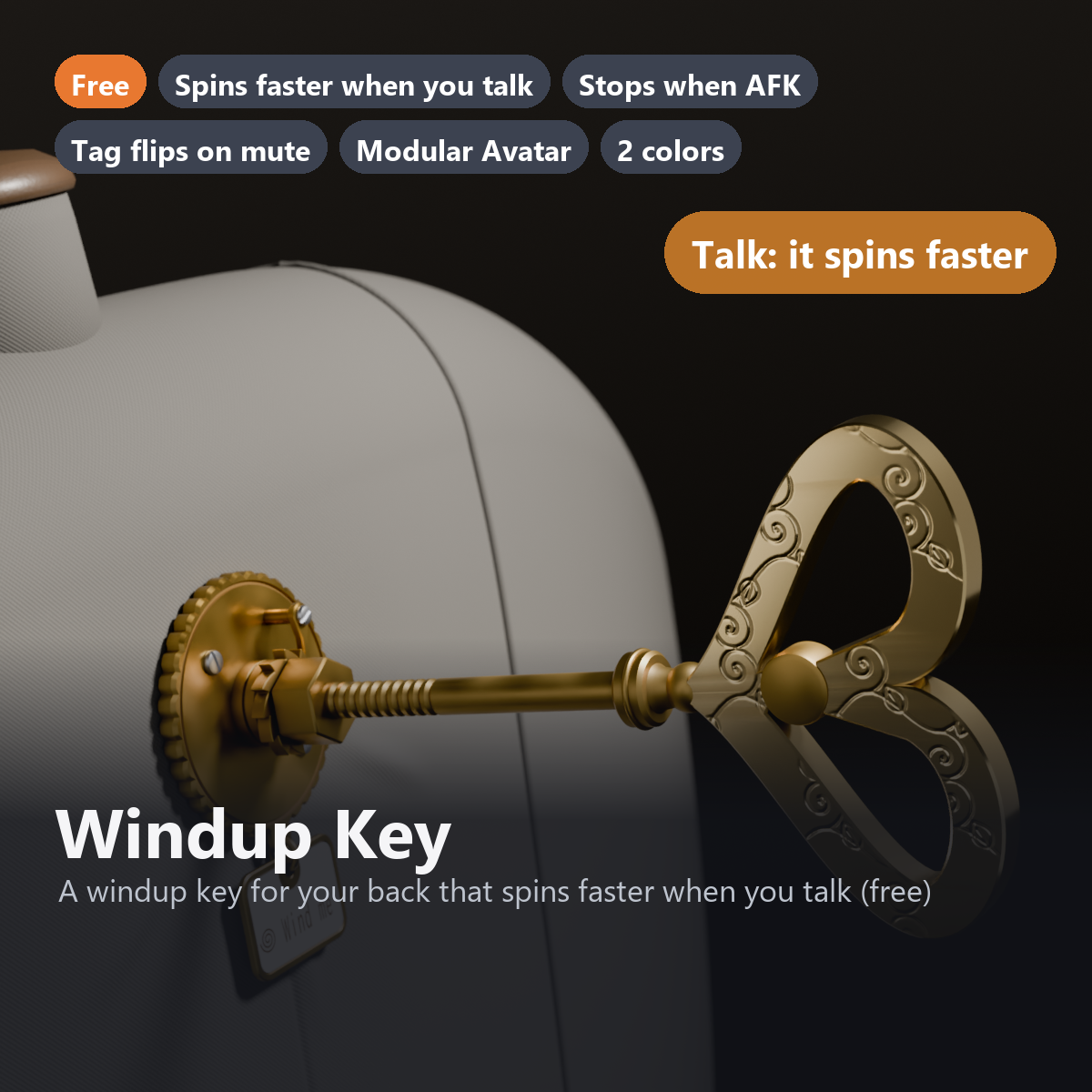
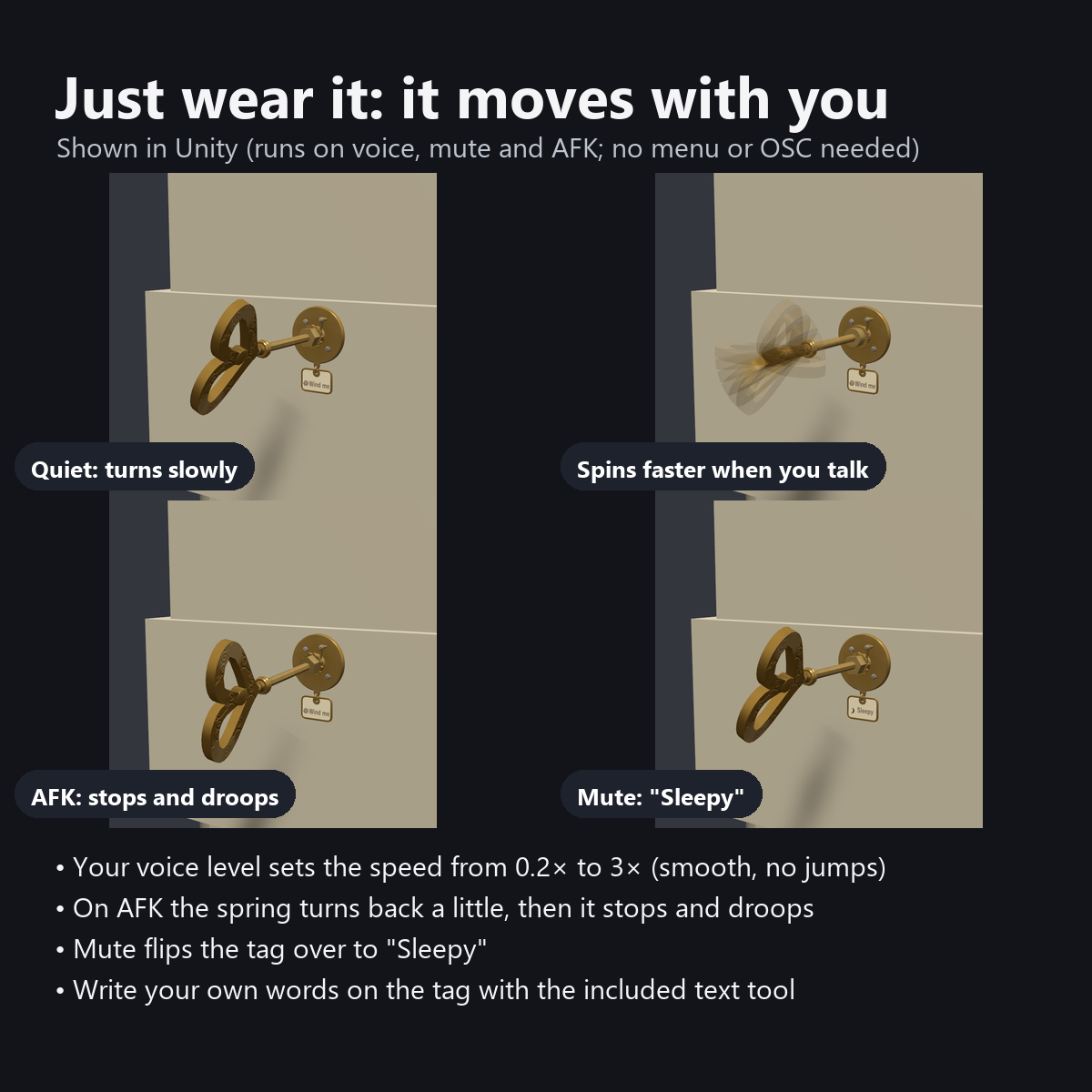
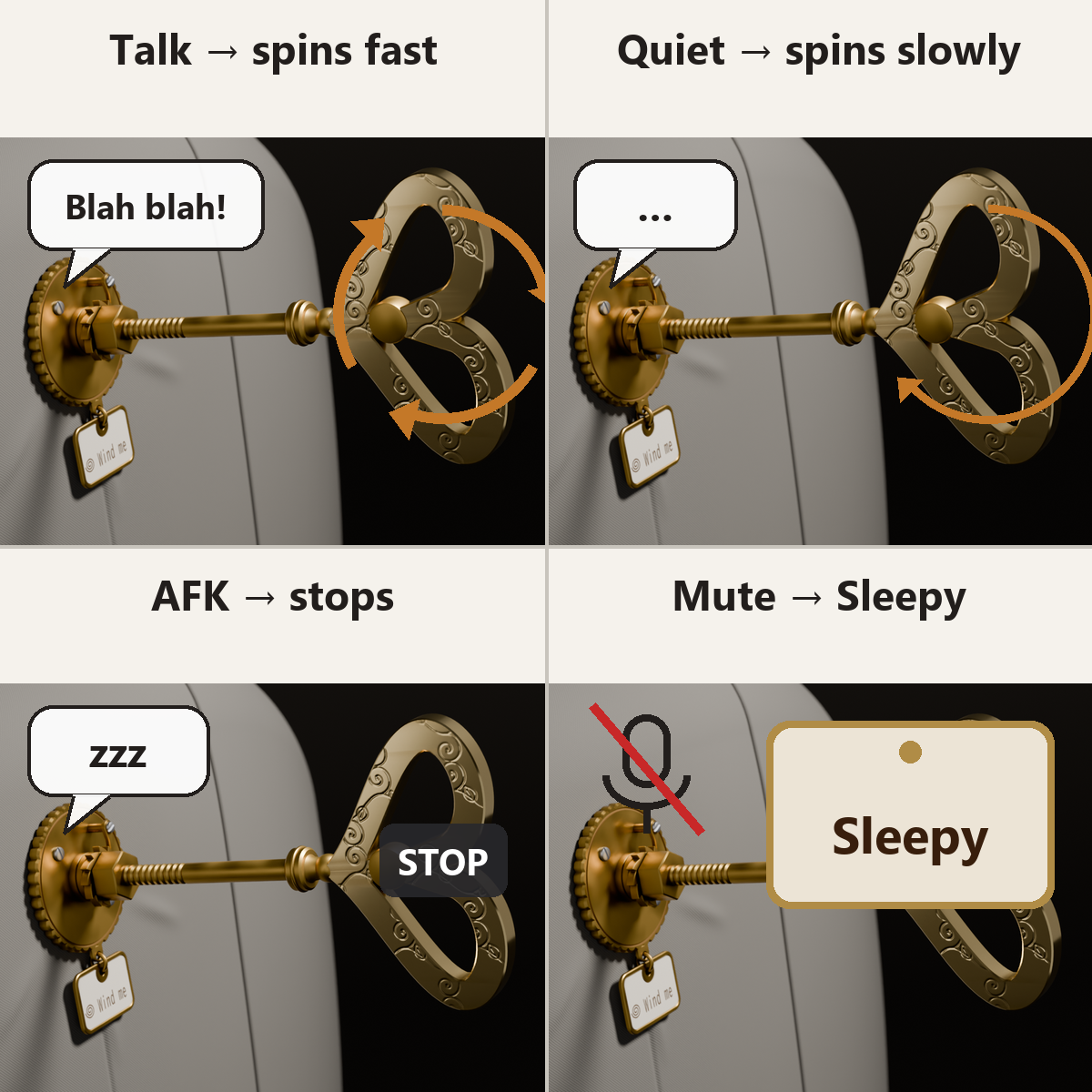
A brass windup key that plugs into your back. It spins faster when you talk and slows down when you are quiet. When you go AFK it stops, the spring kicks back a little, and the tip of the key droops.
When you mute your mic, the tag hanging below flips over, from "Wind me" to "Sleepy" (English-menu version). You do not need to press anything: just wear it and it follows what you are doing.
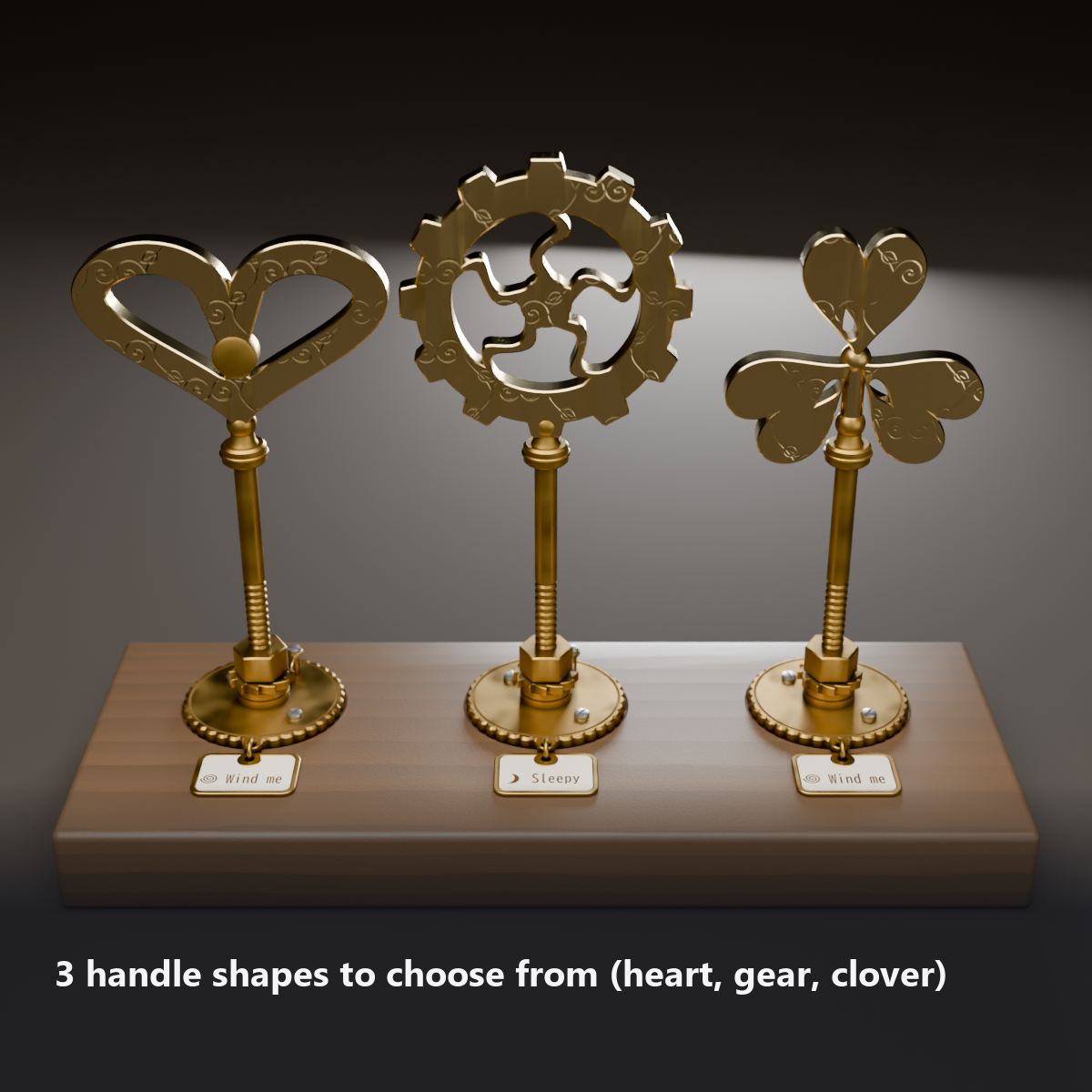
The washer has concentric grooves, two small screws in a different metal, and a leaf-spring pawl that catches the ratchet wheel. Choose from 3 handles: heart, gear or clover.
This item is free, so you can try out Karakuri Komono's items. If you like it, following the shop helps a lot.
Features
- Faster when you talk, slower when you are quiet: your voice level (VRChat's standard Voice value) sets the speed from 0.2x to 3x. The angle never jumps when the speed changes; it speeds up and slows down smoothly
- Stops when AFK: right after stopping, the spring turns it back a little and the tip droops 5 degrees. When you come back, it returns to its pose in 0.6 seconds
- The tag flips when you mute: it swings outward and turns over to show "Sleepy" and a moon mark. When you unmute, it turns back to "Wind me" and the spring spiral
- Write your own words on the tag with the included text tool (Tools > からくり小物店 Karakuri Komono > 文字を作る Make Text). Keep each line short (about 7 letters)
- 3 handle shapes in the menu: heart (frame and round center) / gear (12 teeth, 5 S-shaped spokes) / clover (3 leaves with teardrop cutouts). No extra materials
- Attach To in the menu: back / lower back / back of head (for people whose wings or backpack get in the way). Size dial from 0.6x to 1.6x
- Details: arabesque engraving along the edges on both sides of the handle (worn thin where you pinch it), a rubbed shine only where fingers touch, the uneven look of used brass, 10 thread grooves, a hexagonal neck (10 mm across the flats), a saw-toothed ratchet wheel with its pawl, 36 notches around the edge, and dark patina in the grooves and engraving
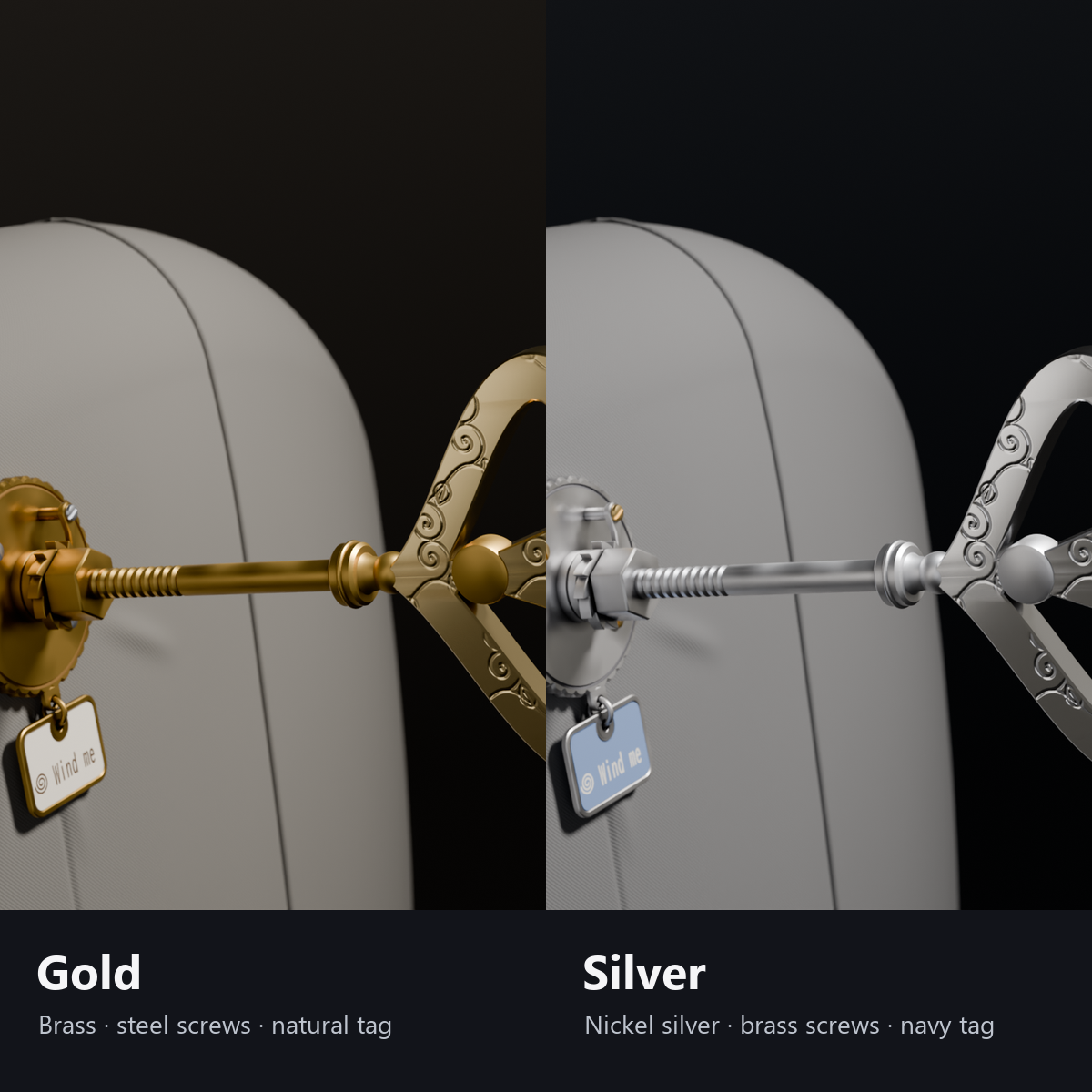
- 2 colors: Gold (brass, steel screws, natural-color tag) / Silver (nickel silver, brass screws, navy tag)
- Light: 1 material, 0 PhysBones, 0 particles (about 5,500 triangles with all 3 handles, about 4,000 to 4,400 drawn)
- Custom shader included (no lilToon needed). All designs are original
- Modular Avatar ready: put it under your avatar and move the anchor to the surface of the back (no manual steps such as Apply Root Motion)
How it works
- Spin speed: your voice level (Voice) is smoothed (it catches up in about 0.4 seconds) and turned into a speed of 0.2x to 3x. Normal speech gives 0.5x to 1.2x (90 to 210 degrees per second), loud speech 1.5x or more. When you are quiet it slows down to 0.2x (one turn every 10 seconds).
- The rotation adds up "speed x time", so the angle never jumps when the speed changes.
- Priority: AFK > mute > voice. While muted your voice is 0, so it turns slowly and the tag shows "Sleepy".
- The 3 handles are in one mesh. The shader folds the shapes that are not selected into a single point so they are not drawn (no extra materials or renderers).
What to know before getting it
- It reacts only to the wearer's own voice, not to other people's voices or world music.
- It does not use PhysBones, so other people cannot grab and pull it out (it moves with the wearer instead).
- The default anchor positions are for an avatar about 1.5 m tall. Move the anchors to fit your avatar (the manual explains how).
- The pawl floats slightly above the teeth so it never overlaps them while the key turns.
Menu (English menu prefab)
- Windup Key > Show: key on/off
- Windup Key > Tag: tag on/off
- Windup Key > Handle Shape: Heart / Gear / Clover
- Windup Key > Attach To: Back / Lower Back / Back of Head
- Windup Key > Size: dial from 0.6x to 1.6x (1x at first)
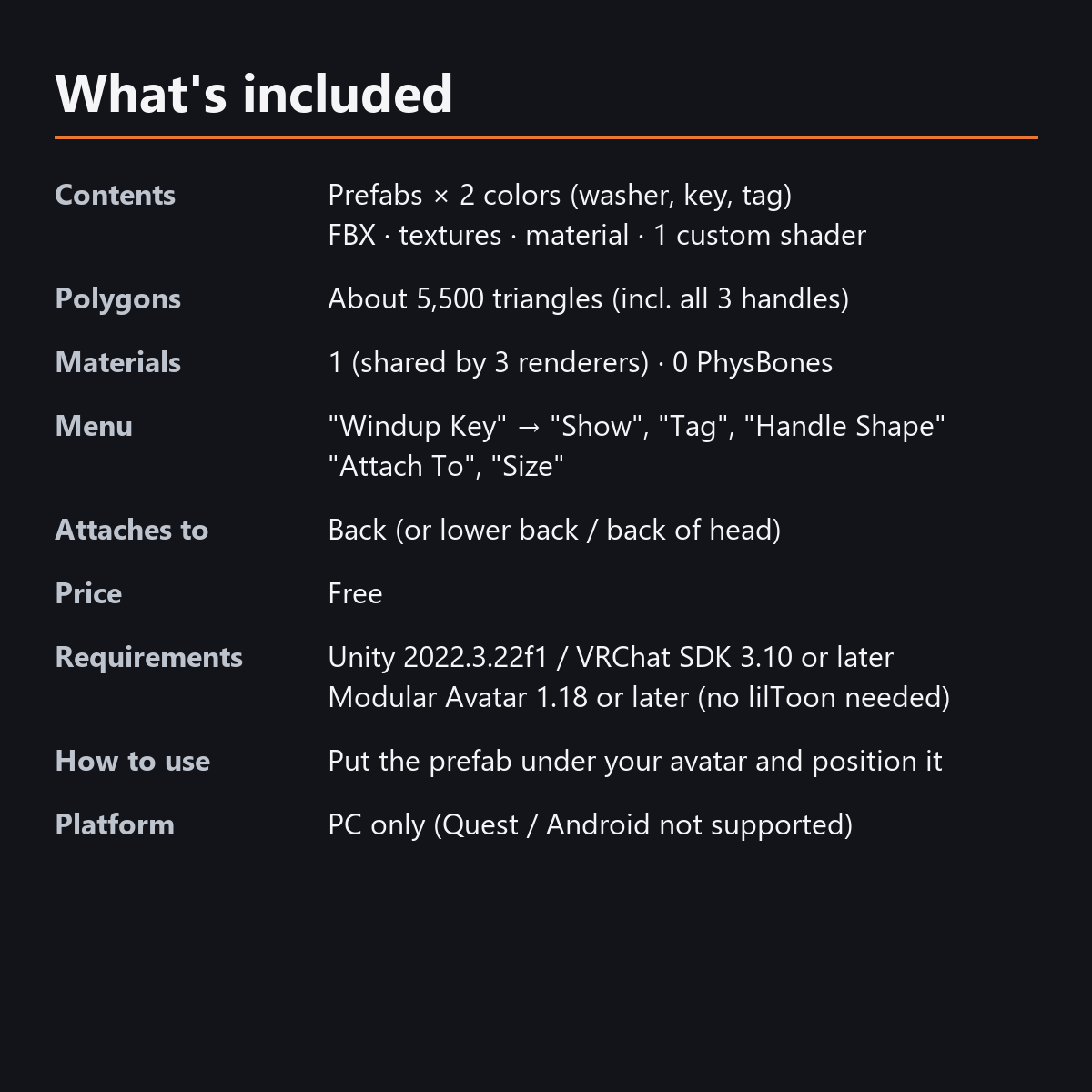
What's included
- Prefabs x 2 colors (washer, key, tag)
- FBX, textures, material, 1 custom shader, animations, text tool settings for the tag
- English-menu prefabs (_EN) next to the Japanese-menu prefabs. Use one or the other on an avatar, not both. On the _EN prefabs, the tag shows English sample text
- Instruction manual and Terms of Use in English and Japanese
Specs
- Triangles: about 5,500 (5,498, including the 3 handle shapes; about 4,000 to 4,400 drawn)
- Materials: 1 (shared by the washer, key and tag)
- Unity test: all items OK. VRChat performance rank [PC] Excellent (7,010 triangles and 4 materials including the test mannequin)
- Synced parameters: 28 bits (Show, Tag, Handle Shape, Attach To, Size, AFK, mute). The voice-driven parts use no sync
- No Particle Systems, PhysBones or AudioSources
- No extra skinned mesh
Requirements
- Unity 2022.3.22f1 (an avatar project made with VRChat Creator Companion)
- VRChat SDK (Avatars) 3.10 or later
- Modular Avatar 1.18 or later
- lilToon is not needed (custom shader included)
Please note
- PC only. Not supported on Quest / Android.
- Voice is calculated on each viewer's device, so the spin speed may differ slightly between viewers.
- Spinning, stopping and flipping the tag work inside VRChat. In the Unity editor it stays still.
- Stopping while AFK starts when VRChat decides you are AFK (we have not confirmed when the desktop version sets AFK).
- If a viewer's Safety settings hide shaders, the key is shown with a standard look, and the 3 handles may appear on top of each other.
- The "Back" spot is attached to the Spine bone. To attach it higher, set the MA Bone Proxy on the back anchor to Chest.
Terms of use
- You may upload it to VRChat and similar services on your own avatars, edit it, and use it in streams, videos and photos (commercial or not).
- You may not redistribute, resell or share the data (edited or not), or use it to train AI.
- Full text: Terms_of_Use.txt in the download.
Also on BOOTH
This item is also sold on BOOTH, the Japanese marketplace.
How this was made (AI-Assisted)
The 3D shapes, materials, shaders and texts of this item were made with scripts written with AI assistance. A person checked how it looks and moves in Unity before release.