
Voice Meter Brooch - VU Needle Swings with Your Voice, Tube Glows | VRChat
상품 설명
이 상품에는 AI로 생성된 콘텐츠가 포함되어 있습니다.
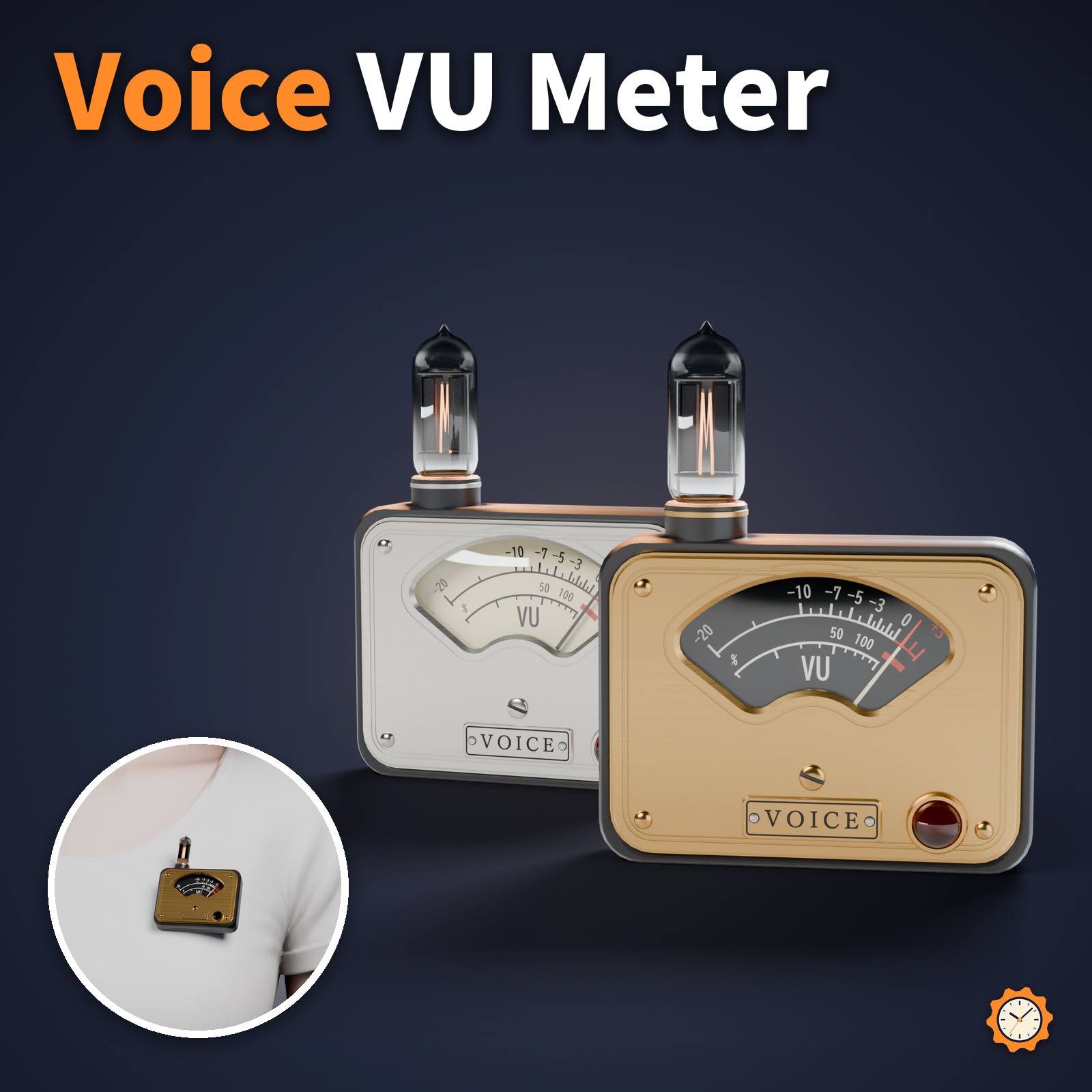
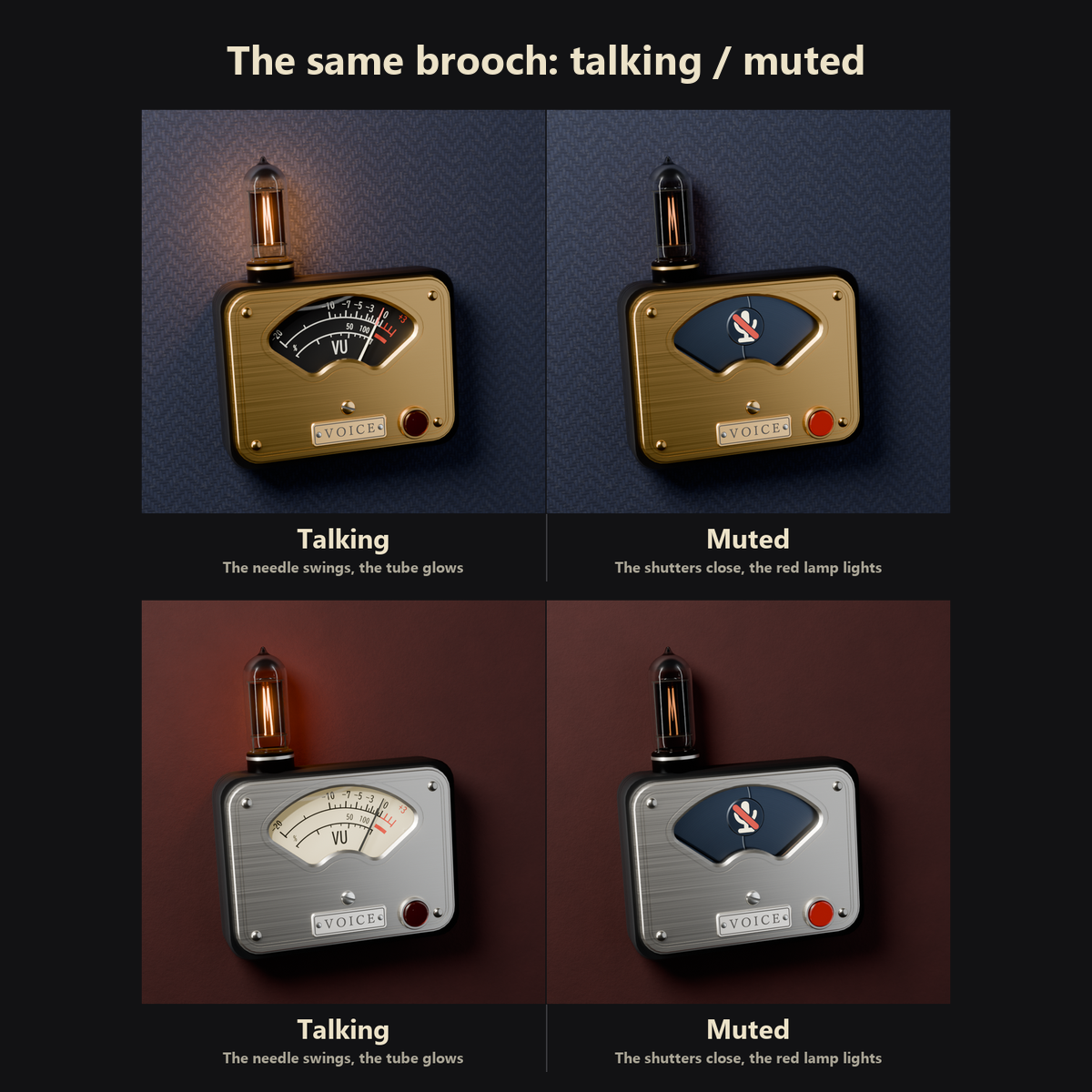
A small analog meter brooch for your chest. Inside an arched window, a VU meter needle swings with how loud you talk, and a tiny vacuum tube above it glows orange.
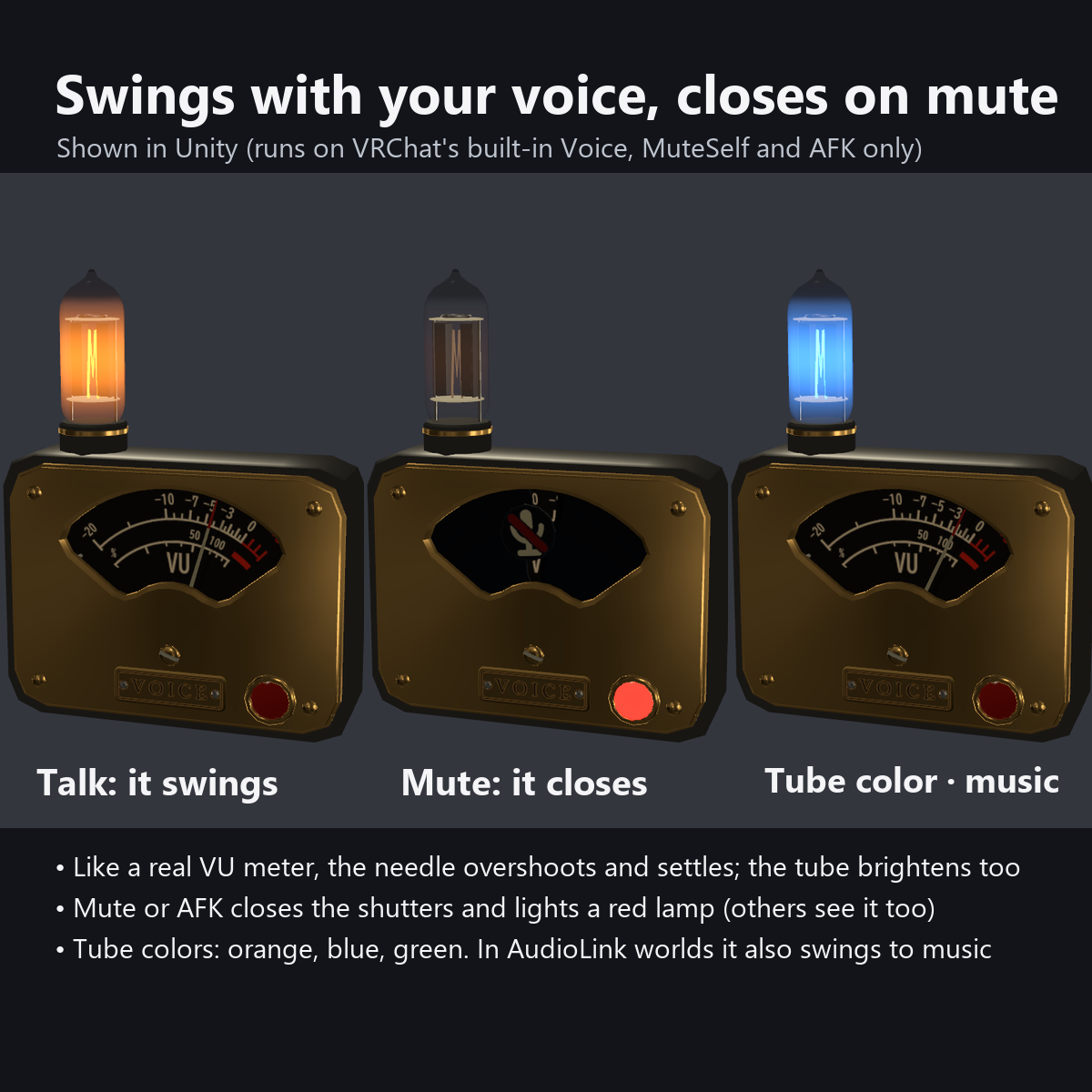
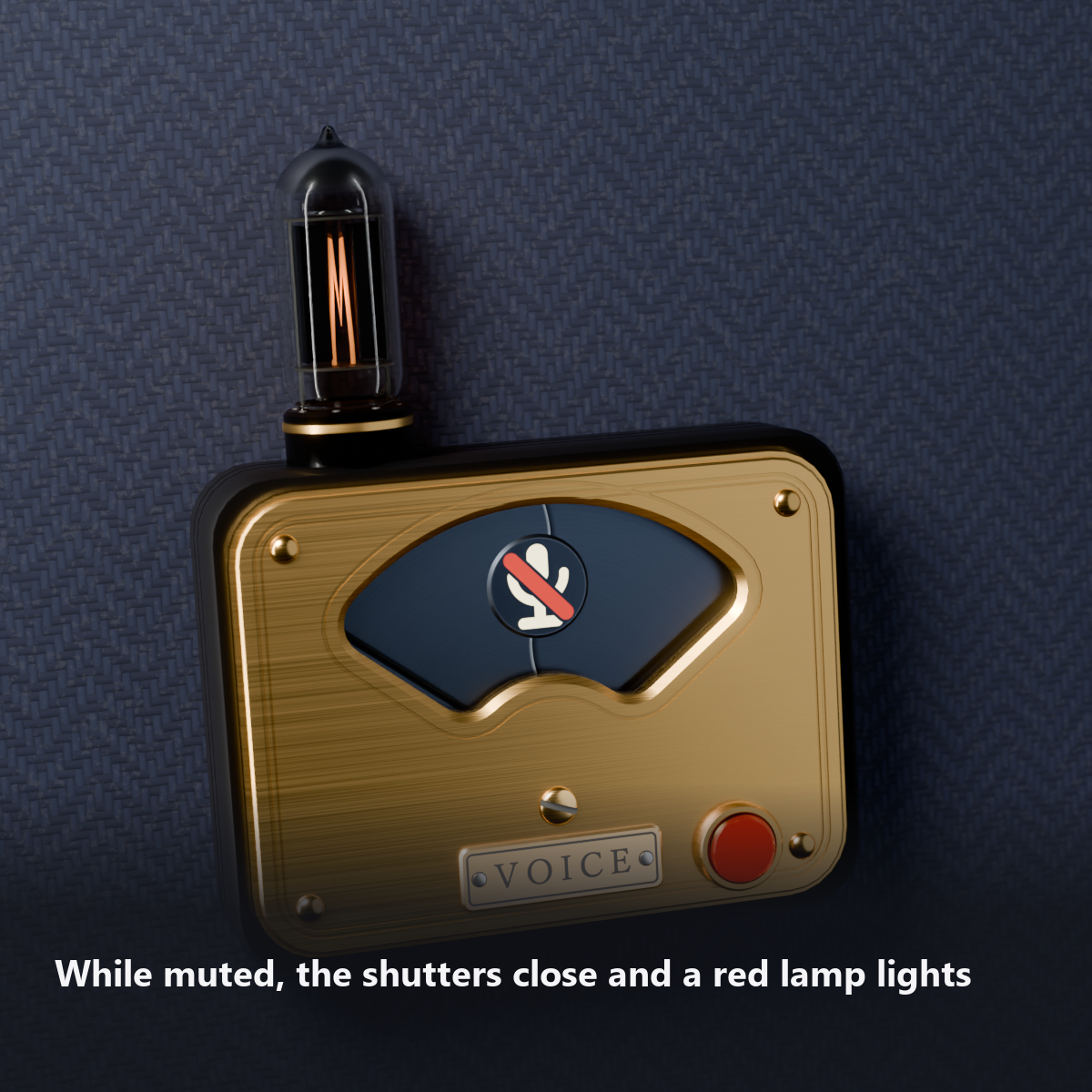
When you mute your mic, the machine stops: the needle drops to the left pin, a two-blade shutter closes over the window, and a red glass lamp at the lower right lights up. People can tell from a distance that you are muted.
It runs only on VRChat's standard Voice, mute (MuteSelf) and AFK values. No OSC, external apps or Contacts needed.
Features
- The needle swings with your voice: it overshoots a little when you start talking and settles back, like a real VU meter. A dB scale (-20 to +3 VU), a red band at the right end, and a slight wavering of the needle
- The vacuum tube glows with your voice: the louder you talk, the brighter the filament, with light glowing inside the glass (details down to the silver getter at the top and the sealed tip)
- The machine stops when you mute: two blued-steel shutter blades close, an enamel emblem of a microphone with a red slash appears in the middle of the window, and the red lamp lights. The tube goes dark (the heater stays faintly lit). It also closes while you are AFK
- Moves with music (AudioLink): turn up the dial and the needle and tube dance to the music in supported worlds
- 3 tube colors: orange / blue / green
- Attach To: chest (default) / collar (above the left chest, tilted slightly outward) / hat
- "Test Needle" button: check the needle motion without talking
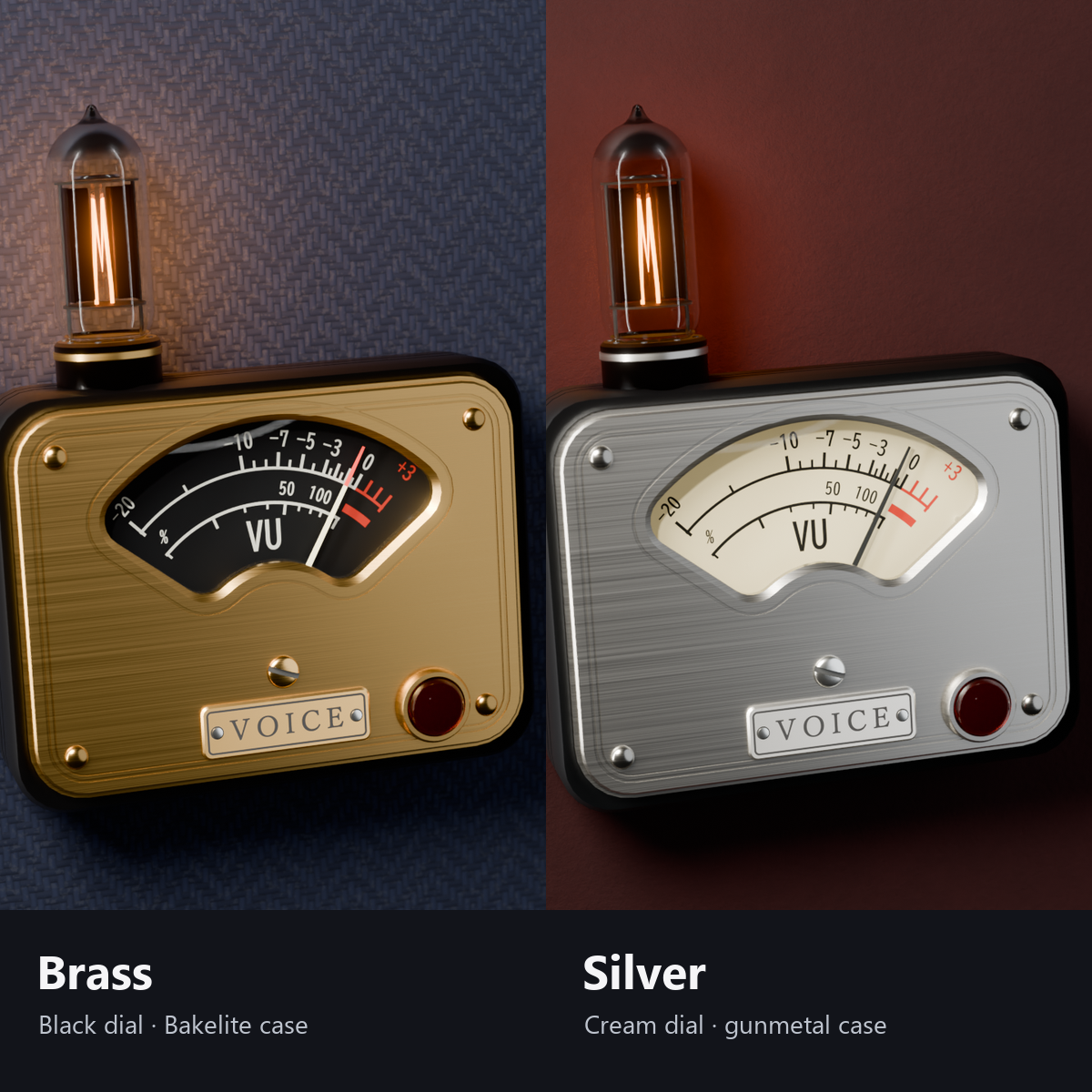
- 2 colors: brass with a black dial plate (Bakelite case) / silver with a cream dial plate (gunmetal case)
- Brass bezel, rivets, a "VOICE" nameplate, a zero-adjust screw and a safety pin on the back. All designs are original
- Modular Avatar ready: put it under your avatar and fit it to your chest (switch to the collar or hat in the menu)
How it works
- Your voice level is followed by a fast value and a slow value, and the difference between them makes the needle overshoot when you start talking (a slightly exaggerated version of how a real VU meter moves).
- Mute and AFK are read from VRChat's standard values on your own device and passed to everyone through one synced bit. The shutters move smoothly and slow down just before they close.
- The needle, shutters and light are all moved by shaders (no bones or animated parts).
Menu (English menu prefab)
- Voice Meter > Show: meter on/off
- Voice Meter > Test Needle: press to swing the needle for about 1.6 seconds
- Voice Meter > Tube Color: Orange / Blue / Green
- Voice Meter > Music Response: dial. 0% is off; higher makes the needle and tube move more with world music (AudioLink). 50% is normal
- Voice Meter > Attach To: Chest / Collar / Hat
What's included
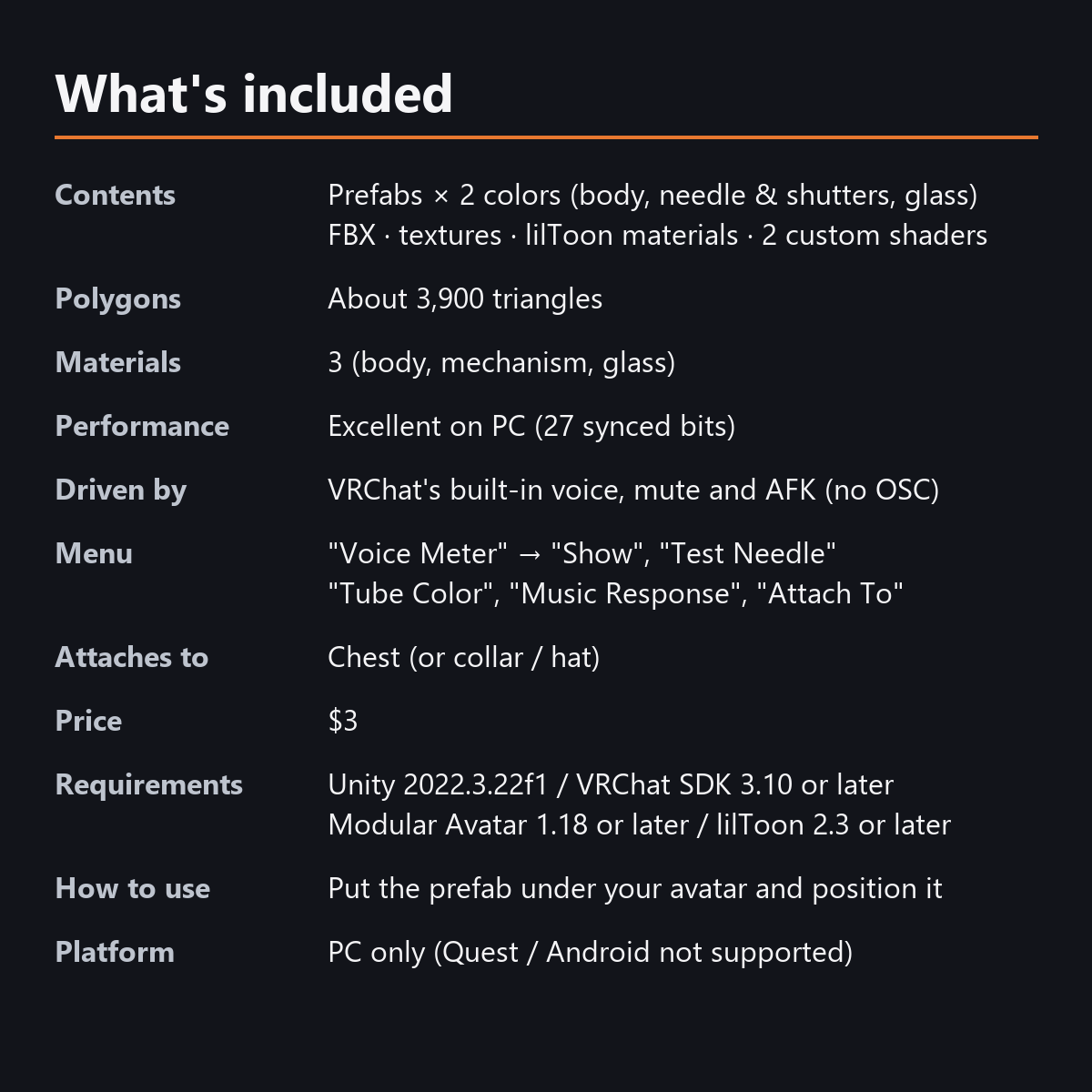
- Prefabs x 2 colors (body, needle and shutters, glass)
- FBX, textures, lilToon materials, 2 custom shaders (mechanism, glass), animations
- English-menu prefabs (_EN) next to the Japanese-menu prefabs. Use one or the other on an avatar, not both.
- Instruction manual and Terms of Use in English and Japanese
Specs
- Triangles: about 3,900 (5,038 in the Unity test, including the test mannequin's 1,152)
- Material slots: 3 (body, mechanism, glass)
- Synced parameters: 27 bits (Show, Test Needle, Tube Color, Music Response, Attach To, mute)
- Performance rank (PC): Excellent (checked in the Unity test; all 36 automatic test items OK)
- Voice, mute and AFK use VRChat's standard values, so it also moves on other people's screens
- No Particle Systems, PhysBones or AudioSources
- No extra skinned mesh
Requirements
- Unity 2022.3.22f1 (an avatar project made with VRChat Creator Companion)
- VRChat SDK (Avatars) 3.10 or later
- Modular Avatar 1.18 or later
- lilToon 2.3 or later
Please note
- PC only. Not supported on Quest / Android.
- The needle and tube move with your voice inside VRChat. They do not move in the Unity editor.
- The shutters close on mute and AFK using VRChat's standard values. This reaches other people's screens with a short delay.
- In worlds that do not support AudioLink, "Music Response" does nothing (it still moves with your voice).
- To wear it on a hat, move the hat anchor to your avatar's hat (on avatars without a hat it sits at the side of the head).
- If a viewer's Safety settings hide shaders, the needle is shown standing still and the glass is hidden.
Terms of use
- You may upload it to VRChat and similar services on your own avatars, edit it, and use it in streams, videos and photos (commercial or not).
- You may not redistribute, resell or share the data (edited or not), or use it to train AI.
- Full text: Terms_of_Use.txt in the download.
Also on BOOTH
https://karakuri-komono.booth.pm/items/8954013
How this was made (AI-Assisted)
The 3D shapes, materials, shaders and texts of this item were made with scripts written with AI assistance. A person checked how it looks and moves in Unity before release.
Styling images
The styling avatar is not included. Position and scale adjustment is required. Styling images are Blender renders; actual appearance depends on world lighting and shaders.
Version 1.1 — October 11, 2026
Japanese and English menu prefabs included.