
Koromo - VRChat Avatar with 8 Outfits and Adjustable Hair, Eye and Skin Colors (PC)
상품 설명
이 상품에는 AI로 생성된 콘텐츠가 포함되어 있습니다.
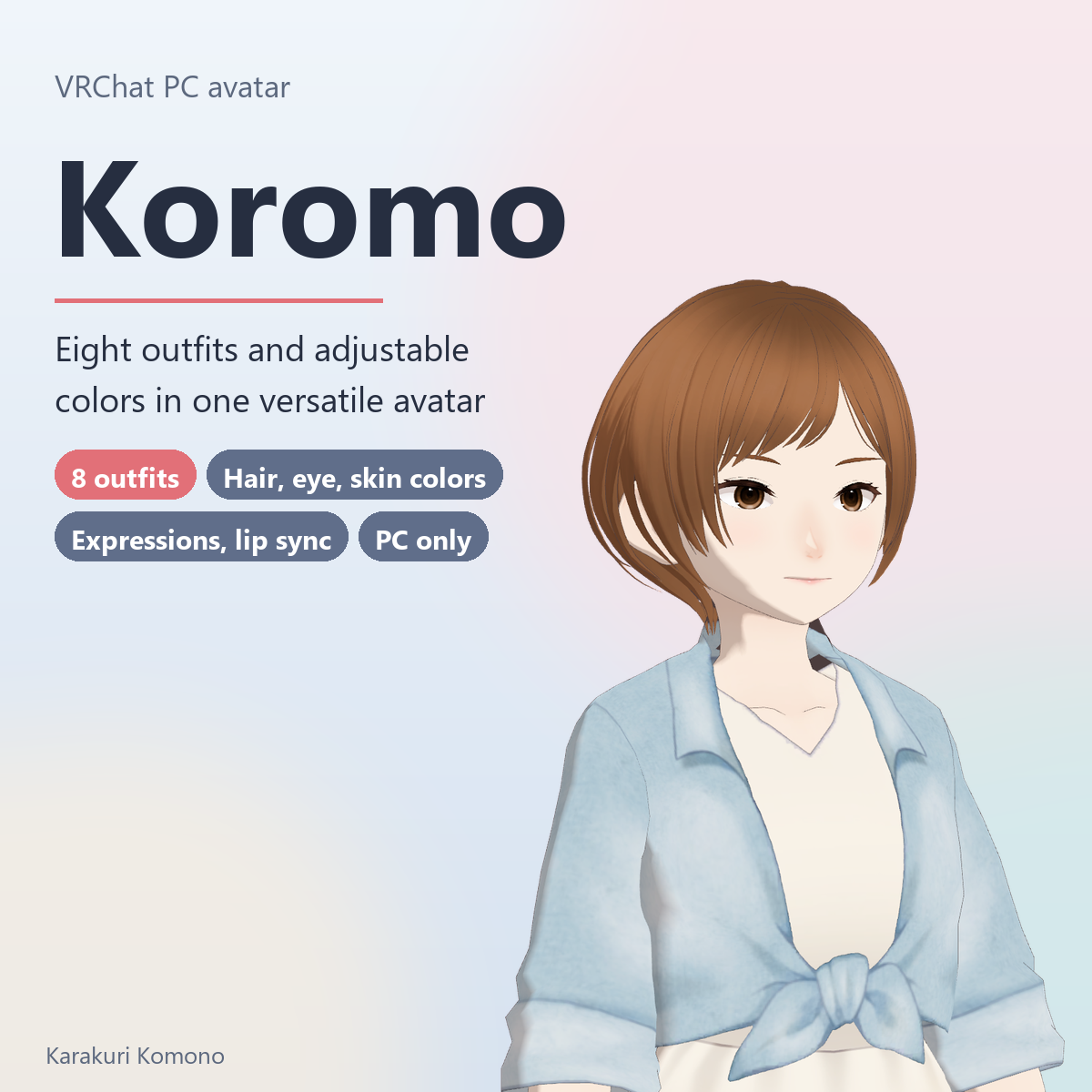
Koromo is a girl avatar for VRChat on Windows PC. It comes with eight outfits to choose by occasion, and you change hair, eye and skin colors inside VRChat with menu dials.
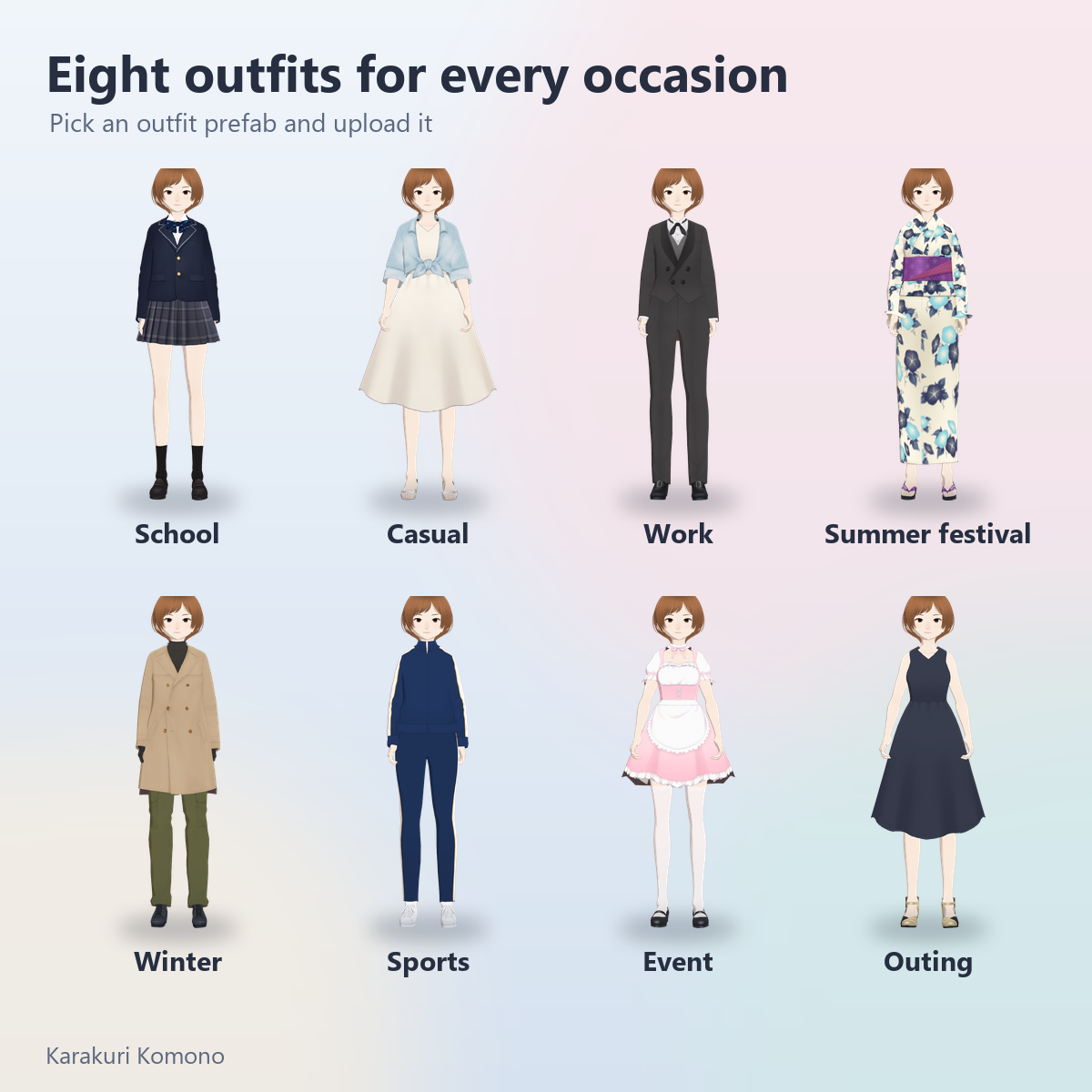
Outfits are chosen by prefab: pick one prefab and upload it. There is no in-game wardrobe menu. To use another outfit, upload that outfit's prefab separately.
She was made in VRoid Studio and includes VRoid's standard body, clothing and hair parts. The face was made by the shop owner in VRoid Studio.
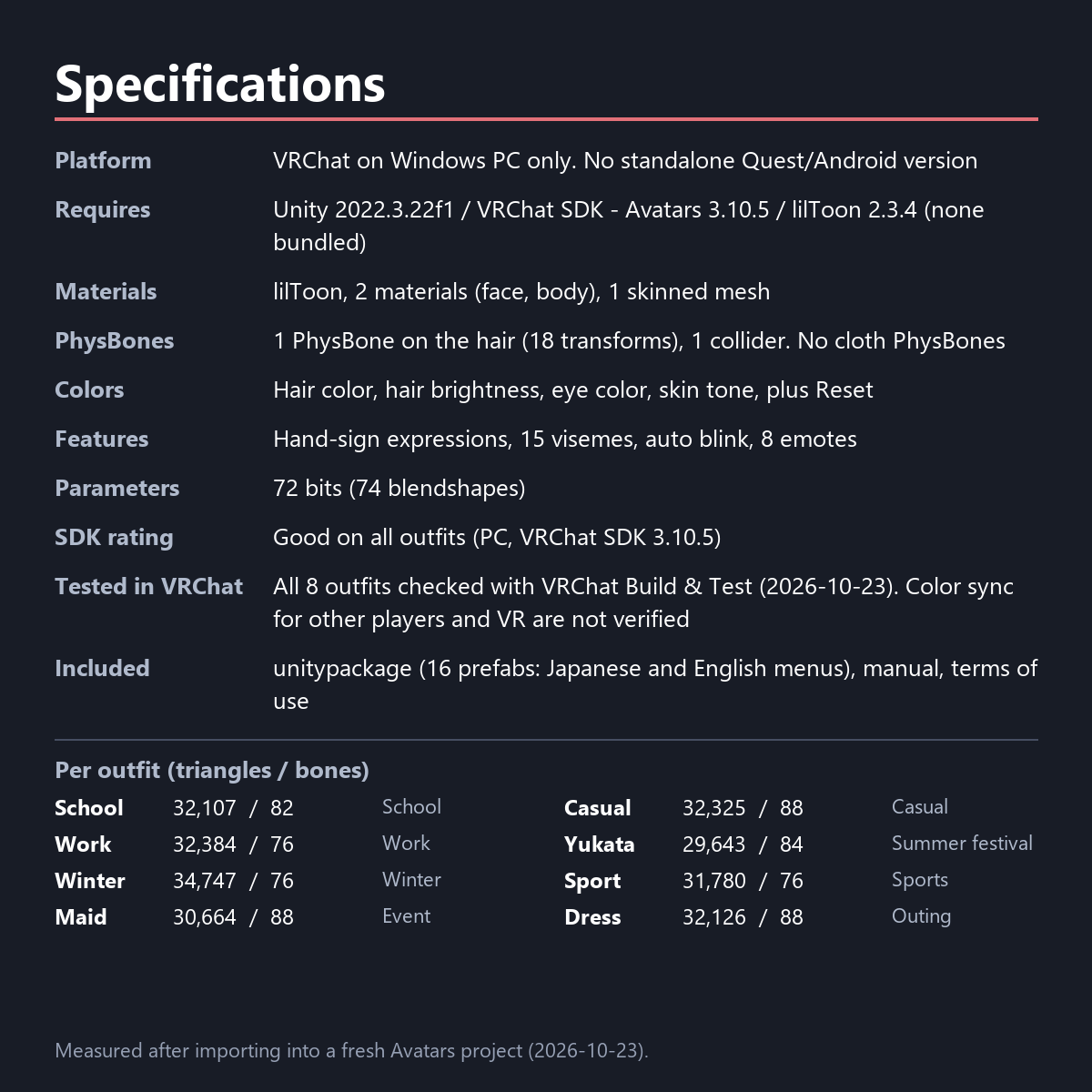
Eight outfits (triangles / bones)
- School: school uniform, 32,107 / 82
- Casual: denim jacket and white skirt, 32,325 / 88
- Work: suit, 32,384 / 76
- Yukata: summer festival yukata, 29,643 / 84
- Winter: coat, 34,747 / 76
- Sport: track suit, 31,780 / 76
- Maid: event / maid outfit, 30,664 / 88
- Dress: outing dress, 32,126 / 88
The VRChat SDK performance rating is Good on PC for all eight (measured with SDK 3.10.5).
Features
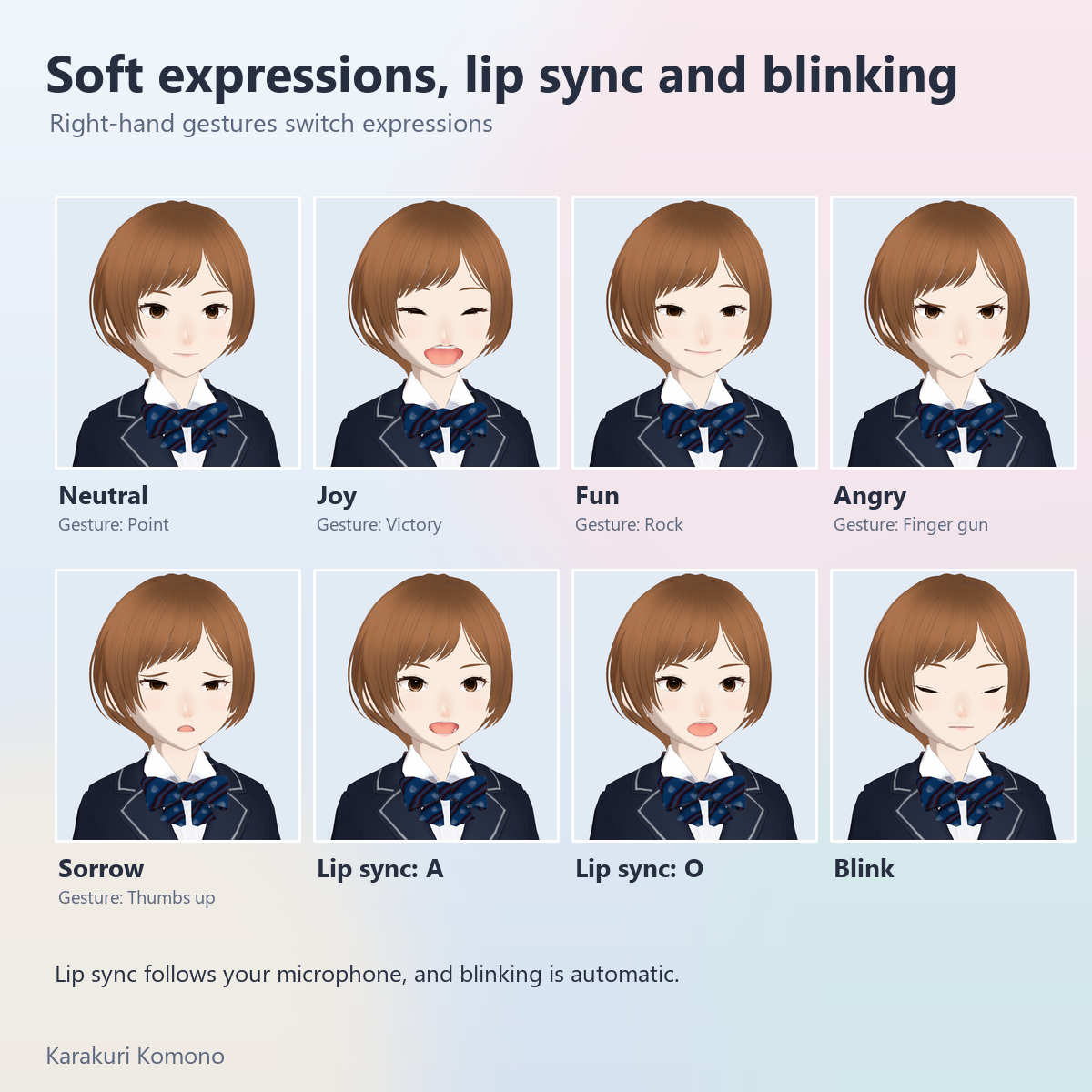
- Expressions: a two-axis puppet in the menu mixes Sorrow, Joy, Fun and Angry. Right-hand gestures switch them too (Point = neutral, Victory = joy, Rock = fun, Finger gun = angry, Thumbs up = sorrow)
- Lip sync follows your microphone (15 visemes). Blinking is automatic
- Emotes: Wave, Clap, Point, Cheer, Dance, Backflip, Sadness, Die
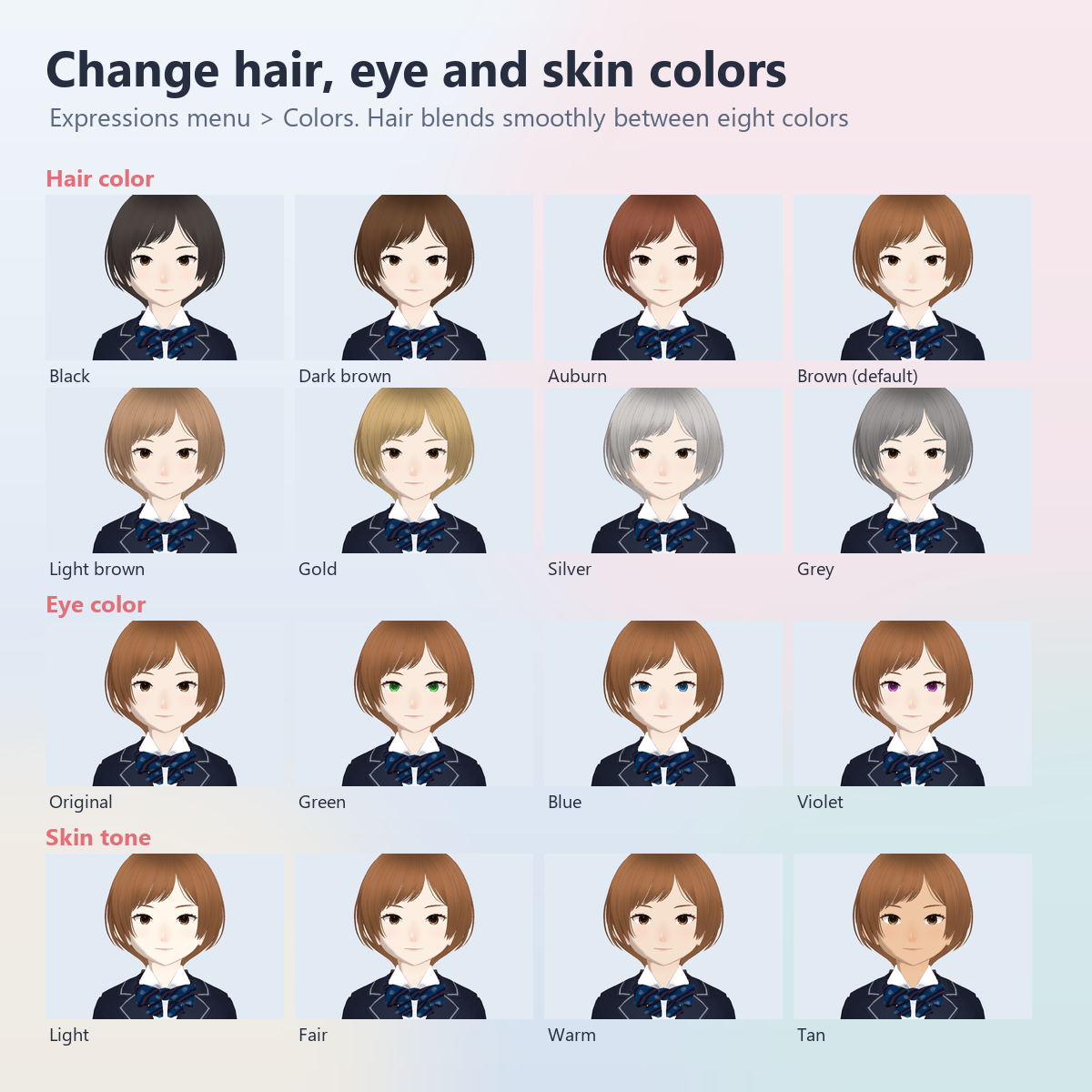
- Colors: hair color (smoothly through black, dark brown, auburn, brown, light brown, gold, silver and grey), hair brightness, eye color (iris only; the whites and highlights stay) and skin tone (light to tan). Reset returns every dial to its default, and the values are saved
- While crouching, a blendshape keeps hems from sinking into the legs
- The only dynamic part is one PhysBone on the hair. Skirts and coats do not sway
Specifications
1 skinned mesh, 2 materials (face and body; lilToon), 74 blendshapes, 72 parameter bits, about 26 MB texture memory. The download is about 56 MB.
Requirements (none are bundled)
- Unity 2022.3.22f1
- VRChat SDK - Avatars 3.10.5 or later (3.10.5 is the version tested)
- lilToon 2.3.4 or later (2.3.4 is the version tested)
- Modular Avatar is not used. Having it installed does no harm; the clean project used for testing had 1.18.7
- A VRChat account that can upload avatars
Setup
1. Create an Avatars project (Unity 2022.3.22f1) in VRChat Creator Companion and add VRChat SDK - Avatars and lilToon.
2. Download the files and import Koromo_v1.0.unitypackage. Files go to Assets/KarakuriKomono/Koromo/.
3. Place exactly one outfit prefab in the scene. Japanese menus: Koromo_<Outfit>.prefab. English menus: Koromo_<Outfit>_EN.prefab.
4. In the VRChat SDK Builder choose Windows, run Build & Test, then upload as Private to your own account.
The included manual (Manual_Koromo_EN.txt) has the details.
What was checked and what was not
Checked:
- The package was imported into a fresh Avatars project (SDK 3.10.5, lilToon 2.3.4). All 16 prefabs showed no pink materials, missing parts or broken references, and the SDK Builder showed no red errors (no Auto Fix needed).
- With the final package, all eight outfits were checked in VRChat with Build & Test on 2026-10-23. Upper-body motion tracking worked too.
Not checked:
- Whether other players see the same colors from your dial values (synchronization).
- Playing in VR and full-body tracking.
- The listing images and video are Unity renders, not VRChat screenshots.
Known issues
- On some outfits a long skirt or coat overlaps the legs when crouching. Dress and Casual: the inside of the hem can show. Winter: trousers may show through the coat hem. Yukata: the pattern may stretch. School and Maid: when crouching, the short skirt hem comes close to the legs.
- Maid: small dark brown pointed pieces (the edge of the hem lining) can show at both ends of the skirt hem.
- Casual: from some angles a small dark shadow shows behind the inside of the collar, at the back of the neck.
- The hem of Casual is higher at the front than at the back.
- On Dress and Maid, fingertips may intersect the skirt depending on the hand pose.
If it bothers you, avoid deep crouching or upload a different outfit.
No standalone Quest, Android or iOS version is included. In the Unity Editor, expressions, lip sync, emotes and color changes do not move (they move in VRChat or with Gesture Manager).
How this was made (AI-assisted)
- Made with VRoid Studio, including its standard parts, used under VRoid Studio's guidelines.
- Import into Unity, the color features, menus, lip sync and blink setup and the checks were done with scripts written with AI assistance (Claude and Codex). The manual and this page were also written with AI assistance.
- No face, hair or clothing textures made by image-generation AI are used. The mask images for color changes were generated by script from the original textures.
Terms of use (summary; full text in the included TermsOfUse_Koromo_EN.txt, the Japanese original takes precedence)
You may:
- Upload it to VRChat and similar services as your own avatar (as Private)
- Edit it for your own use and combine it with other data
- Publish streams, videos and photos with it, including monetization
- Make and sell outfits, accessories and similar items for it, as long as they contain none of this product's data
- Create and publish illustrations and other works of the avatar
You may not:
- Redistribute, sell or share the data, edited or not, in whole or in part
- Publish it as a public avatar
- Use it for sexual, violent or gory content (the character includes outfits in a student's appearance, so no sexual context is allowed at all)
- Use it to train generative AI, make it an NFT, or use it for companies' promotion or products (contact us first)
Changelog
- v1.0 (2026-10-23) Release