FaceKeys: VRChat Native Face Tracking Shape Keys (Blender Add-on)
상품 설명
이 상품에는 AI로 생성된 콘텐츠가 포함되어 있습니다.
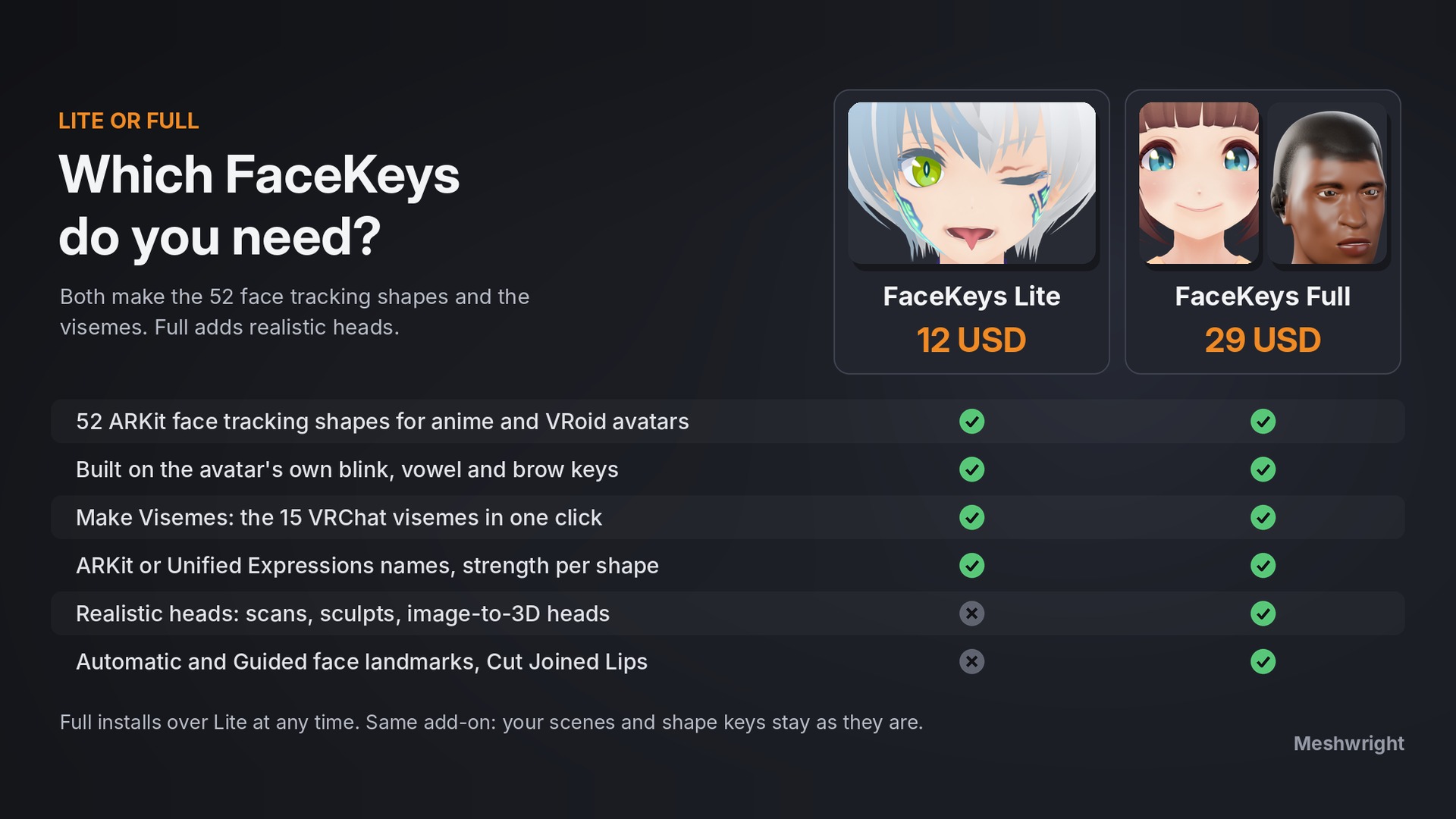
Face tracking keys for your avatar, made in Blender. New in 2.1: shape keys named exactly like VRChat's native face tracking keys, so Auto-Fill can map them. Headset or webcam. Perfect Sync still included.
Anime mode (Lite and Full)
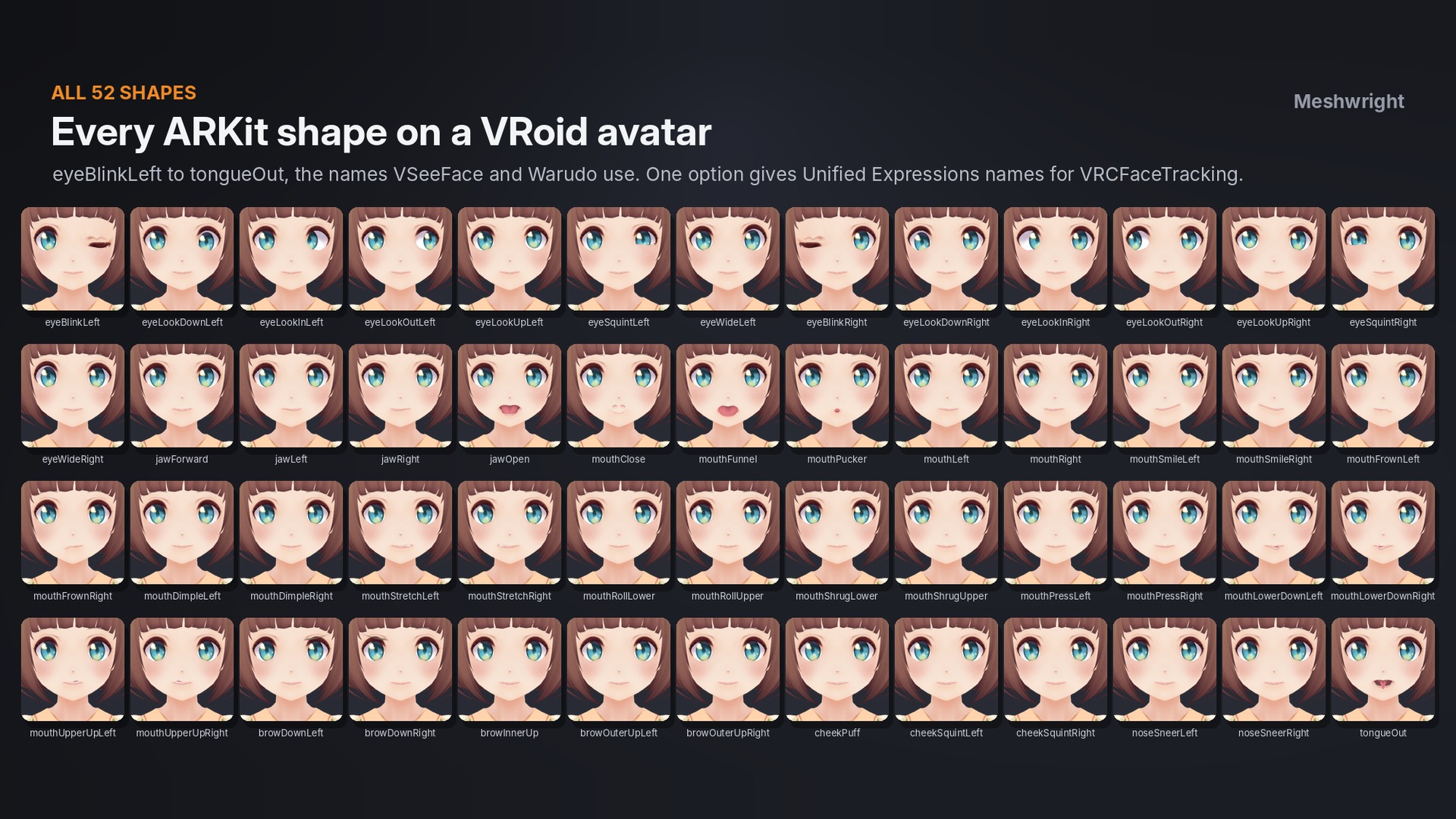
Pick Anime under Landmarks and press Generate Shape Keys. No points to click. FaceKeys reads your avatar's own blink, vowel and brow keys (VRoid Fcl_ keys, VRChat vrc. keys, Japanese names such as まばたき and あ) and makes all 52 ARKit shapes in about a second.
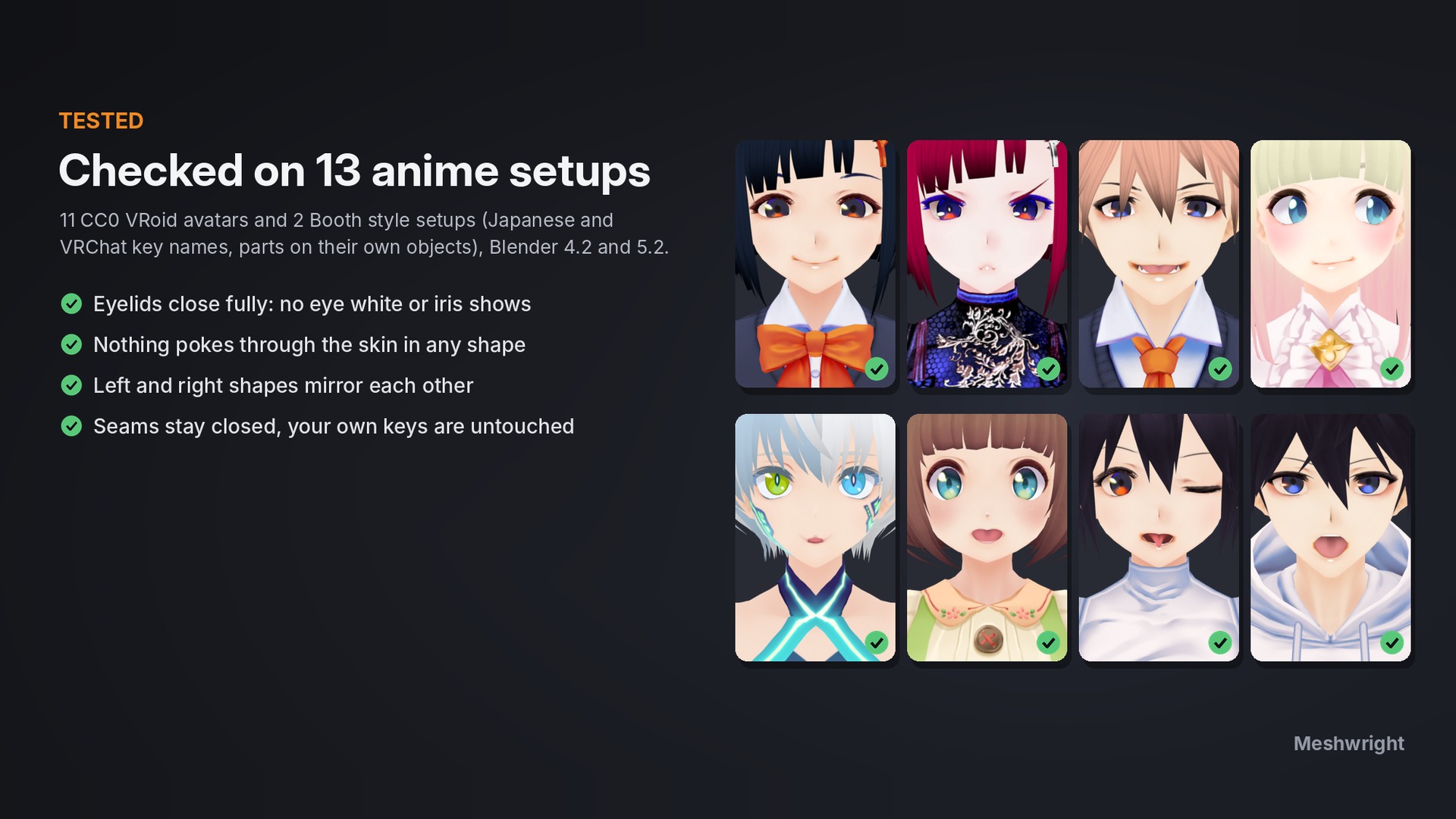
- Irises turn for the 8 eyeLook shapes and stay inside the eye
- Eyes close fully; jaw, lips, cheeks and tongueOut are added
- Checked on 13 anime setups (11 CC0 VRoid avatars and 2 Booth style setups)
VRChat lip sync
Make Visemes builds the 15 VRChat visemes (vrc.v_sil to vrc.v_ou) from your own mouth, jaw and tongue shapes, with the names the SDK's Auto Detect looks for.
Names for every app
ARKit names (iPhone tracking, Perfect Sync VTubing apps), Unified Expressions names for VRCFaceTracking, or VRChat (Unified Expressions): 75 of VRChat's 102 native face tracking keys with their exact names, ready for Auto-Fill Blendshapes. FBX and glTF export keep the keys.
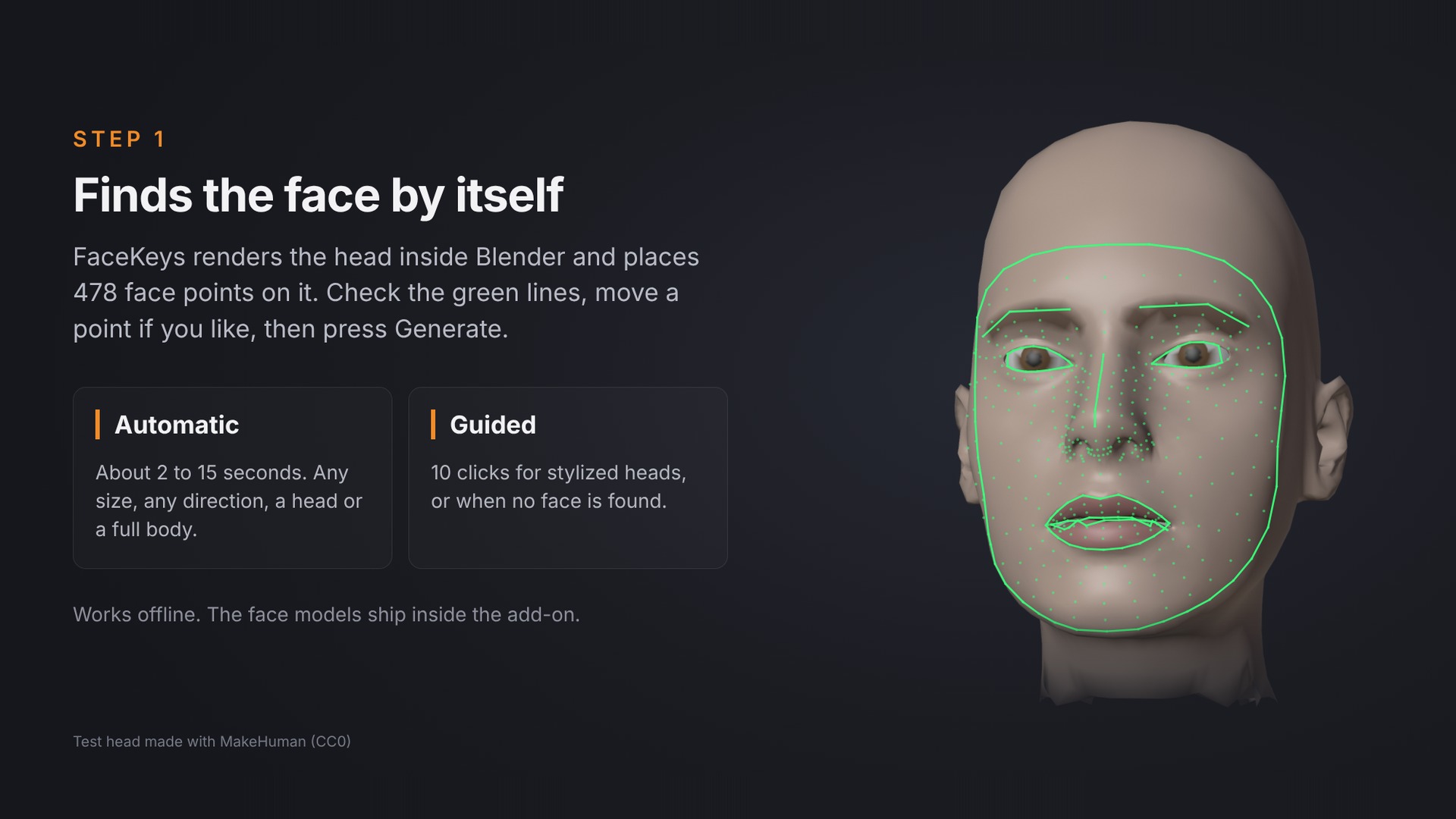
Full adds realistic heads: FaceKeys finds 478 face points on the head, or you click 10 points (Guided mode). Cut Joined Lips opens welded mouths.
Safe: your mesh and your own shape keys stay; one undo puts everything back. Blender 4.2 to 5.2, pure Python, works offline. English and Japanese interface.
Good to know: faces with painted eyes (no eyelids) cannot blink, and a painted mouth cannot open.
Included: FaceKeys 2.1.1 add-on folder (Lite or Full), 12 months of updates and e-mail support ([email protected]). Docs: https://superhivemarket.com/products/facekeys/docs
License: FaceKeys add-on code: GNU GPL 3.0 or later. The face landmark models inside are by Google, under the Apache License 2.0. Use it for personal and commercial avatar work. The avatars you edit keep their own licenses.
Product video: https://youtu.be/GXUxV0jVJKA
AI-assisted: the add-on code was written with help from AI coding tools. Designed and tested by Meshwright in Blender 4.2 and 5.2. The store images are Blender renders. FaceKeys Full also uses Google's face landmark model (machine learning, Apache License 2.0) to find face points on realistic heads.