
상품 설명
이 상품에는 AI로 생성된 콘텐츠가 포함되어 있습니다.
🌍 World Visitor Analytics — VRChat Instance Visitor Dashboard
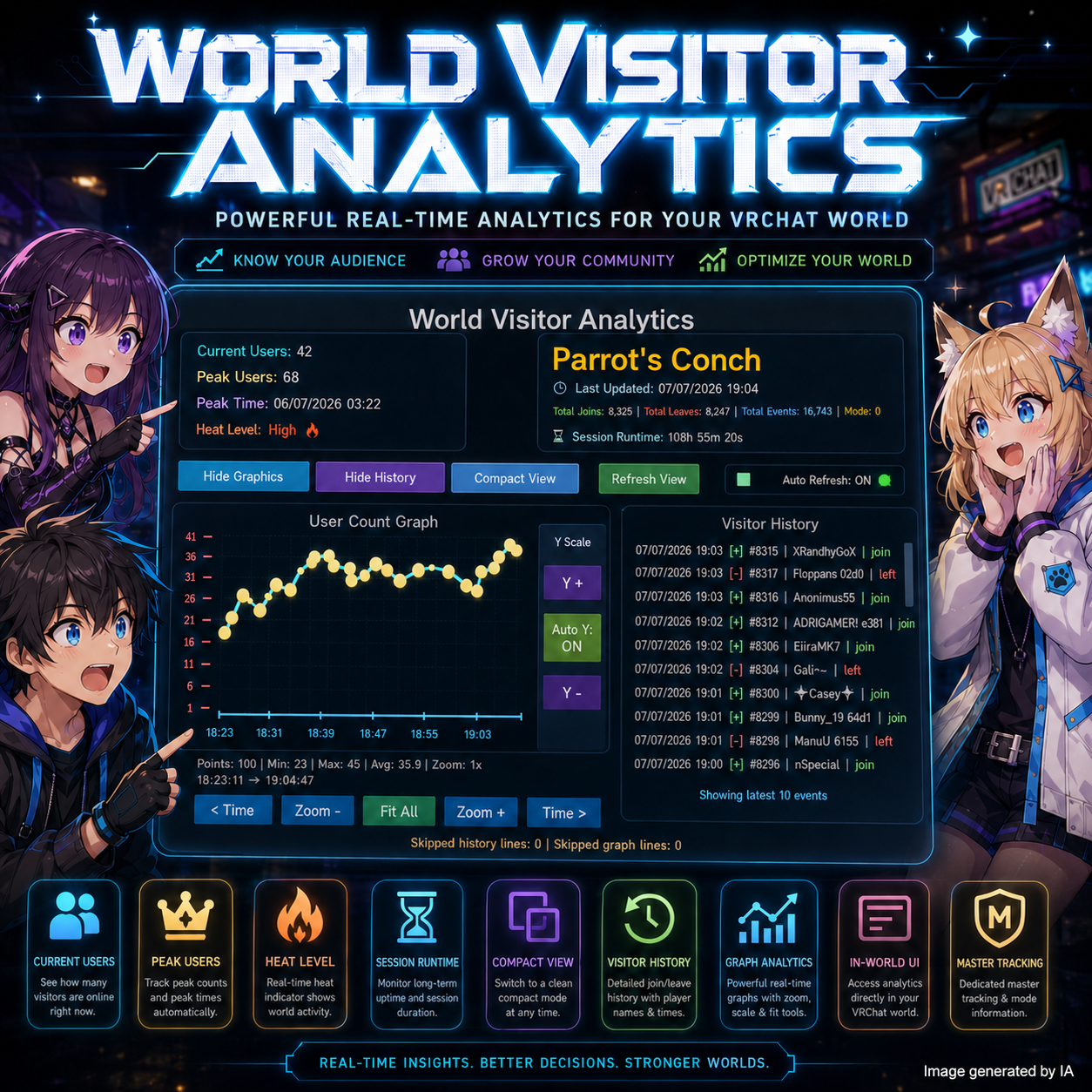
World Visitor Analytics is a complete visitor tracking and analytics system for VRChat worlds.
It allows world creators, community owners, event hosts, club managers, and roleplay server admins to see what is happening inside their instance in real time. 📊✨
Instead of only guessing how active your world is, this system helps you visually track users joining, leaving, peak activity, session runtime, heat level, and visitor history directly inside your VRChat world.
🚀 What is this product?
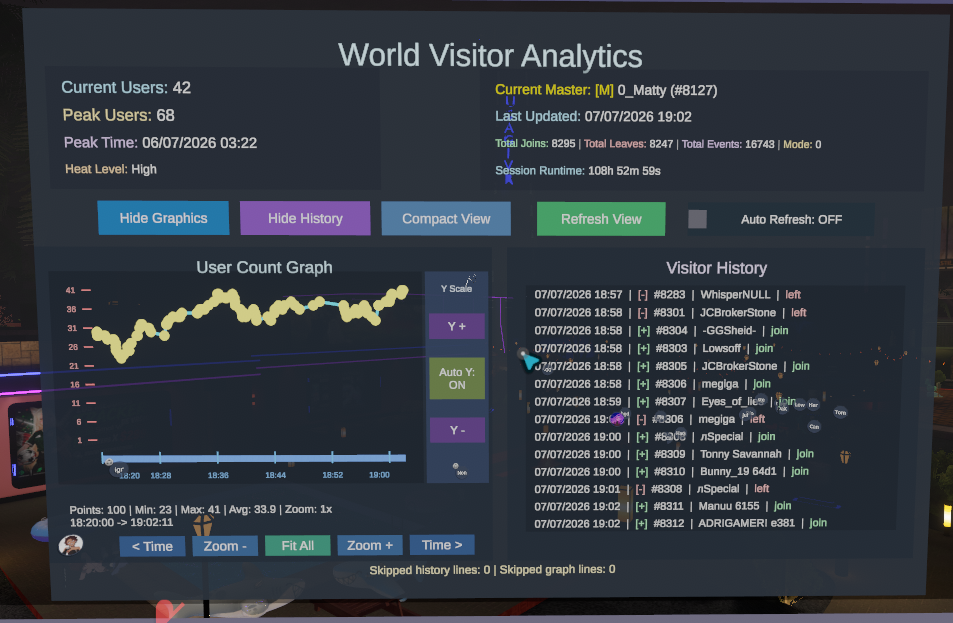
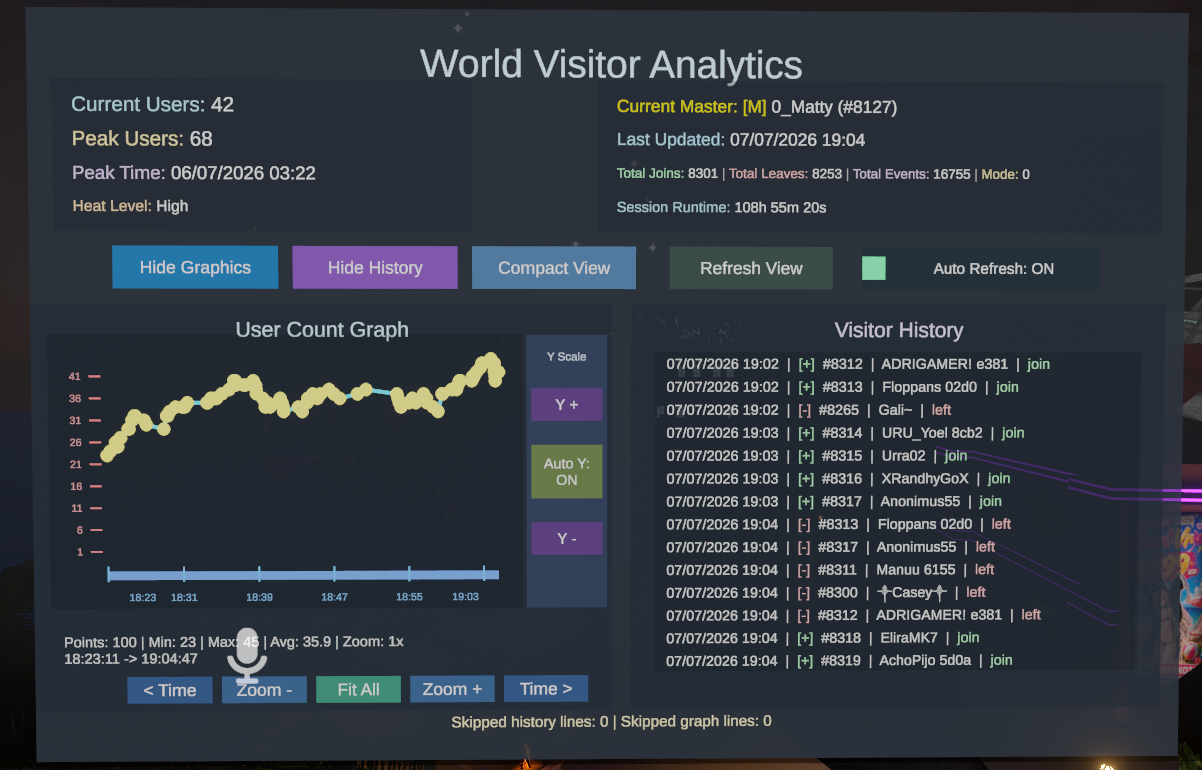
World Visitor Analytics is an in-world analytics dashboard that tracks visitor activity inside a VRChat instance.
It can record:
✅ Current users inside the instance
✅ Peak user count
✅ Visitor join / leave history
✅ Master changes
✅ Session runtime
✅ Heat level activity
✅ Graph history over time
✅ Most active moments
✅ Compact dashboard view
✅ Public or restricted UI access
Everything is displayed through a clean world-space UI, designed to be easy to read and useful during events, parties, communities, roleplay worlds, game worlds, or social hubs.
📊 What can you do with it?
With World Visitor Analytics, you can:
🌟 See how many users are currently in your instance
📈 View a graph of user activity over time
🔥 Detect activity levels such as calm, active, busy, or exploding
🕒 Track how long the session has been running
👑 See who the current Master of the instance is
📝 Review a join / leave history log
🎯 Detect peak user count and peak time
📌 Identify the most active minute and most active 5-minute period
🧩 Use Compact View for a cleaner minimal dashboard
🔐 Control who can access the analytics UI
This is especially useful for world owners who host events and want to understand how people move through their instance.
🛠️ How to use
Setup is very simple.
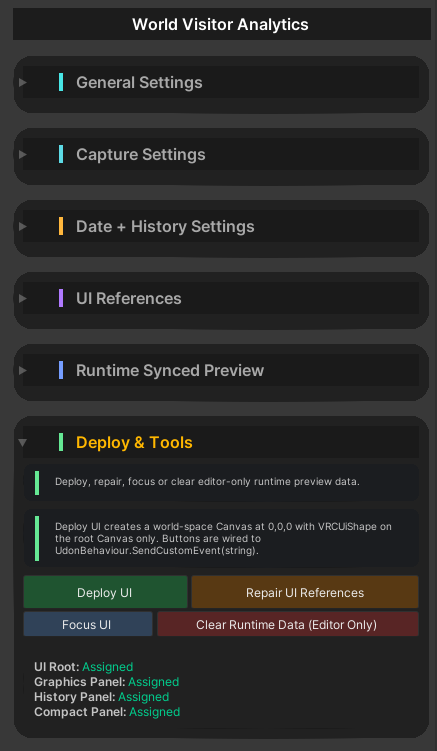
Go to: Assets/ParrotsConch/Prefabs/WorldVisitorAnalytics/WorldVisitorAnalytics.prefab
Drag the prefab into your scene, and it is ready to use. ✅
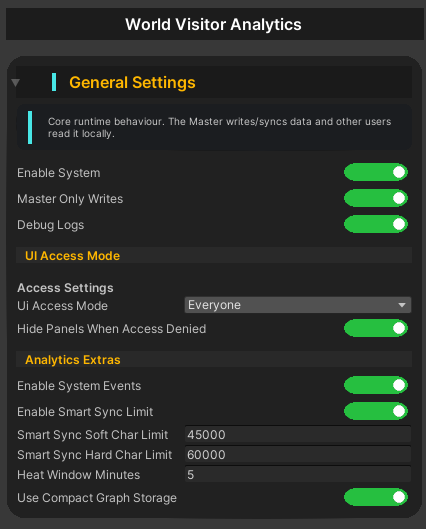
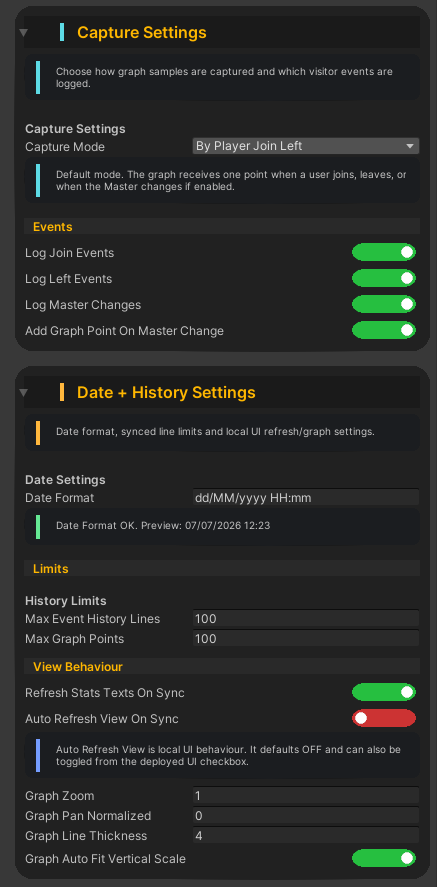
By default, everyone can see and use the UI. You can later change the access mode if you want to restrict it.
🔐 UI Access Modes
World Visitor Analytics includes different access modes:
🌐 Everyone — anyone in the instance can use and view the UI
👑 Master Only — only the instance Master can access it
📋 Whitelist — only selected users can access it
This makes it flexible for public worlds, private events, staff rooms, clubs, roleplay groups, and community worlds.
📉 Built-in Graph System
The system includes a visitor graph that shows how the user count changes over time.
You can:
🔍 Zoom in and out
⏪ Move backward in time
⏩ Move forward in time
📐 Auto-adjust the graph height
📊 Fit the whole timeline into view
This makes it easy to understand when your instance became active, when users left, and when the highest activity happened.
🔥 Heat Level System
World Visitor Analytics includes a Heat Level system that helps you understand the current activity of the instance.
The heat level updates over time depending on recent join and leave activity, so if the world becomes quiet again, the activity level goes down automatically.
Perfect for event monitoring. 🎉
🧾 Visitor History
The history panel shows detailed visitor events with visual badges:
🟢 [+] User joined
🔴 [-] User left
👑 [M] Master changed
⚙️ [SYS] System event
⭐ [PEAK] New peak reached
This makes the history easier to read at a glance.
🧠 Smart Sync Optimization
The system stores graph data in a compact format and includes smart sync limits to avoid unnecessary heavy synced strings.
This helps keep the system lightweight while still preserving useful analytics data.
🎮 Recommended for
✅ VRChat community worlds
✅ Event worlds
✅ Clubs and party worlds
✅ Roleplay worlds
✅ Game worlds
✅ Staff monitoring areas
✅ Social hubs
✅ Public or private instances
If you want to understand how active your world is, this tool gives you a clean and useful dashboard directly inside VRChat.
📦 Includes
✅ World Visitor Analytics prefab
✅ UdonSharp analytics system
✅ World-space UI dashboard
✅ Visitor history panel
✅ User count graph
✅ Compact view
✅ Access mode settings
✅ Heat level system
✅ Session runtime tracker
✅ Smart synced data storage
⚠️ Notes
This system works inside the current VRChat instance.
It is not an external web analytics service and does not send data to an external server.
All analytics are handled inside the world using synced Udon data.
🤖 AI-Assisted Content Disclaimer
This product was fully conceptualized and designed by Parrot’s Conch.
The original product idea, feature planning, permission structure, pseudocode, and core code matrix were created by the human developer behind Parrot’s Conch.
This product was developed in part with AI assistance. AI tools were used to assist with portions of coding, artwork, logos, promotional text, tutorials, documentation, and other development-related assets.
Testing, review, functionality checks, editing decisions, final configuration, product preparation, and packaging were completed by the human developer behind Parrot’s Conch.
Final files were reviewed, edited, configured, tested, and packaged by Parrot’s Conch.