
Glow Sticks Lite [VRChat · VRCFury Prefab Included · 2 Glow Colours · PhysBone Strap] – free | Tidebone Studio
상품 설명
이 상품에는 AI로 생성된 콘텐츠가 포함되어 있습니다.
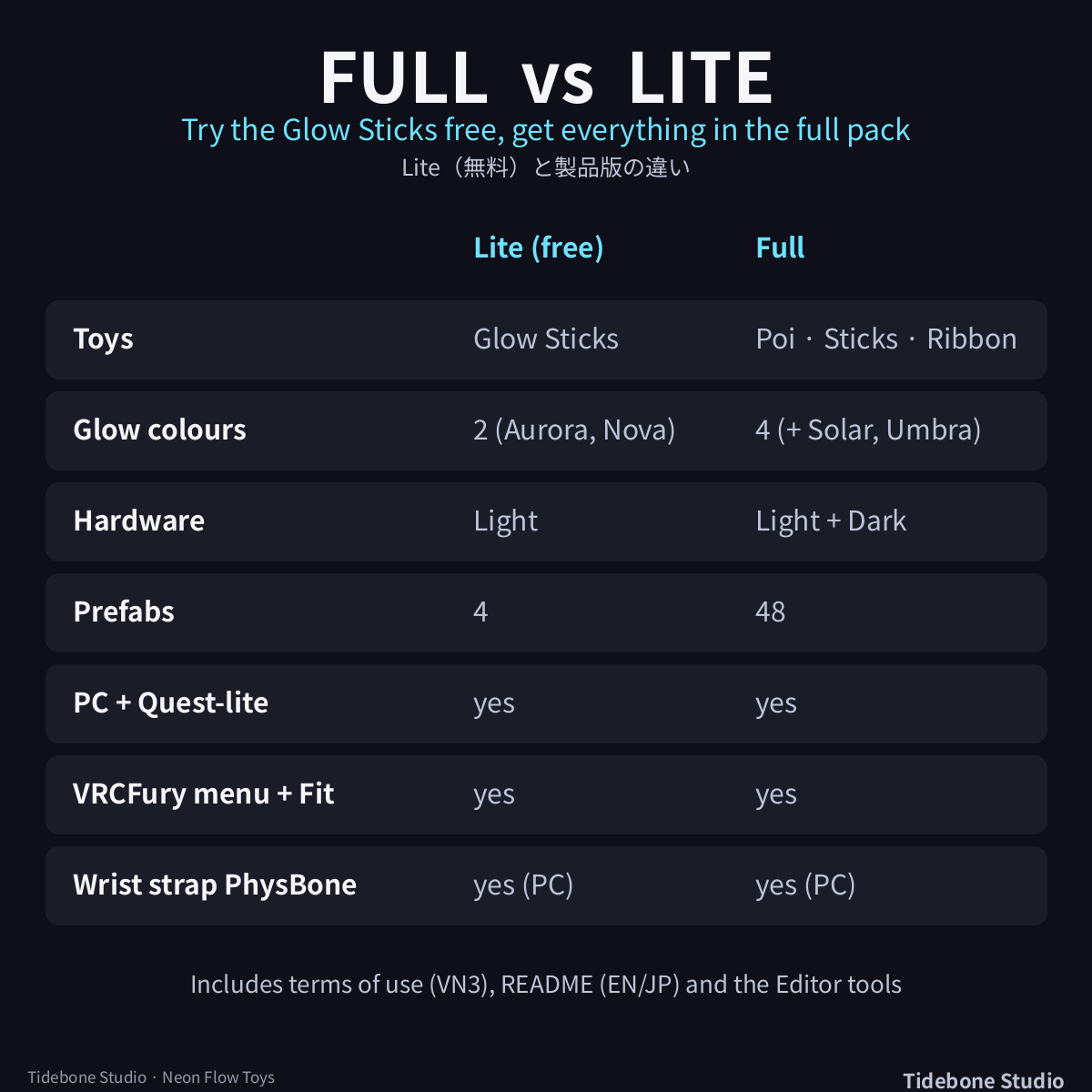
Free Lite version of Tidebone Studio's Neon Flow Toys. Full pack (Glow Poi, Ribbon Wand, 4 glow colours, Dark hardware, 48 prefabs): https://jinxxy.com/TheQuietStack/XLU1M
【English】
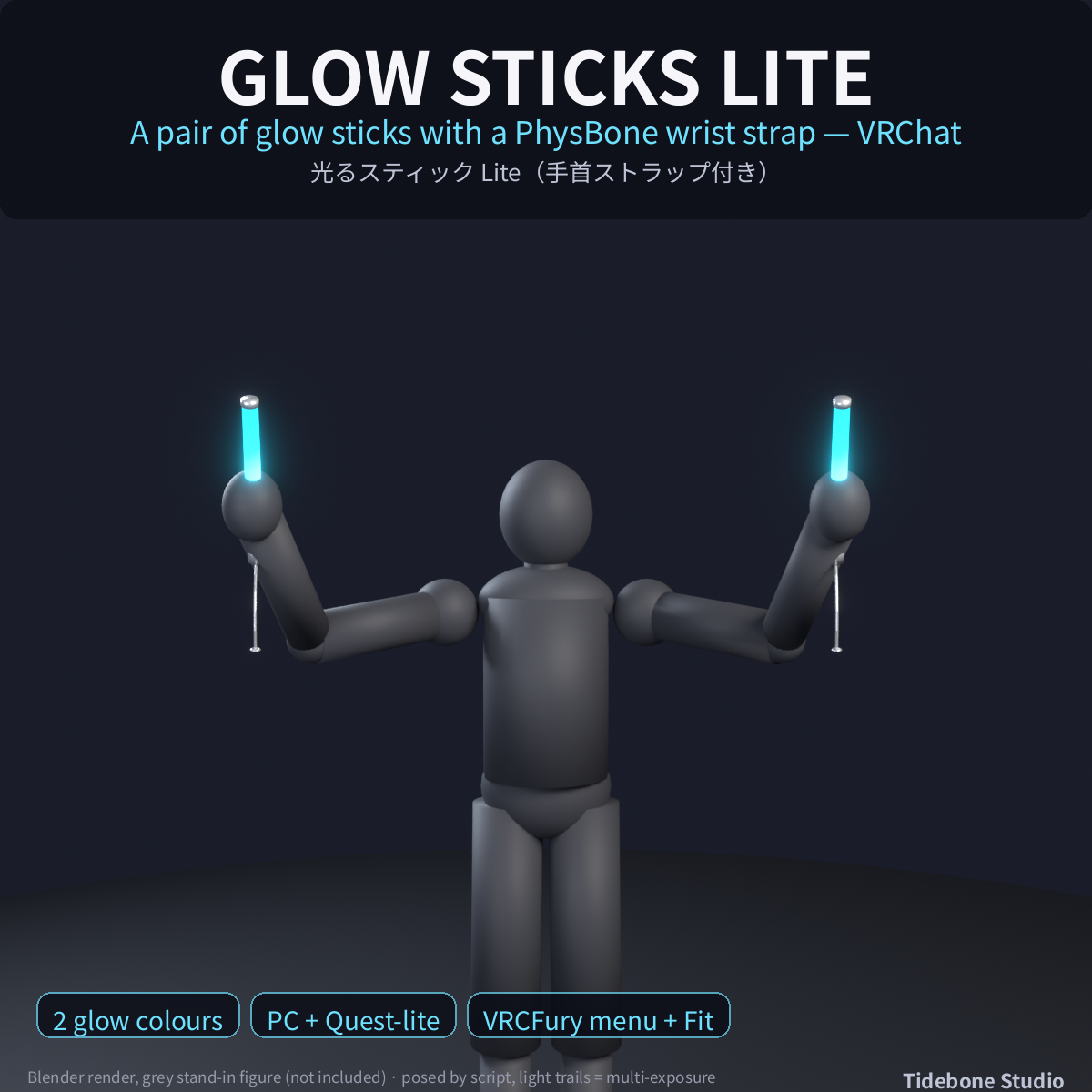
Glowing flow toys for dances, events and shows. They are linked to your hand bones and swing with your movement through PhysBone.
■ What's inside
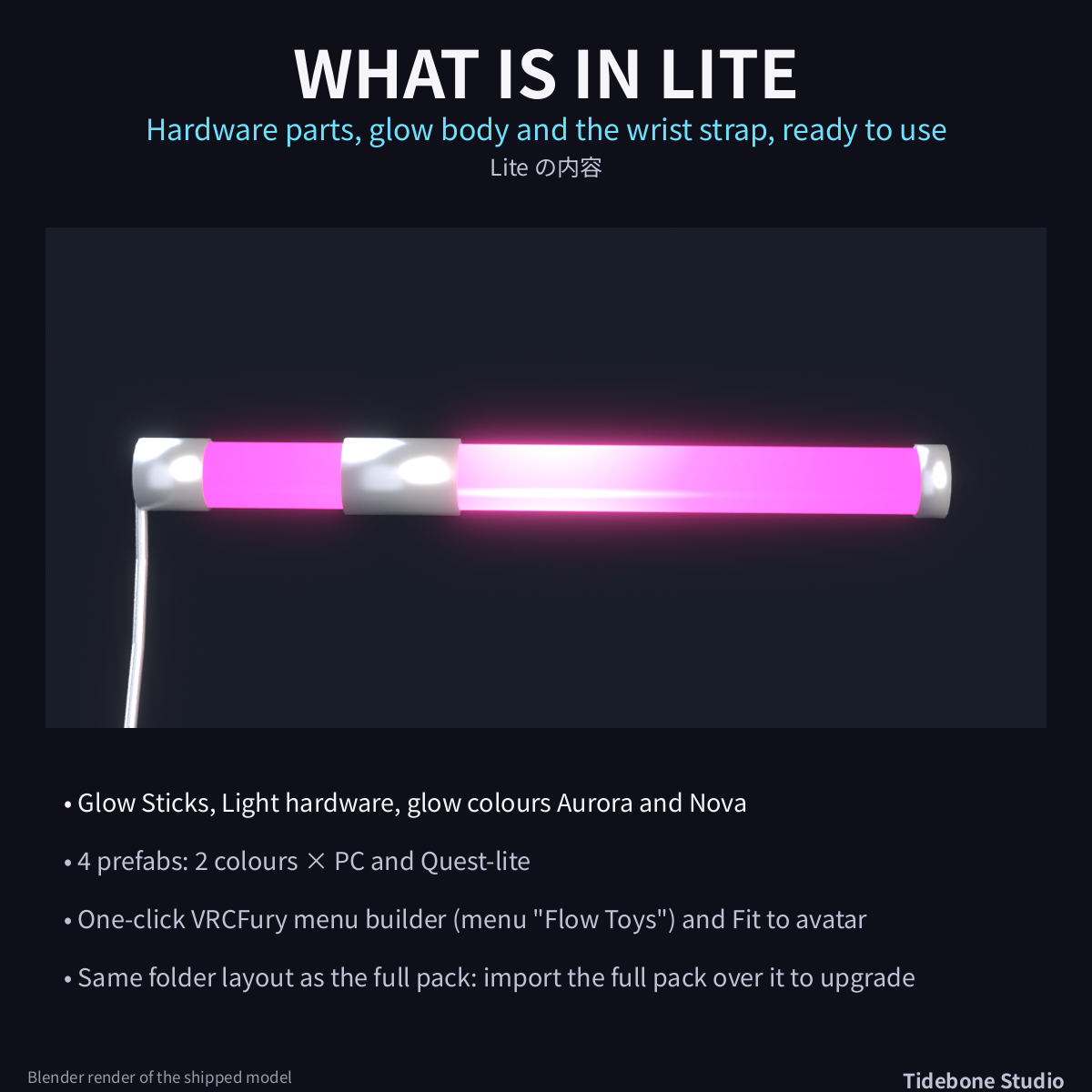
• Glow Sticks - a pair with grip band, end caps and a PhysBone wrist strap
• 2 glow colours (Aurora, Nova), Light hardware, PC prefabs (4 prefabs: Aurora/Nova x PC/Quest-lite)
• One-click VRCFury menu builder and "Fit to selected avatar"
The full pack adds Glow Poi, Ribbon Wand, 4 glow colours, Dark hardware (48 prefabs).
■ Setup (Unity 2022.3)
1. Drag Unity/FlowToys_Lite.unitypackage into your Unity 2022.3 project (VRChat SDK for Avatars installed).
2. Menu Tidebone > Flow Toys > 1 - Build materials and prefabs: builds the materials and 4 prefabs (Glow Sticks × Light × 2 glow colours × PC/Quest-lite) in Assets/TideboneStudio/FlowToys/Prefabs.
3. With VRCFury installed: menu Tidebone > Flow Toys > 2 - Build VRCFury menu prefabs, then drag Prefabs/VRCFury/FlowToys_<Light|Dark>_<Colour>_VRCFury (Quest: FlowToys_Quest_...) onto your avatar root. A "Flow Toys" menu appears in VRChat: Glow Sticks, your choice is saved.
4. Select your avatar and click Tidebone > Flow Toys > 3 - Fit to selected avatar: the toys are placed in the fists of your avatar's hands (it uses your own bones, T- or A-pose). Fine-tune by moving the toy object under ToyMount_RightHand / ToyMount_LeftHand.
5. Without VRCFury: drag the prefabs from Prefabs/ onto your hand bones (origin = grip, +Z along the forearm) and make your own toggles.
Poi and Glow Sticks use both hands, the Ribbon Wand sits in the right hand. The toys are PhysBone chains: move your hands and they swing (the poi chain, the ribbon, the wrist strap).
■ Specs
Model triangles per toy (PC / Quest-lite): Poi 2,392 / 668, Glow Sticks 400 / 112, Ribbon Wand 700 / 258 (Blender counts; the Unity count is measured in the test run). 2 material slots per toy (hardware + glow). PhysBone chains: Poi 14 links (Quest 8), Ribbon 12 bones (Quest 6), Glow Sticks wrist strap 5 links (PC only). The ribbon is one skinned mesh; no particles, no trails, no lights. Glow = emissive material (lilToon emission on PC, VRChat Mobile Standard Lite emission on Quest-lite). PhysBones on mobile avatars count towards the Performance Rank (VRChat).
■ Tested (batch, 04.11.2026): Unity 2022.3.22f1, VRChat SDK (Avatars) 3.10.5, VRCFury 1.1434.0, VRChat Robot sample avatar: import 0 compiler errors; all 48 prefabs checked (triangles, materials, emission, PhysBone and skinning counts, PC and Quest-lite), 16 VRCFury menu prefabs built, VRCFury build checked on 4 of them (hand placement, Fit to avatar, PhysBones, menu, saved parameters, toggles) with negative controls. Lite: 4 prefabs and 4 VRCFury prefabs checked the same way.
■ Not included: avatar, VRCFury itself (free from vcc.vrcfury.com), sound, particle effects. Not tested in VRChat itself (PhysBone feel, other players' view).
■ How it was made: generated procedurally with the author's own scripts and Blender; an AI assistant was used to write the scripts. No image- or video-generation AI was used. Images are Blender renders of the shipped models on a grey stand-in figure (not included); chains and ribbon are posed by script and the light trails are multi-exposure illustrations, not in-game captures.
■ Terms of use: VN3 license included (ja/en/ko/zh) in the License folder (TideboneStudio_NeonFlowToys_VN3_<lang>.pdf) - see the included PDFs (Japanese is the official text, English is a reference translation). Summary: use and edit in your own work (commercial OK) / redistribution or resale of the data NOT allowed / use as machine-learning training data NOT allowed.
by Tidebone Studio
【日本語】
ダンス・イベント・ライブ向けの光るフロートイ。手のボーンにリンクして、PhysBone で手の動きに合わせて揺れます。
■ 内容
・グロウスティック(1組):握りバンド、エンドキャップ、PhysBone の手首ストラップ
・発光2色(Aurora/Nova)、Light 金具、プレハブ4個(2色×PC版・Quest軽量版)
・VRCFury メニュー作成ボタンと「Fit to selected avatar」
製品版はポイ・リボンワンド・発光4色・Dark 金具(プレハブ48個)が加わります。
■ セットアップ(Unity 2022.3)
1. Unity 2022.3(VRChat SDK Avatars 入りのプロジェクト)に Unity/FlowToys_Lite.unitypackage をドラッグ&ドロップ。
2. メニュー Tidebone > Flow Toys > 1 - Build materials and prefabs:マテリアルとプレハブ4個(グロウスティック×Light×2色×PC/Quest軽量版)が Assets/TideboneStudio/FlowToys/Prefabs に作成されます。
3. VRCFury を入れている場合:メニュー Tidebone > Flow Toys > 2 - Build VRCFury menu prefabs を実行し、Prefabs/VRCFury/FlowToys_<Light|Dark>_<色>_VRCFury(Quest用は FlowToys_Quest_…)をアバターのルートにドラッグ。VRChat のメニューに「Flow Toys」(Glow Sticks)が出ます。同時に出せるのは1種類で、選択は保存されます。
4. アバターを選択して メニュー Tidebone > Flow Toys > 3 - Fit to selected avatar:お使いのアバターの手のボーンに合わせて、トイが握りの位置に配置されます(T/Aポーズ)。微調整は ToyMount_RightHand/ToyMount_LeftHand の下のトイを動かしてください。
5. VRCFury を使わない場合:Prefabs 内のプレハブを手のボーンの子に置き(原点=握り、+Z=前腕方向)、トグルはご自身で設定を。
ポイとスティックは両手、リボンワンドは右手に持ちます。PhysBone のチェーンなので、手を動かすとポイの鎖・リボン・手首ストラップが揺れます。
■ スペック
1トイあたりのモデル三角形数(PC/Quest軽量版):ポイ 2,392/668、スティック 400/112、リボンワンド 700/258(Blender での値。Unity での値はテスト実行で計測)。1トイあたりマテリアルスロット2(金具+発光)。PhysBone チェーン:ポイ 鎖14節(Quest 8節)、リボン 12ボーン(Quest 6)、スティックの手首ストラップ 5節(PC版のみ)。リボンは1つのスキンメッシュで、パーティクル・トレイル・ライトは使っていません。発光はエミッションマテリアル(PCは lilToon のエミッション、Quest軽量版は VRChat Mobile Standard Lite のエミッション)。モバイルアバターの PhysBone はパフォーマンスランクに影響します。
■ 動作確認(バッチテスト 2026/11/04):Unity 2022.3.22f1・VRChat SDK(Avatars)3.10.5・VRCFury 1.1434.0・VRChat の Robot サンプルアバターで確認:インポート時コンパイルエラー0、プレハブ48個すべてを確認(三角形数・マテリアル・発光・PhysBone・スキニング、PC版とQuest軽量版)、VRCFuryメニュー用プレハブ16個を作成し、うち4個で VRCFury ビルドを確認(手への配置、Fit、PhysBone、メニュー、保存パラメータ、トグル。ネガティブコントロール付き)。Lite版も同様にプレハブ4個とVRCFuryプレハブ4個を確認。
■ 含まれないもの:アバター本体、VRCFury 本体(vcc.vrcfury.com から無料で入手)、効果音、パーティクル。VRChat 上での動作感(PhysBone の揺れ・他プレイヤーからの見え方)は未確認です。
■ 制作について:スクリプトと Blender による手続き的な制作で、スクリプトの作成には AI アシスタントを使用しました。画像生成AI・動画生成AIは使用していません。商品画像は同梱モデルを Blender でグレーの人形(同梱されません)に持たせたレンダーで、鎖とリボンはスクリプトでポーズを付け、光の軌跡は多重露光の表現です(ゲーム内の画面ではありません)。
■ 利用規約:VN3 ライセンス同梱(日本語・英語・韓国語・中国語、License フォルダの TideboneStudio_NeonFlowToys_VN3_<言語>.pdf)。日本語版が正本です。概要:ご自身の作品での使用・改変 OK(商用含む)/データの再配布・転売 NG/機械学習(AI)の学習用データとしての利用 NG。