
Blackjack Together | 7-Seat VRChat Table with CPU Players
상품 설명
이 상품에는 AI로 생성된 콘텐츠가 포함되어 있습니다.
Hit, stand, or double down. Bring your friends to the table.
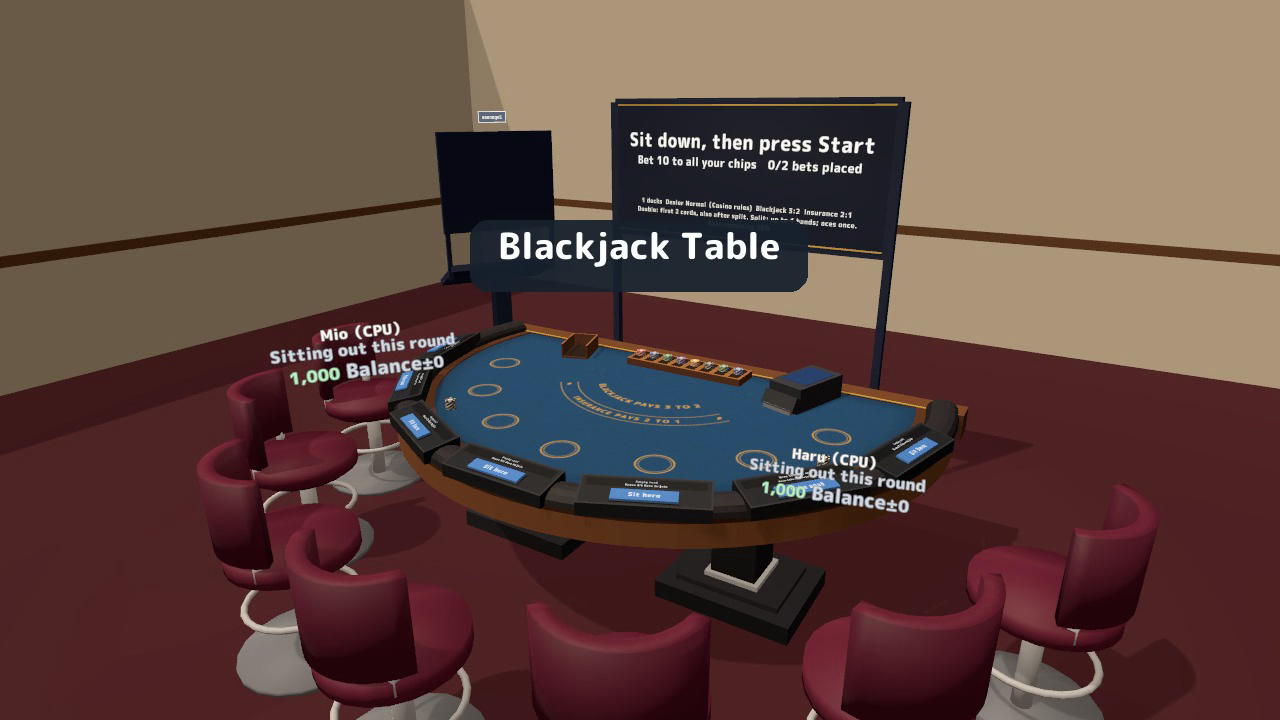
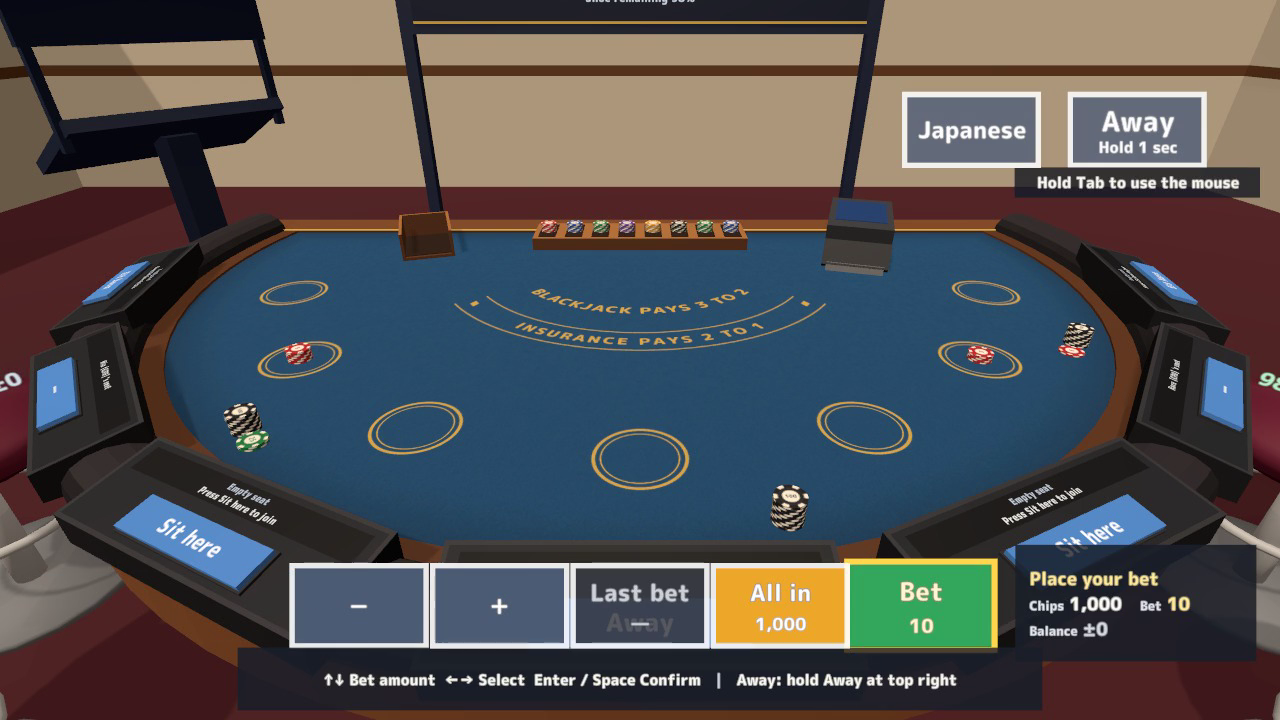
Blackjack Together adds a seven-seat blackjack table to your VRChat world, complete with cards, chips, an automatic dealer, CPU opponents, and a personal control display. Choose your settings, take a seat, and press Start when you are ready to bet.
Play on your own with CPUs or share the table with friends. Each viewer can use English or Japanese without changing the round or anyone else's display.
Watch it in action
Watch the English v1.2.0 gameplay preview
Make your next decision at the table
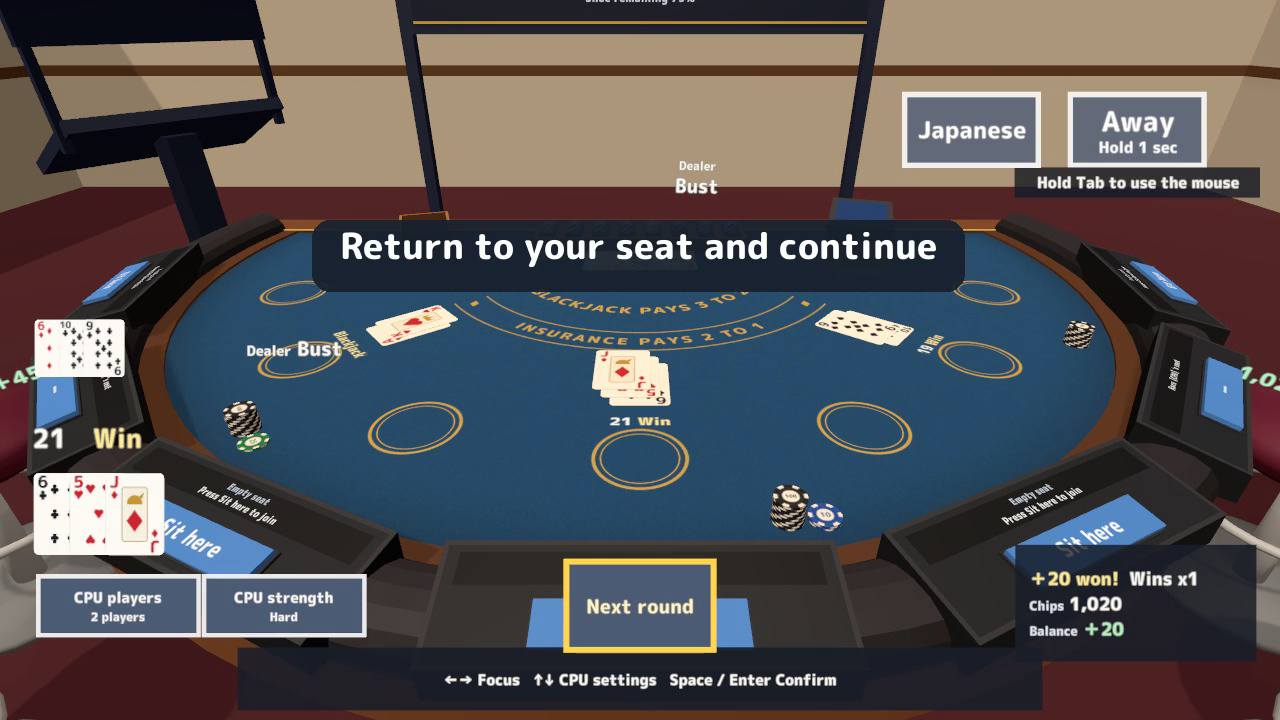
- Seven seats with CPU company. Add up to six CPU players at Easy, Normal, Hard, or Expert strength. The dealer has three selectable strengths.
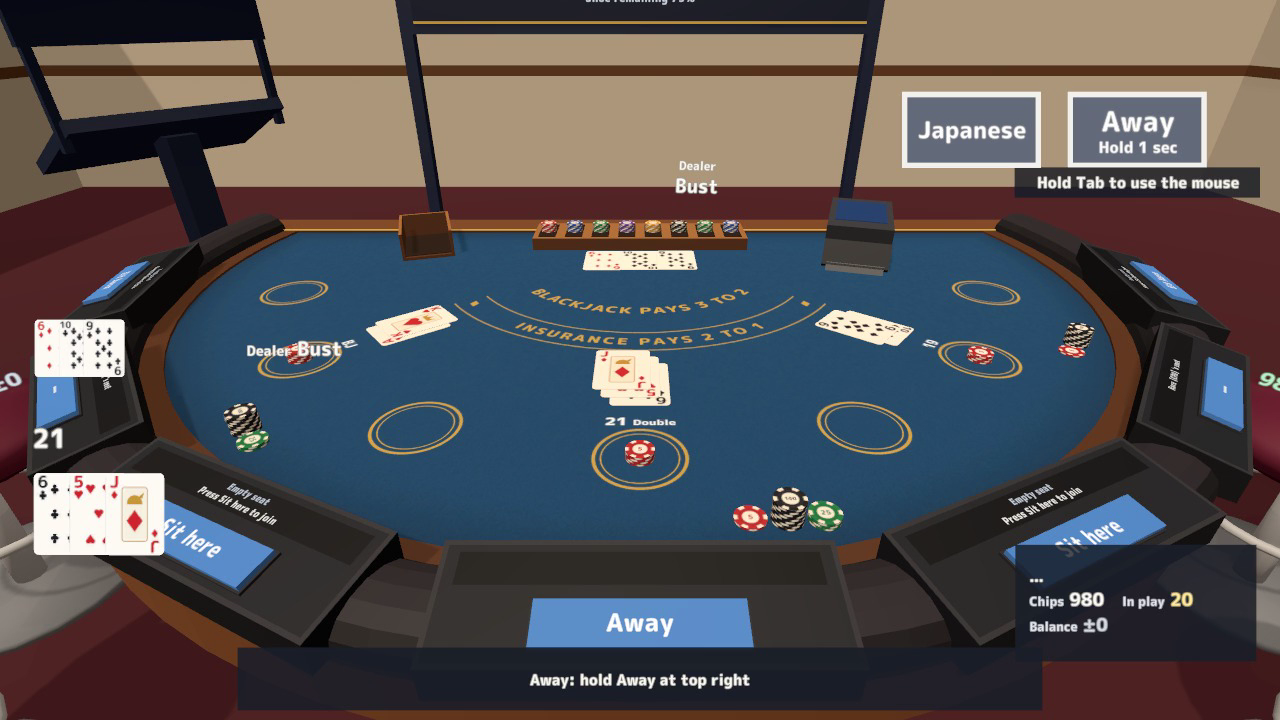
- The blackjack choices you expect. Hit, Stand, Double, Split, insurance, and optional surrender are included. Original two-card blackjack pays 3:2; normal wins pay 1:1. Split equal-rank pairs into up to four hands.
- Step away without losing your place. Temporary leave preserves your seat, chips, hand, borrowing count, and balance. A CPU makes legal actions in the active round; Return resumes that state.
- Set the pace and size. Choose 1, 2, 4, 6, or 8 decks, turn speed, minimum bet, starting stack, and table size. The size control offers 1x, 1.5x, 2x, and 2.5x.
- Controls for desktop and VR. Left/Right selects, Up/Down changes values, and Space/Enter confirms. VR offers stick/confirm controls and interactable buttons. Hold Tab for desktop mouse UI.
- Your own language. The HUD and standing panel offer a personal English/Japanese switch for labels, signs, settings, results, and interaction prompts.
Chip and balance readouts remain across temporary leave and return. Optional UdonChips integration lets human players use the world's wallet, while CPU players use table chips.
Included files
- BlackjackTable_v1.2.0.unitypackage with the semicircular table, seven chairs, cards, chips, settings panel, signs, personal HUD, sample scene, scripts, and 21 sound effects.
- README.txt and README_EN.txt with Japanese and English instructions, rules, settings, customisation, and terms.
- BlackjackTable_Blender folder with the editable .blend, 16 FBX models, palette, and three felt designs plus card/chip artwork: 23 source files.
Requirements and setup
Use Unity 2022.3.22f1, VRChat Worlds SDK 3.10.x including UdonSharp, and TextMesh Pro in a Creator Companion world project. Corresponding Quest/Android material variants are included.
- Import TMP Essential Resources if needed, then import BlackjackTable_v1.2.0.unitypackage.
- Place Assets/BlackjackTable/BlackjackTable.prefab on a level floor. Add one EventSystem to your own scene for mouse UI.
- Open Assets/BlackjackTable/Sample/BlackjackTable_Sample.unity to try the table.
The standard layout needs about 4.0 m by 3.0 m, with 2.0 m height. Move and rotate freely; use the panel's table-size setting rather than Transform scaling. Blue, green, and red felt materials and editable Blender sources are included.
Terms of use and support
- Use in public, paid, corporate, event and monetized VRChat worlds is allowed. Modification is allowed; credit is optional.
- Do not redistribute or resell the data, including modified data or bundles with another asset. Contact the creator before use outside VRChat.
- Chips are play points only. Do not connect them to real-money or cash-equivalent wagering.
- The creator accepts no liability for problems arising from use.
Font: M PLUS Rounded 1c, SIL Open Font License 1.1 (Fonts/OFL.txt). Models, textures, sounds and scripts were created for this product.
Purchase questions
For questions about your purchase, use the contact option on the store where you purchased the product. Include your product, Unity and SDK versions, steps, and any error message.
Jinxxy support
For purchases on Jinxxy, use this product's Q&A on Jinxxy. Include the product name, Unity and SDK versions, the steps you took and any error text.