
Dice Table Together | Yacht, Chinchiro, Liar's Dice & Cho-han with CPU Players for VRChat
상품 설명
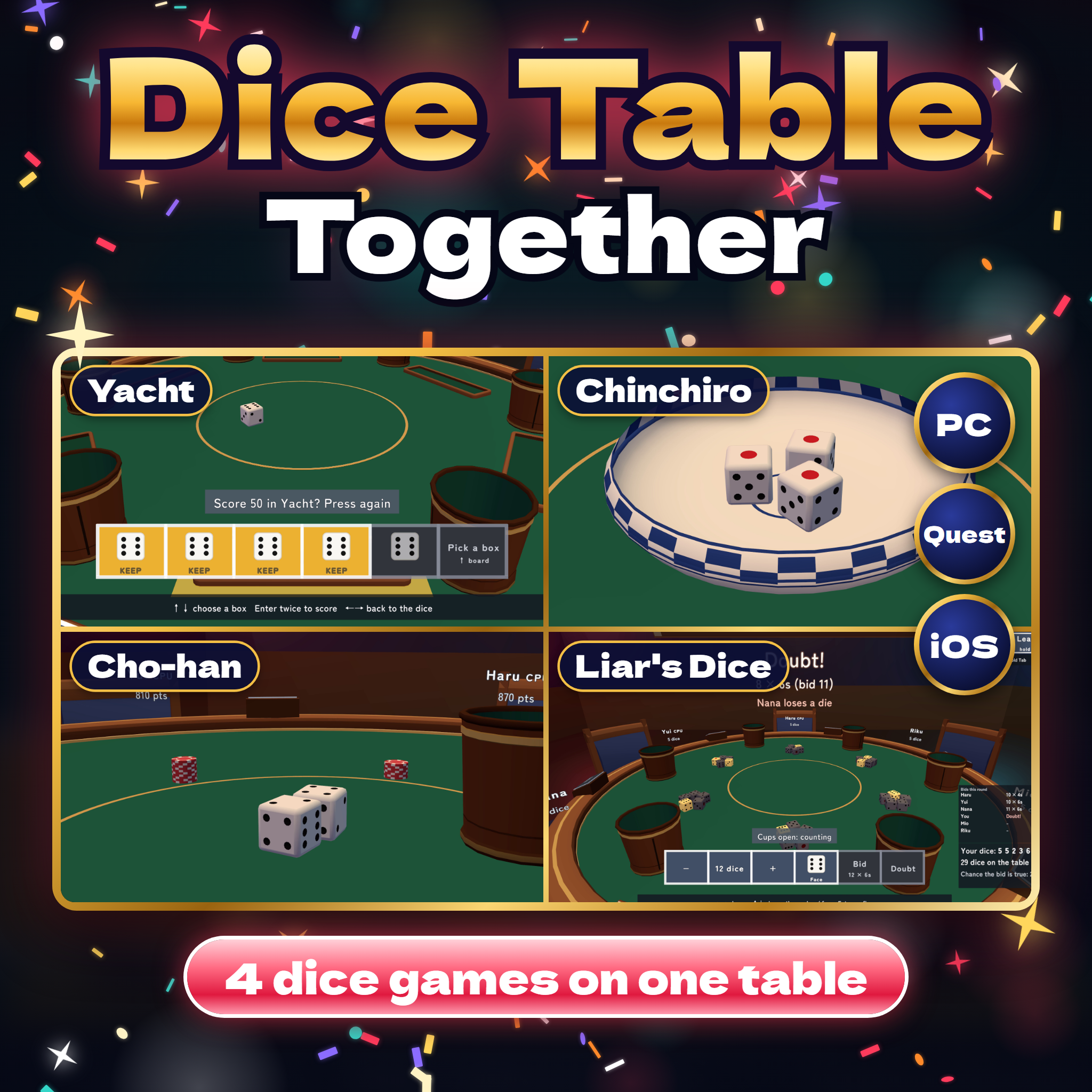
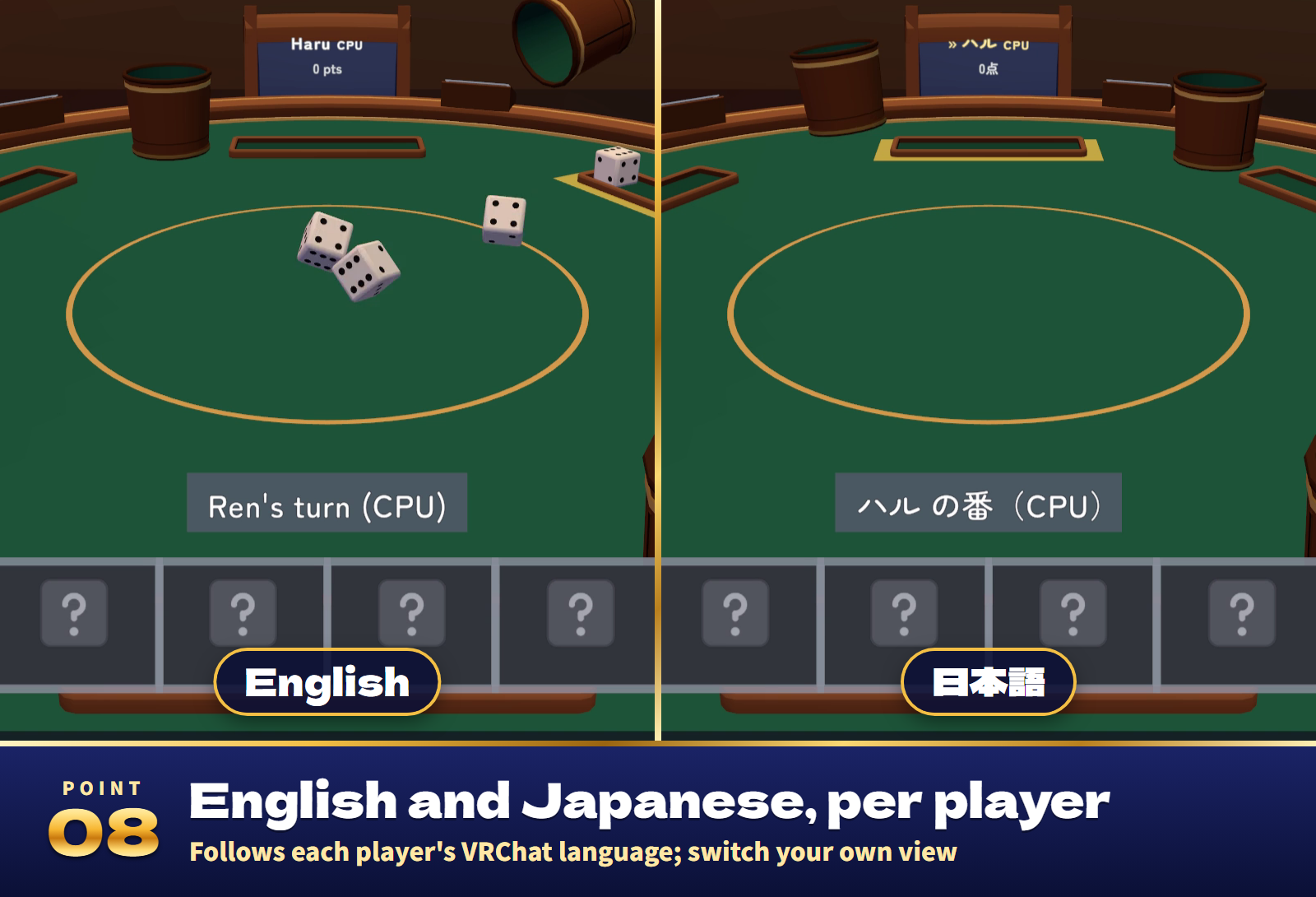
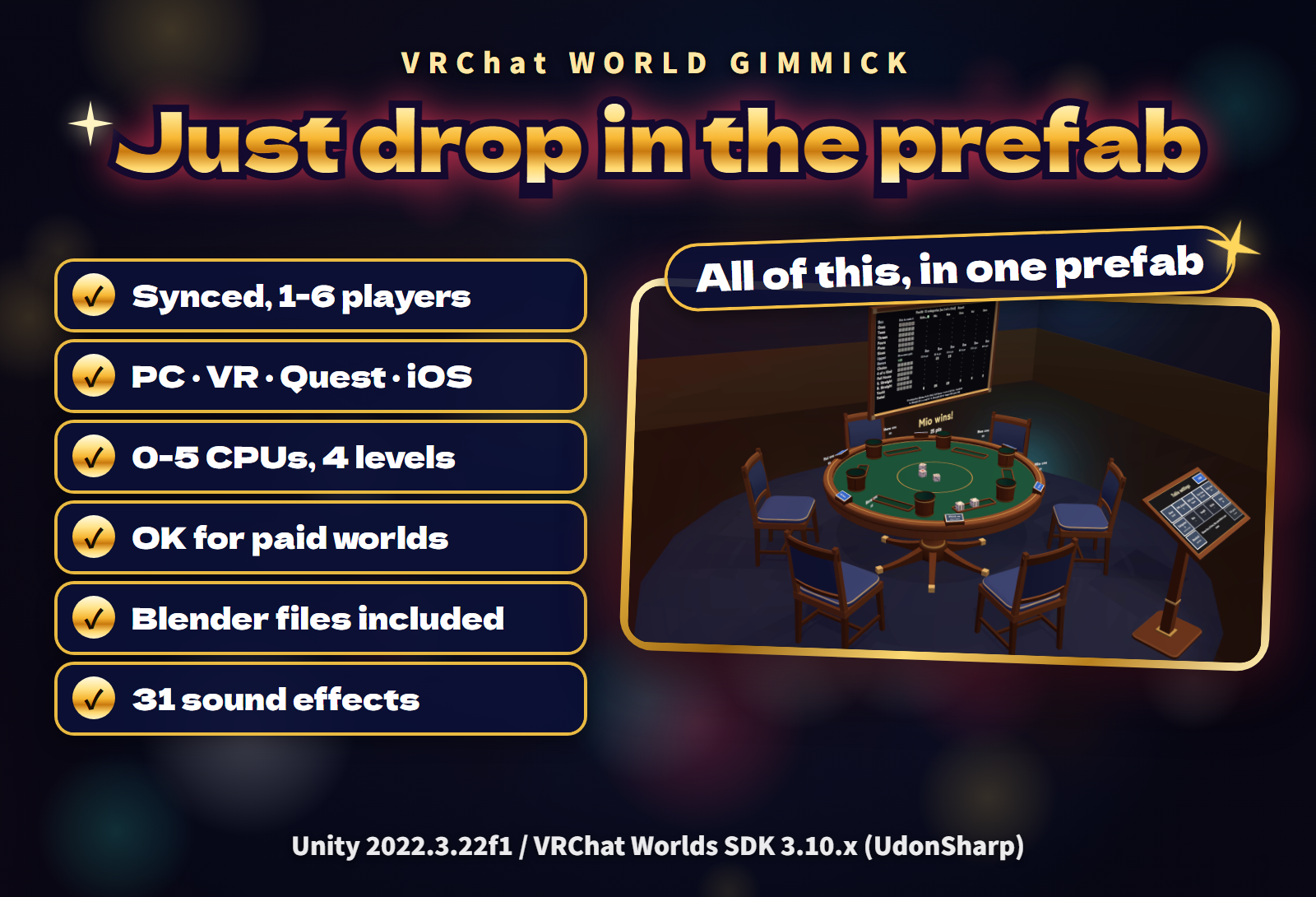
Four dice games at one round table for your VRChat world: Yacht, Chinchiro, Liar's Dice and Cho-han, for up to 6 players. Pick the game on the settings stand; CPU opponents at four levels fill the empty seats, the dice roll the same on every screen, and everything follows each player's language, English or Japanese.
Watch it in action
{VIDEO_EMBED}
Four games, one table
- Yacht, Chinchiro, Liar's Dice and Cho-han. Choose the game on the settings stand or your own screen; when a game ends, one press of Start begins the next from the same seats.
- Up to 6 players, synced. The rolling dice, the cups, the bowl and the score board look the same for everyone, and late arrivals see the table as it is now.
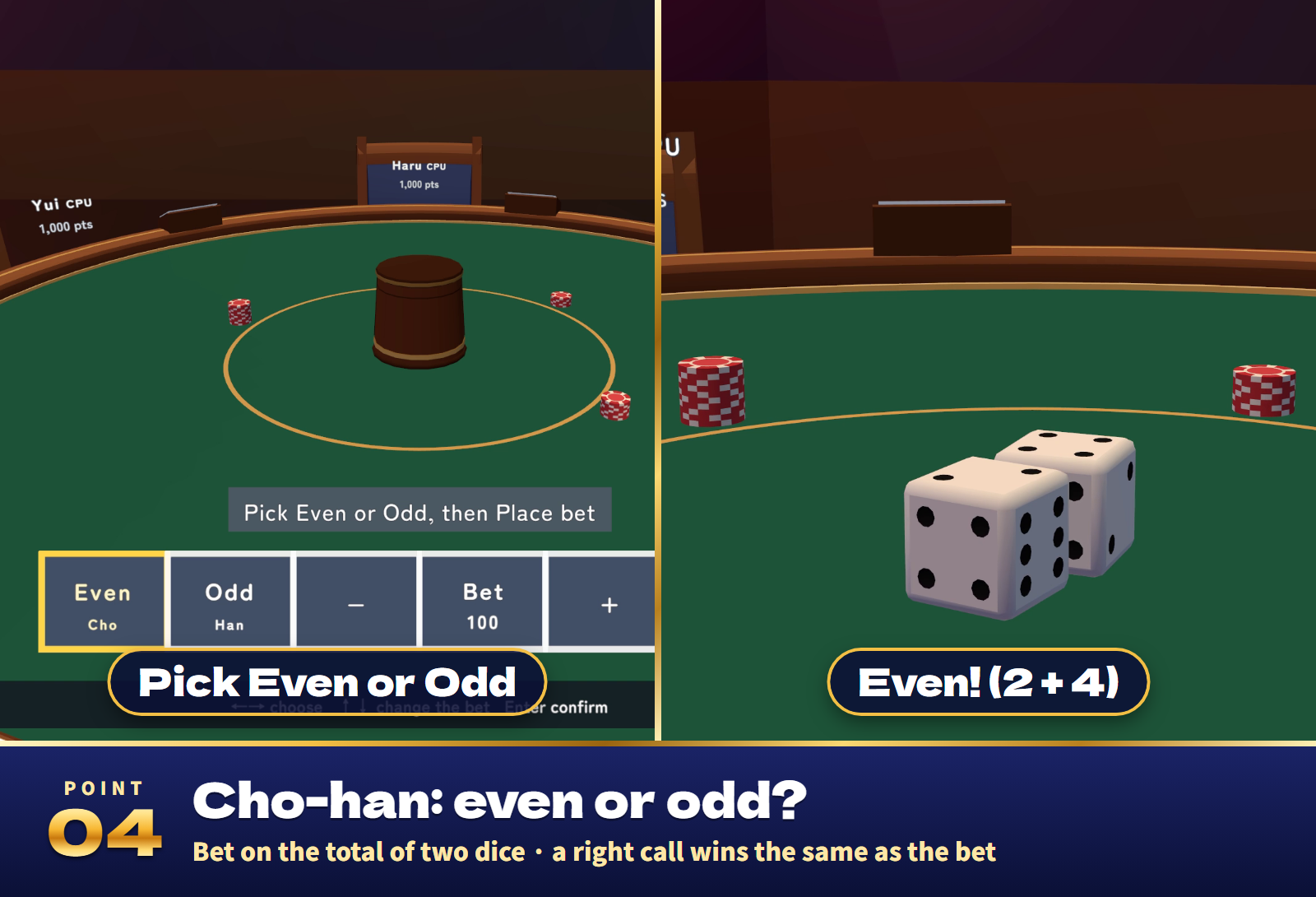
- Big moments for everyone. A fanfare for a Yacht, a burst for 1-1-1, every cup lifting at once on "Doubt!", the cup raised on Even or Odd: big words and sound for the whole table.
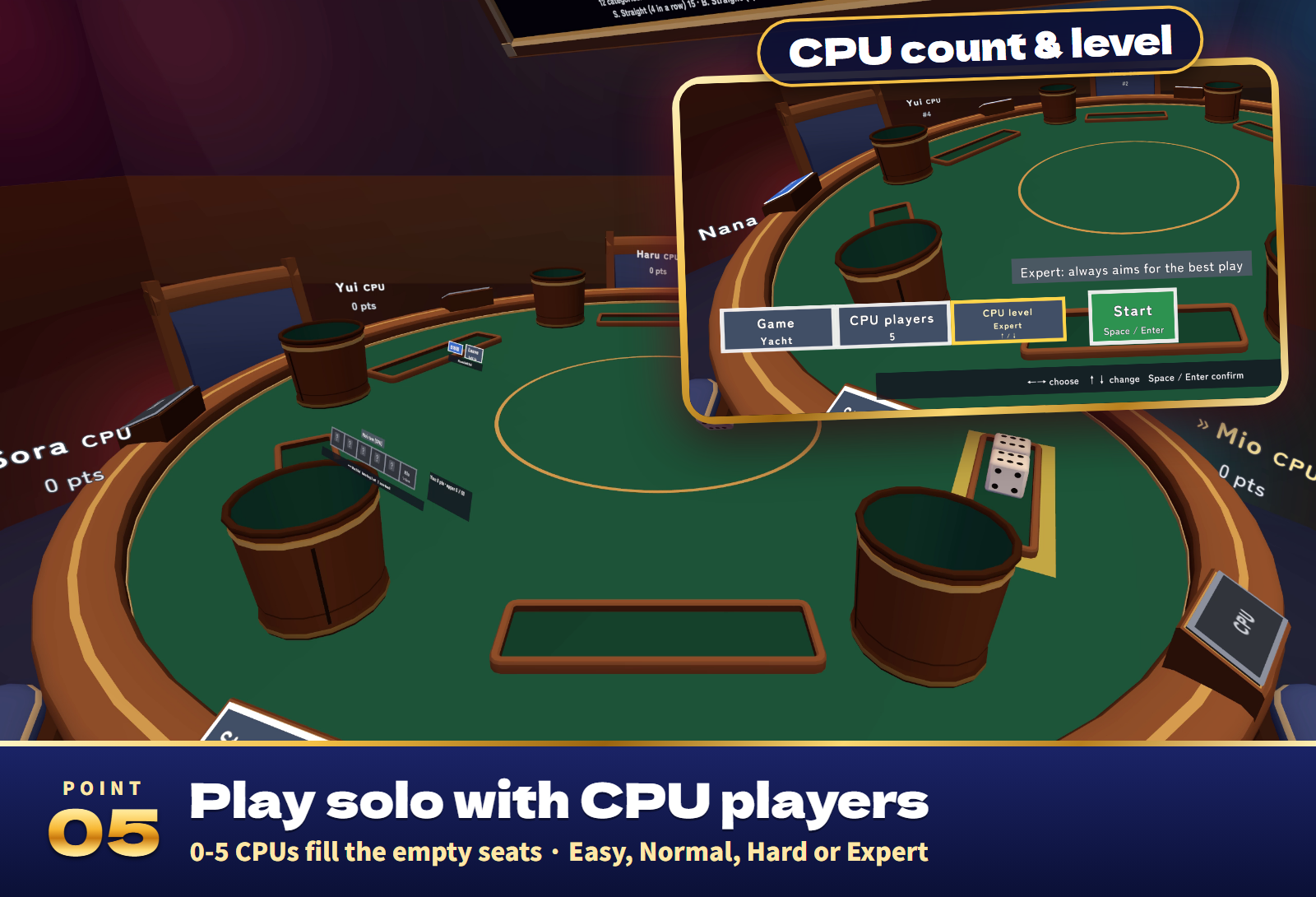
- CPU opponents. 0 to 5 CPU players fill the empty seats at Easy, Normal, Hard or Expert.
- Easy controls. Press the keys on your own screen, or use the arrow keys and Enter. In VR use the stick and Jump, or press the keys on your screen and the table.
- Hidden dice stay hidden. Your Liar's Dice roll and the dice under the Cho-han cup are never sent to anyone else until they are revealed.
- Step away freely. Leave your seat during a game and a CPU plays on for you; sit back down or press Back to carry on from where things stand.
- End a game together. End game on the stand ends it when a majority of the players agree (players away from the table can vote too).
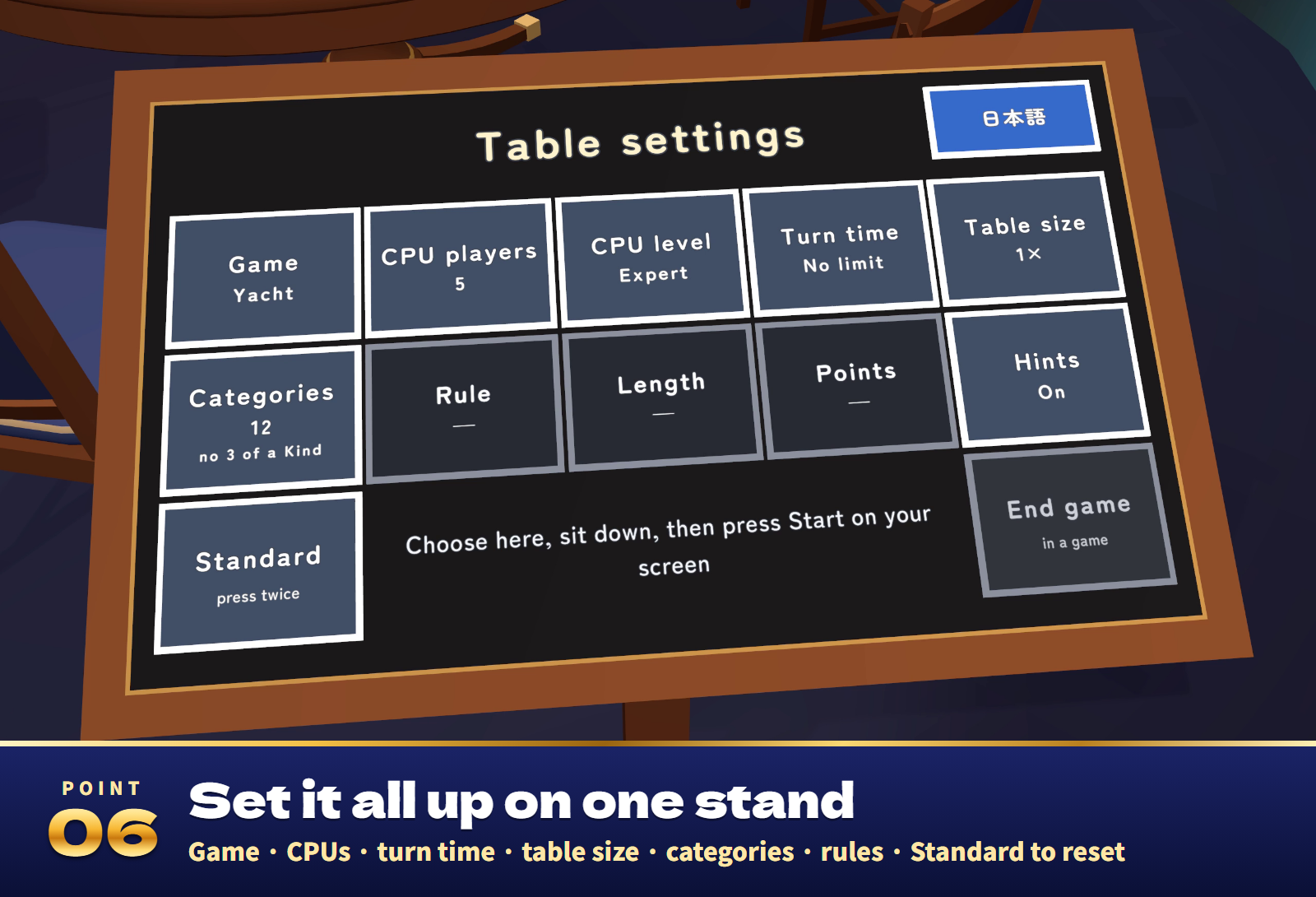
- A stand that explains itself. Point at a key and one line tells what it changes. Standard puts the world's settings back. Changes made during a game apply from the next one.
- Records. Your Yacht best, games played and wins are saved in your own VRChat player data.
- UdonChips (optional). Use players' UdonChips money as the points in Chinchiro and Cho-han.
- 31 sound effects for shaking, rolling, the bowl, the cups, Doubt, the reveal, Yacht, 1-1-1, chips and wins.
The games
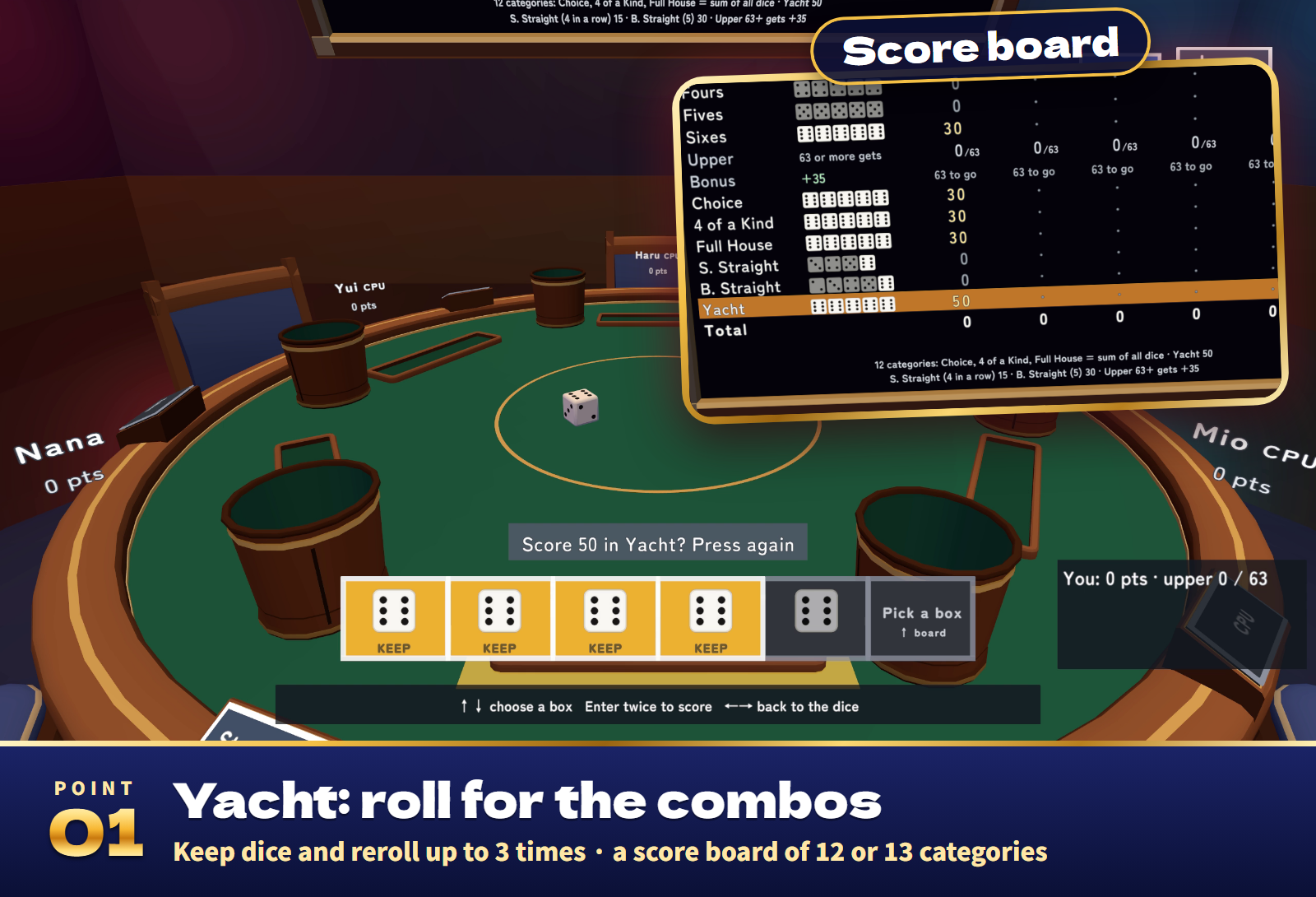
- Yacht (1-6 players): roll 5 dice up to 3 times a turn, keeping the ones you want, and fill one box of the score board each turn. 12 categories by default, or 13 (with Three of a Kind). Each box shows the faces it needs.
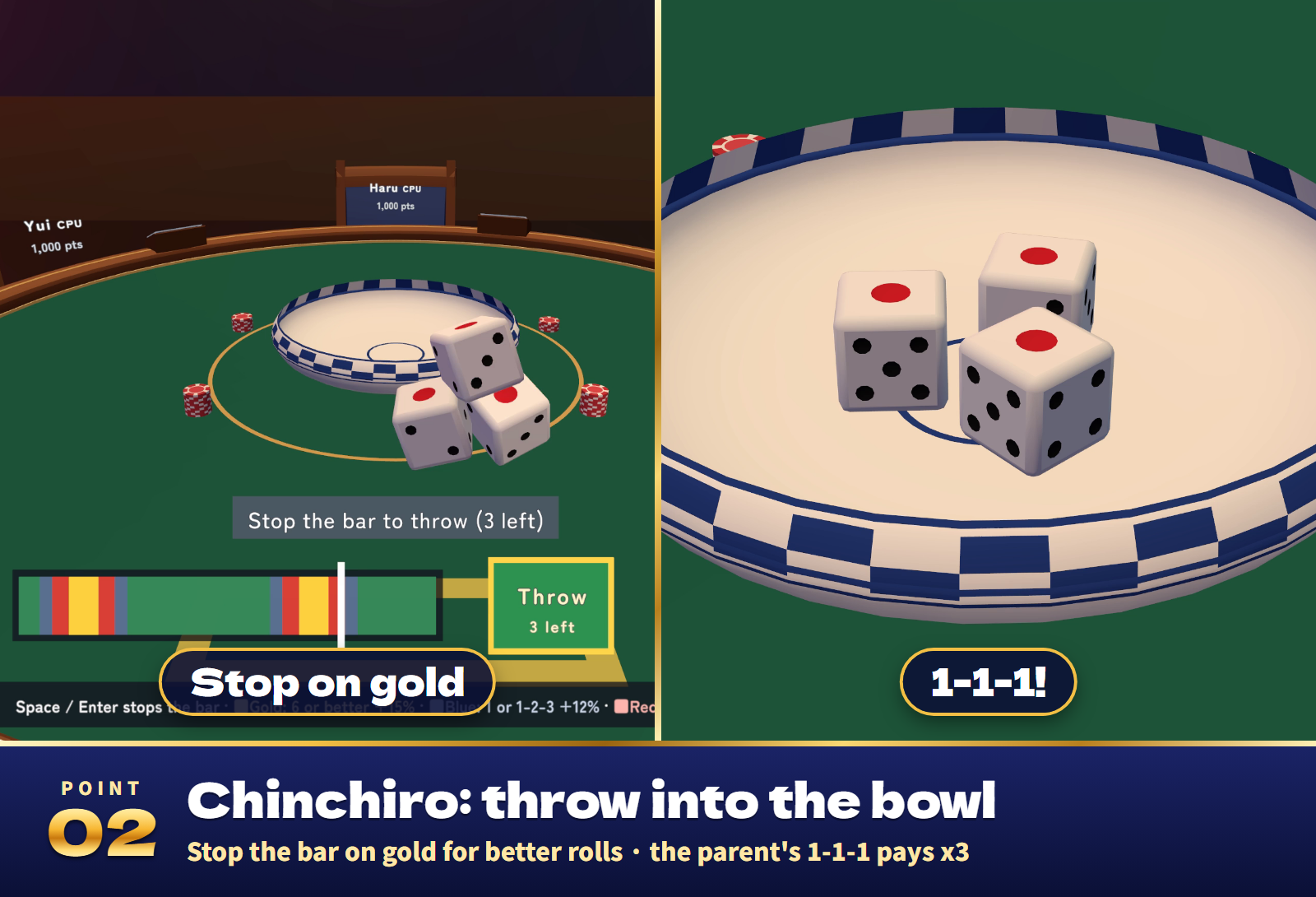
- Chinchiro (2-6 players): the others bet, then the parent throws 3 dice into the bowl up to 3 times. Stop the moving bar on gold for better rolls (6 or better: about 13% to 28%). 1-1-1 pays x3 (or x5), triples x3, 4-5-6 x2; 1-2-3 pays out x2. Out of the bowl on or off.
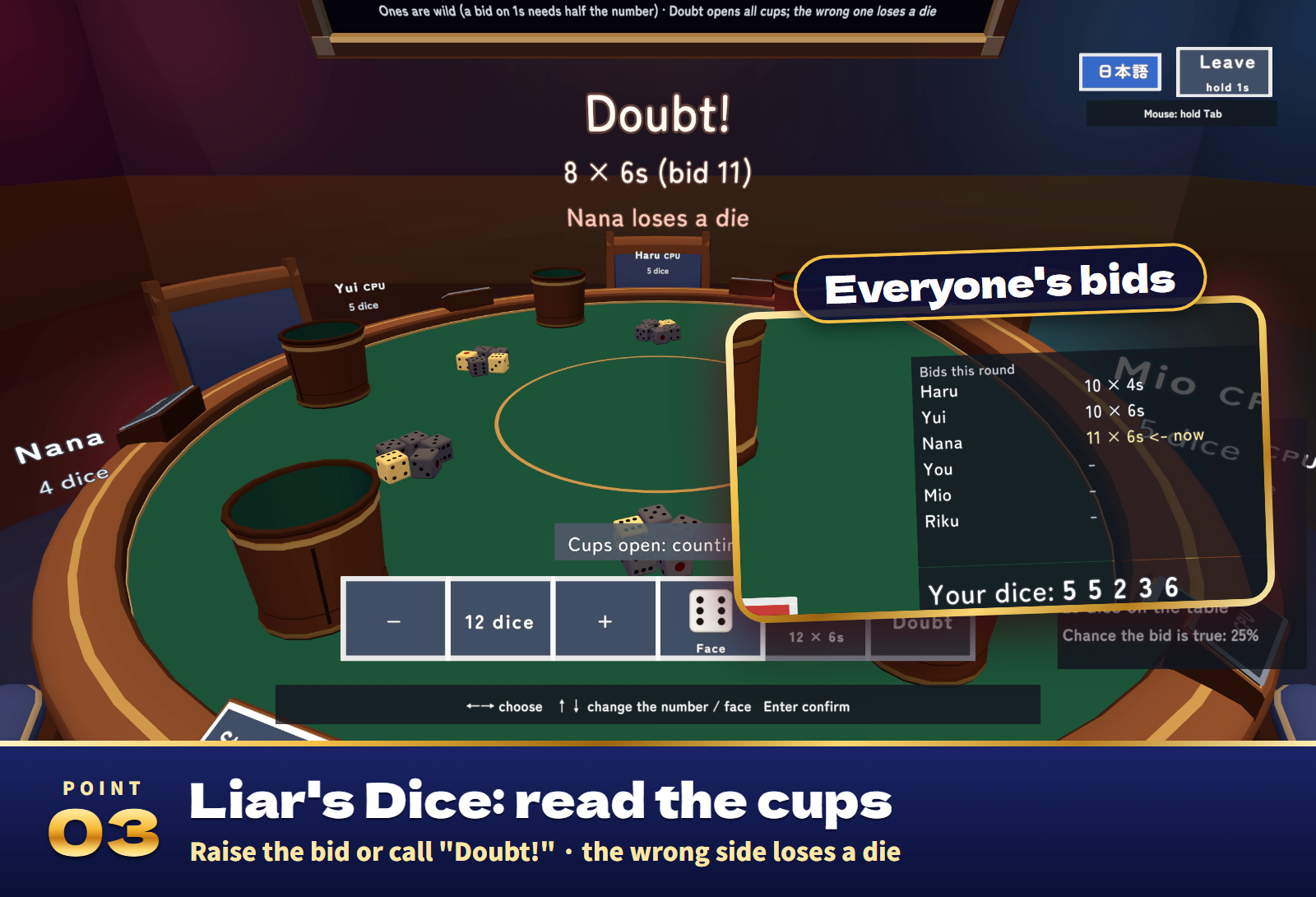
- Liar's Dice (2-6 players): everyone shakes 5 dice under a cup and sees only their own. Raise the bid ("at least N dice of a face on the table") or call "Doubt!": every cup lifts and the wrong side loses a die. The last one with dice wins. Ones are wild (can be turned off); Exact can be turned on.
- Cho-han (1-6 players): two dice under a cup; bet on Even or Odd. A right call wins the same as the bet. 10, 20 or 30 rounds.
- Chinchiro and Cho-han start with 1,000, 5,000 or 10,000 points. Run short and you can borrow the starting amount and play on; the results compare the net.
- Hints (on by default): Yacht shows what each box would score now, and Liar's Dice shows how likely the current bid is.
CPU players
- 0-5 CPU players at four levels: Easy, Normal, Hard and Expert.
- Yacht plays from optimal-strategy tables, Liar's Dice reads probabilities and the other players' bids, Chinchiro uses betting personalities and where it aims the bar, and Cho-han uses betting personalities.
- Yacht at Expert plays within 0.6 points of the optimal expected score (191.8). Expert against Easy, 10,000 two-player games: Expert wins 82.6%.
- Liar's Dice with one player of each level, 10,000 games: Expert wins 45.4%, Hard 29.6% (an even share is 25%).
Settings
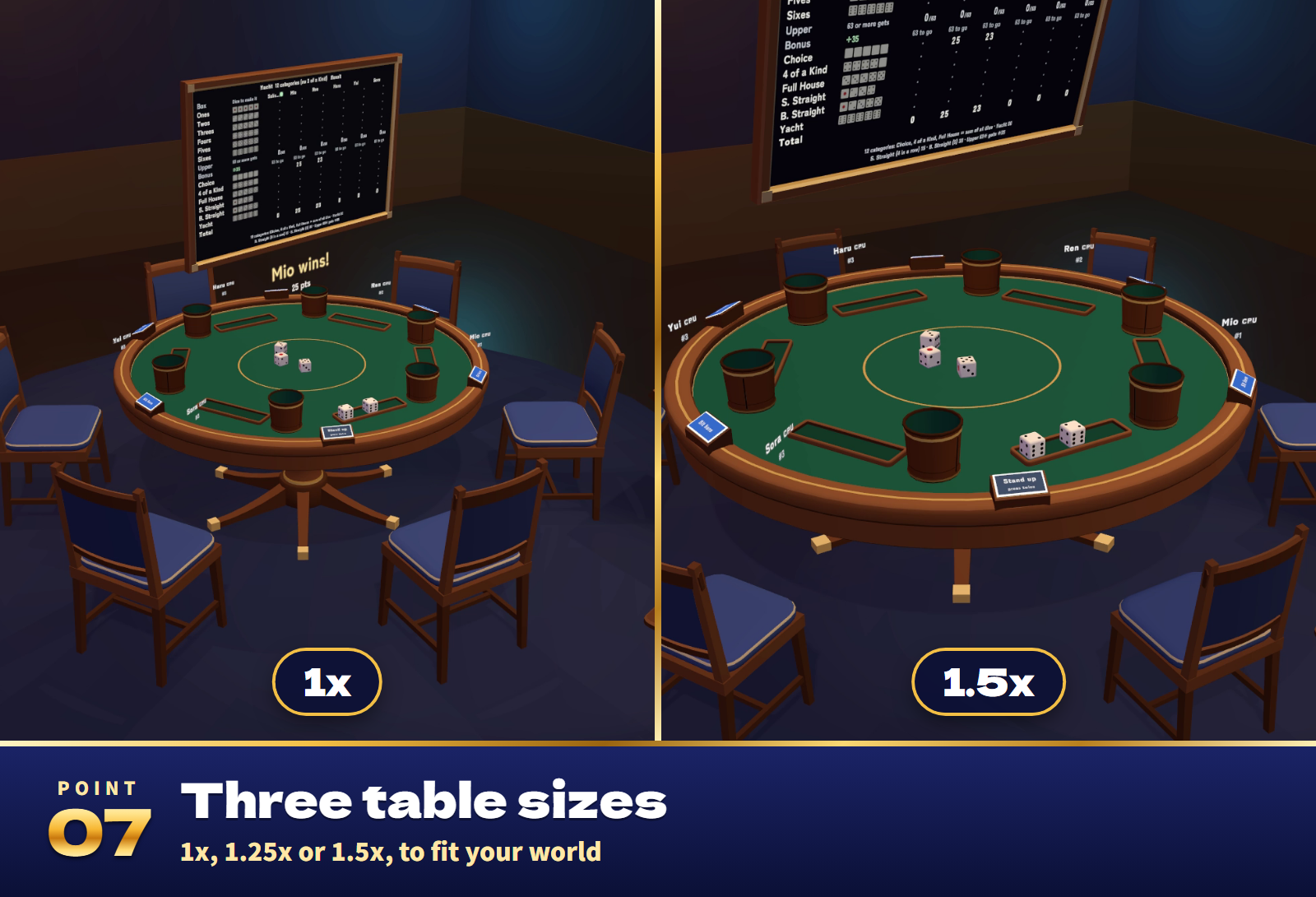
- On the settings stand (usable before sitting down; changes made during a game apply from the next one): game, CPU count and level, turn time (none, 45, 90 or 180 s), table size (1x, 1.25x or 1.5x), Yacht categories, the Chinchiro and Liar's Dice rules, length, starting points, hints, your own language, Standard and End game.
- In the Inspector: the starting game, CPUs, rules, length, points and turn time, the choices offered, whether the stand works before sitting down, the language (automatic, Japanese or English), saving records and UdonChips.
Included files
- DiceTable_v1.0.0.unitypackage: the table as one prefab, a sample scene, the scripts, 31 sound effects and lighter materials for Quest/Android.
- README.txt and README_EN.txt: Japanese and English setup, how to play, settings and terms.
- DiceTable_Blender: the editable .blend, the FBX models, the palette and the dice face texture.
Requirements and setup
Unity 2022.3.22f1, VRChat Worlds SDK 3.10.x (tested with 3.10.5) including UdonSharp, and TextMesh Pro, in a Creator Companion world project. It runs on PC (desktop and VR), Quest/Android and iOS; real-time lights turn off by themselves on Quest and phones.
- Import TMP Essential Resources if the project has never used TextMesh Pro.
- Import DiceTable_v1.0.0.unitypackage.
- Place Assets/DiceTable/DiceTable.prefab on a level floor, or open Assets/DiceTable/Sample/DiceTable_Sample.unity to try it first.
Setup takes about ten minutes. Allow about 3.0 m x 3.5 m (height 2.1 m) for the table, six chairs, the score board and the stand. Move and rotate it freely; change its size with the stand's Table size rather than scaling the prefab.
The rules and the CPUs match a reference program, and play, sync, stepping away and voting are covered by 63 automated tests. The sample world's Android scene is about 4.3 MB.
Terms of use
- You may include it in VRChat worlds and publish them, including paid, corporate, event and monetized worlds.
- Modification is allowed. Credit is optional and appreciated.
- Redistributing or reselling the data itself (modified or not), or bundling it with other assets for sale, is not allowed.
- Please contact the creator before using it outside VRChat worlds, such as in other games or videos.
- The author is not responsible for any problems arising from using this data.
- The points are game points. Do not bet real money or anything of value on it.
Credits and support
Font: Zen Maru Gothic, SIL Open Font License 1.1 (Fonts/OFL.txt). The 3D models, textures, sound effects and scripts were made for this product.
For purchase questions, use the contact option on the store where you purchased this product. Include the product, Unity and SDK versions, steps and any error message.
Jinxxy support
For purchases on Jinxxy, use this product's Q&A on Jinxxy. Include the product name, Unity and SDK versions, the steps you took and any error text.