상품 설명
이 상품에는 AI로 생성된 콘텐츠가 포함되어 있습니다.
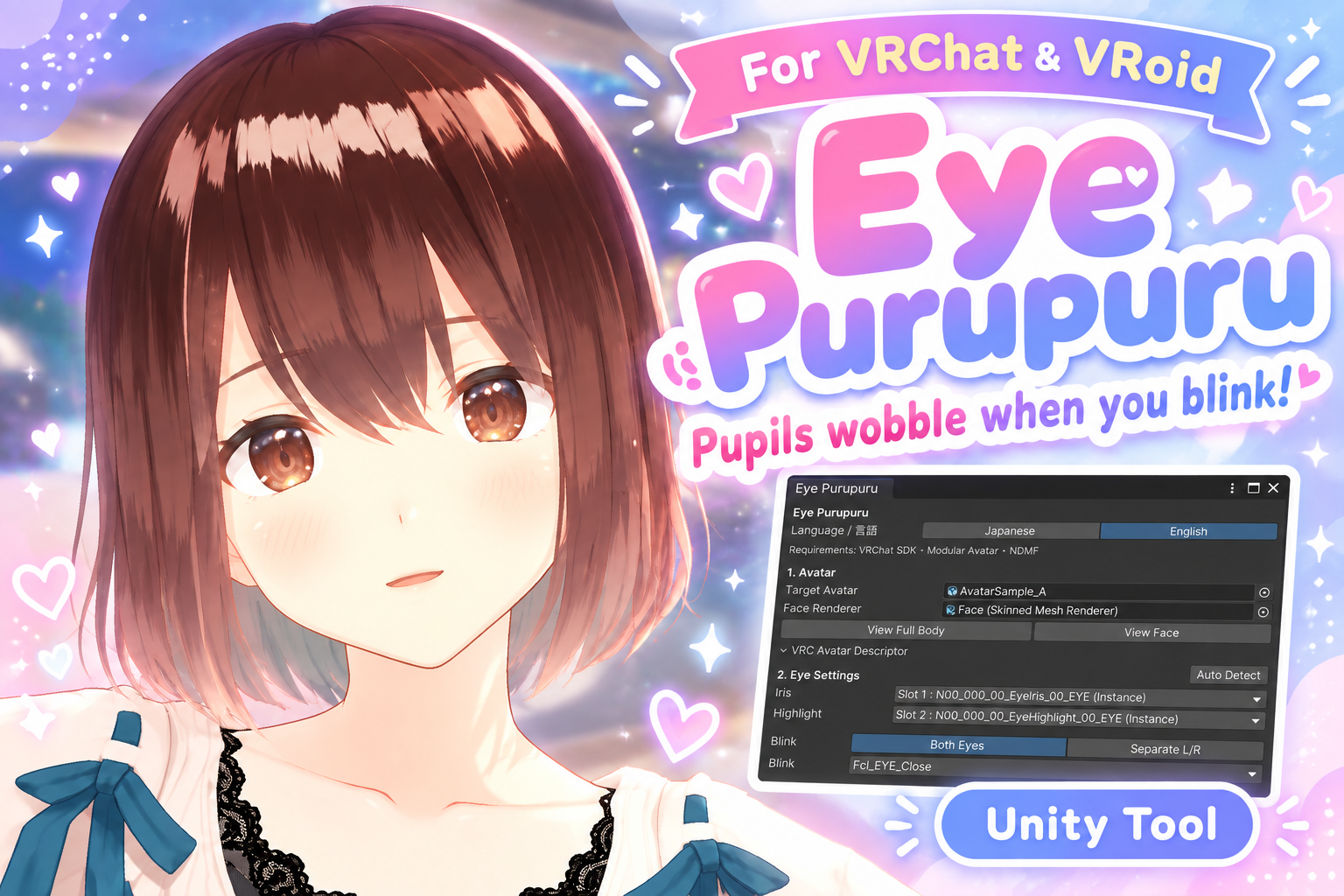
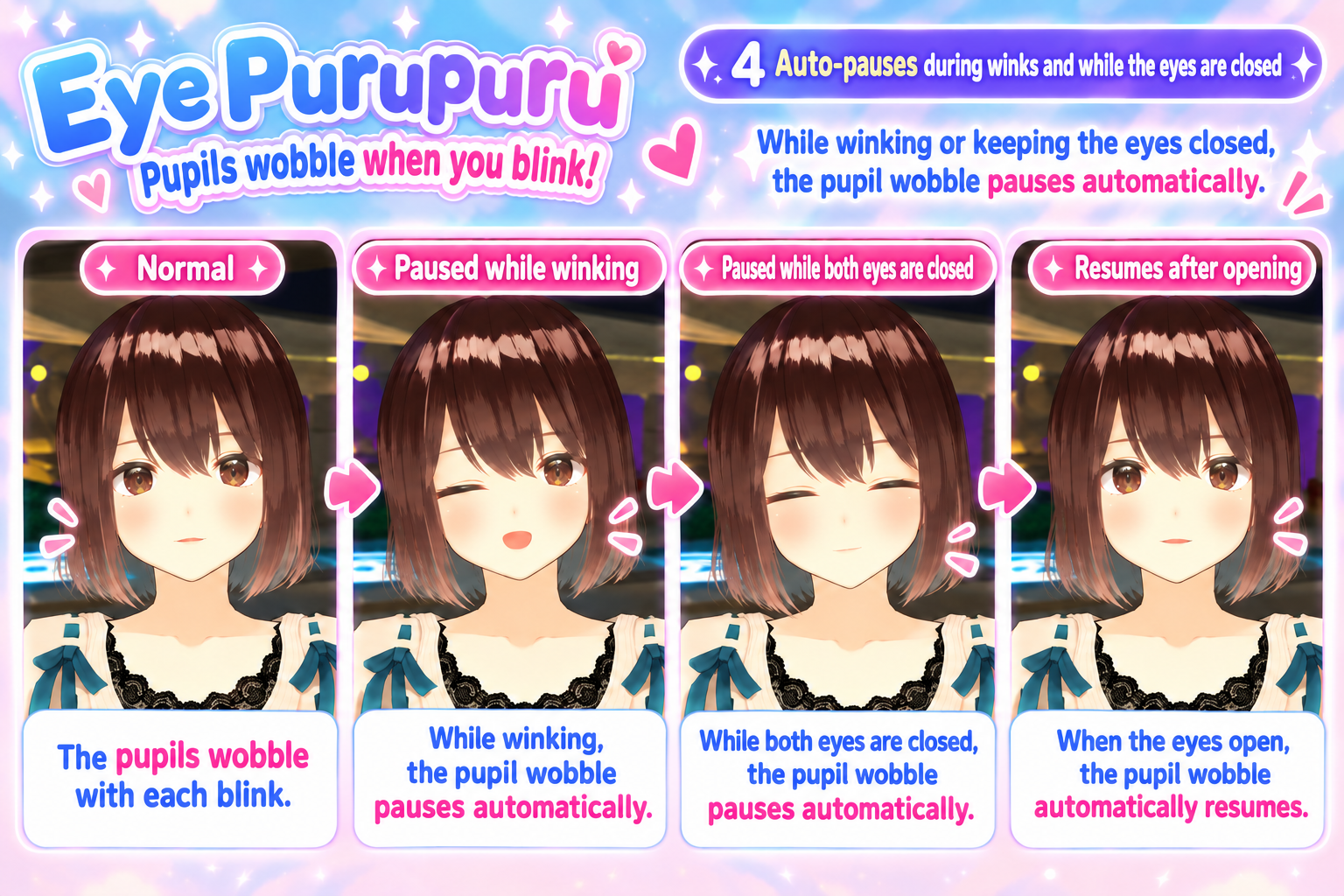
Eye Purupuru is a Unity Editor tool for VRChat avatars that makes the irises wobble naturally when the avatar blinks.
The wobble automatically pauses during winks or closed-eye expressions, then resumes when the eyes open again.
⚠ Important for VRoid Studio Users
When exporting your avatar from VRoid Studio, please disable Material Reduction.
Reducing materials may merge the iris material with other materials, preventing Eye Purupuru from working properly.
If the iris is merged with other parts, Manual Material Slot selection may not resolve the issue.
We strongly recommend exporting without Material Reduction and testing compatibility with the free Trial version before purchasing.
🧪 Free Trial
Not sure if Eye Purupuru works with your avatar?
Try the free Trial version first to check compatibility and preview the wobble effect in Unity.
https://ja.jinxxy.com/imroo_x/eye-purupuru-trial
✨ Features
• Iris wobble synchronized with blinking
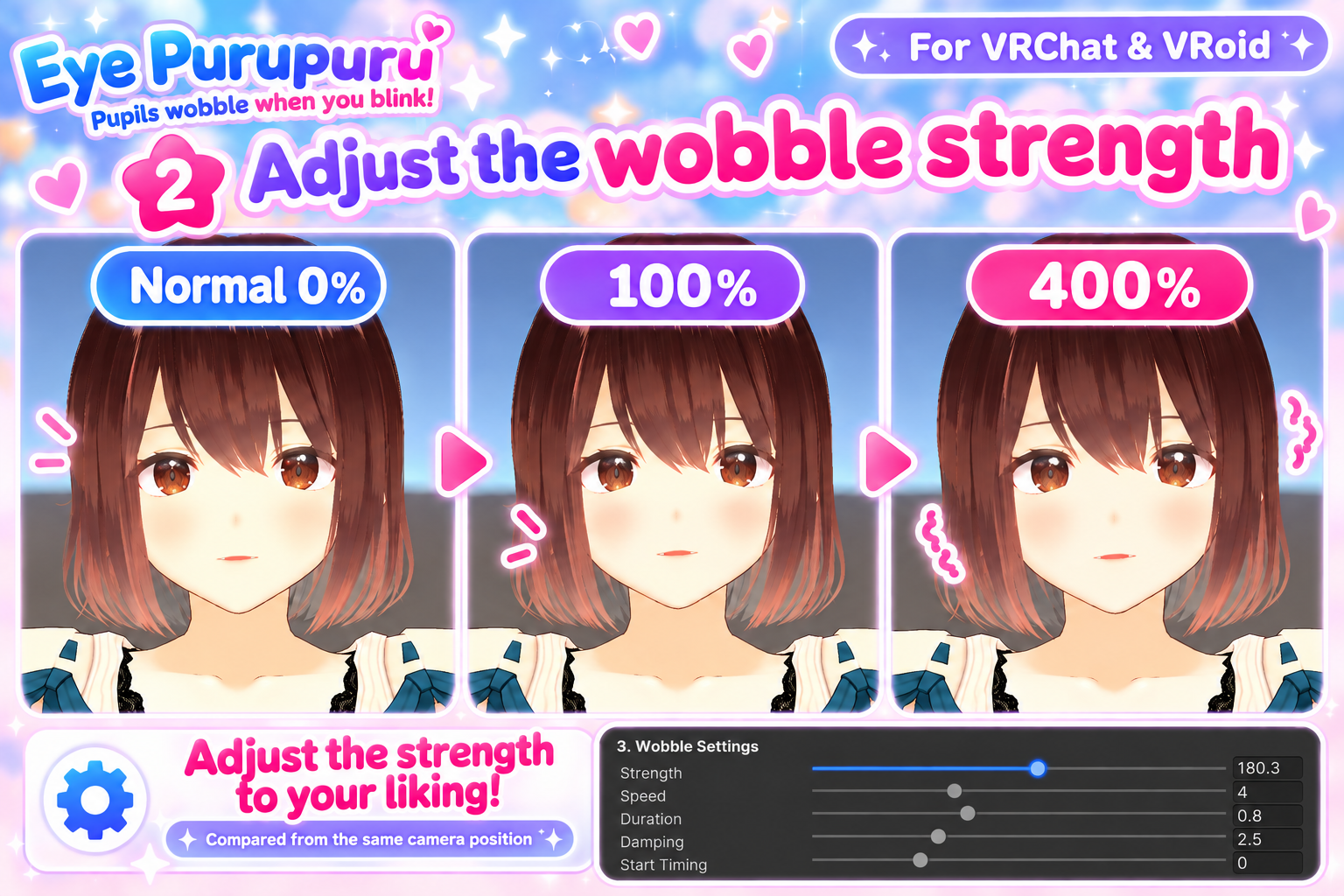
• Adjustable Strength, Speed, Duration, Damping, and Start Timing
• Strength can be adjusted from 0% to 400%
• Automatically pauses during winks and closed-eye expressions
• Automatically resumes after the eyes open
• Automatic iris / highlight / blink detection
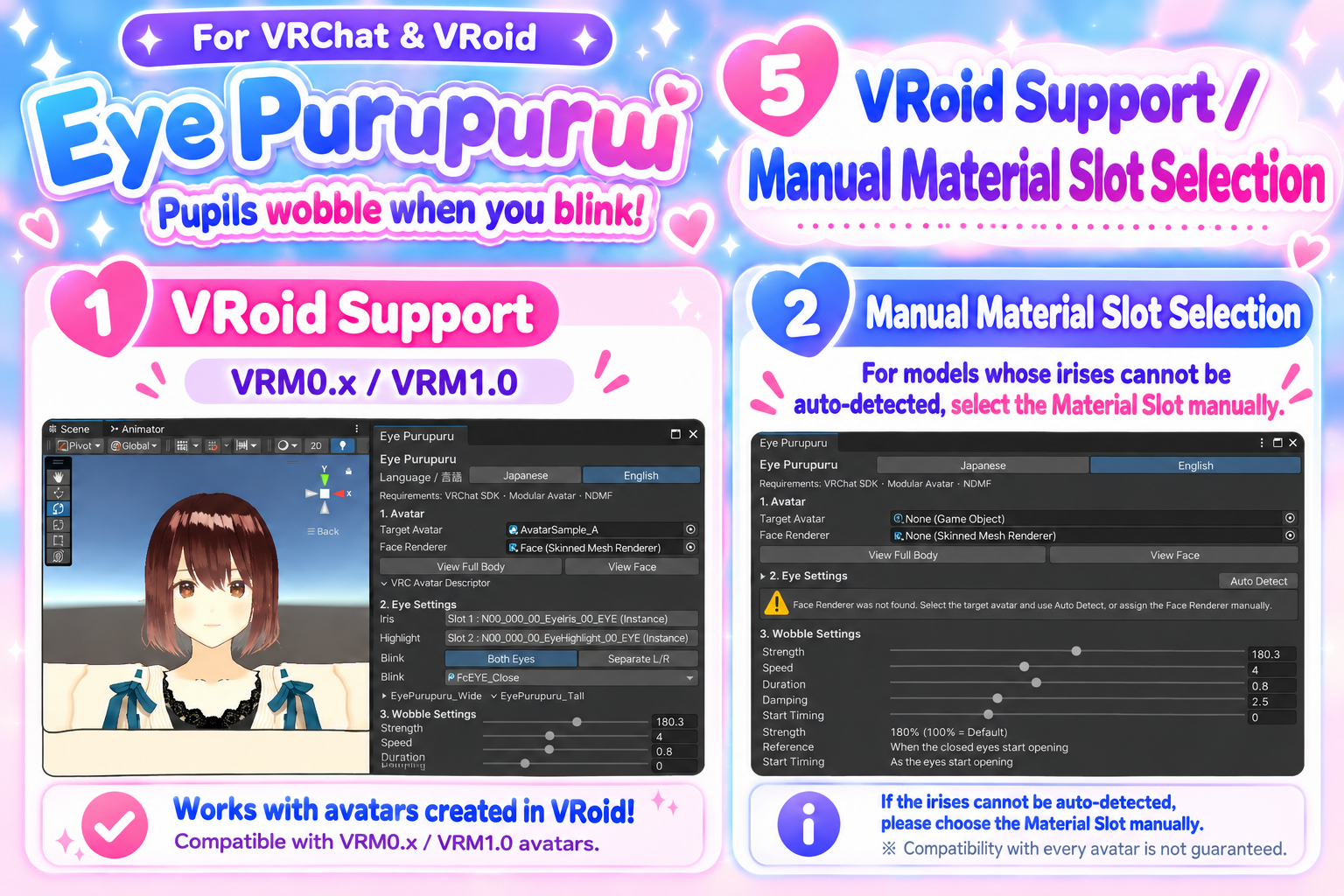
• Manual Material Slot selection when auto-detection is not available
• Unity Preview before setup
• Japanese / English UI
• Setup with only a few clicks in Unity
🛠 Requirements
• Unity 2022.3
• VRChat SDK
• Modular Avatar
• NDMF
For VRoid / VRM avatars, an importer such as UniVRM is required to import the avatar into Unity.
✅ Tested Compatibility
• VRoid-derived VRM0.x avatars
• VRoid-derived VRM1.0 avatars
• Avatars where the iris can be isolated as a separate Material / SubMesh
Some avatars with merged eye and face geometry may not be supported.
VRoid Studio's Material Reduction feature may merge the iris material with other materials, making Eye Purupuru incompatible.
If the iris cannot be detected automatically, you can select the Material Slot manually. However, manual selection cannot always resolve issues caused by merged materials.
Avatars other than VRoid may also be compatible depending on their mesh structure.
If you are unsure, please try the free Trial version first.
📦 Setup
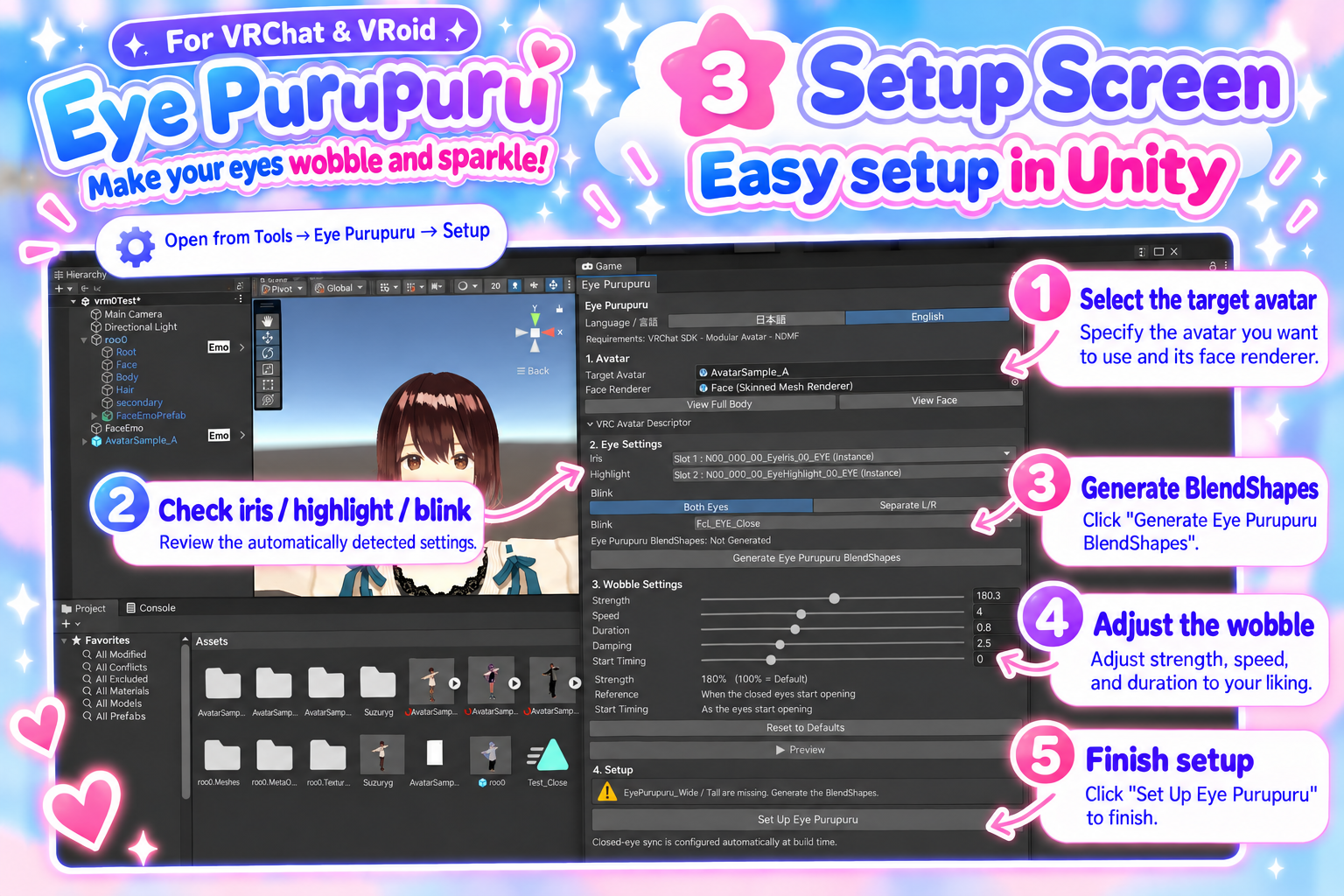
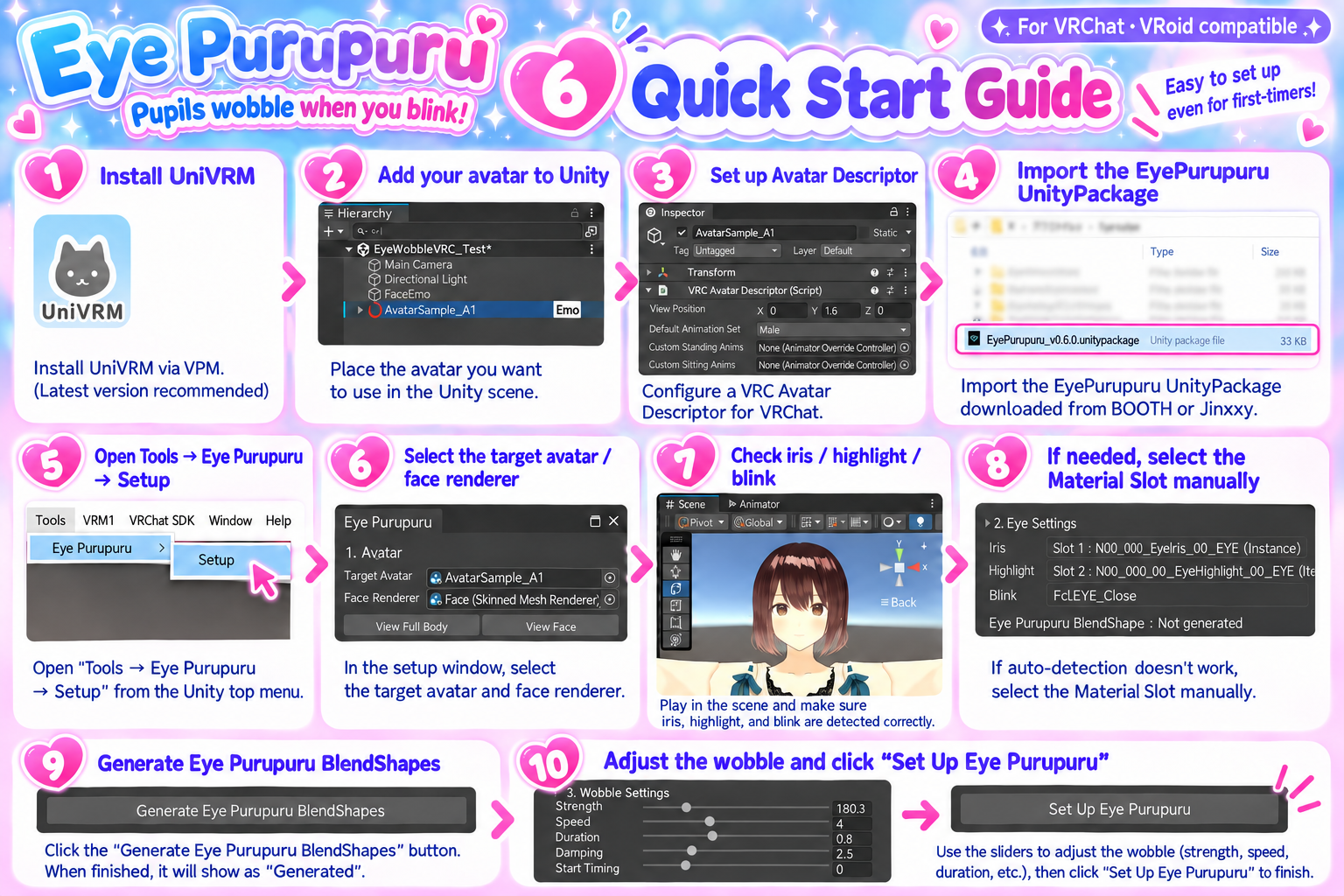
- Import Eye Purupuru into your Unity project.
- Open:
Tools → Eye Purupuru → Setup - Select your avatar and Face Renderer.
- Check the detected iris, highlight, and blink settings.
- Generate the Eye Purupuru BlendShapes.
- Adjust the wobble settings.
- Click “Set Up Eye Purupuru”.
That's it!
⚠ Notes
• Compatibility with every avatar is not guaranteed.
• Please make a backup of your avatar/project before installation.
• Eye Purupuru does not modify your original mesh asset directly.
• Generated assets are created separately for each avatar.
• External avatar systems or package updates may affect behavior.