
상품 설명
이 상품에는 AI로 생성된 콘텐츠가 포함되어 있습니다.
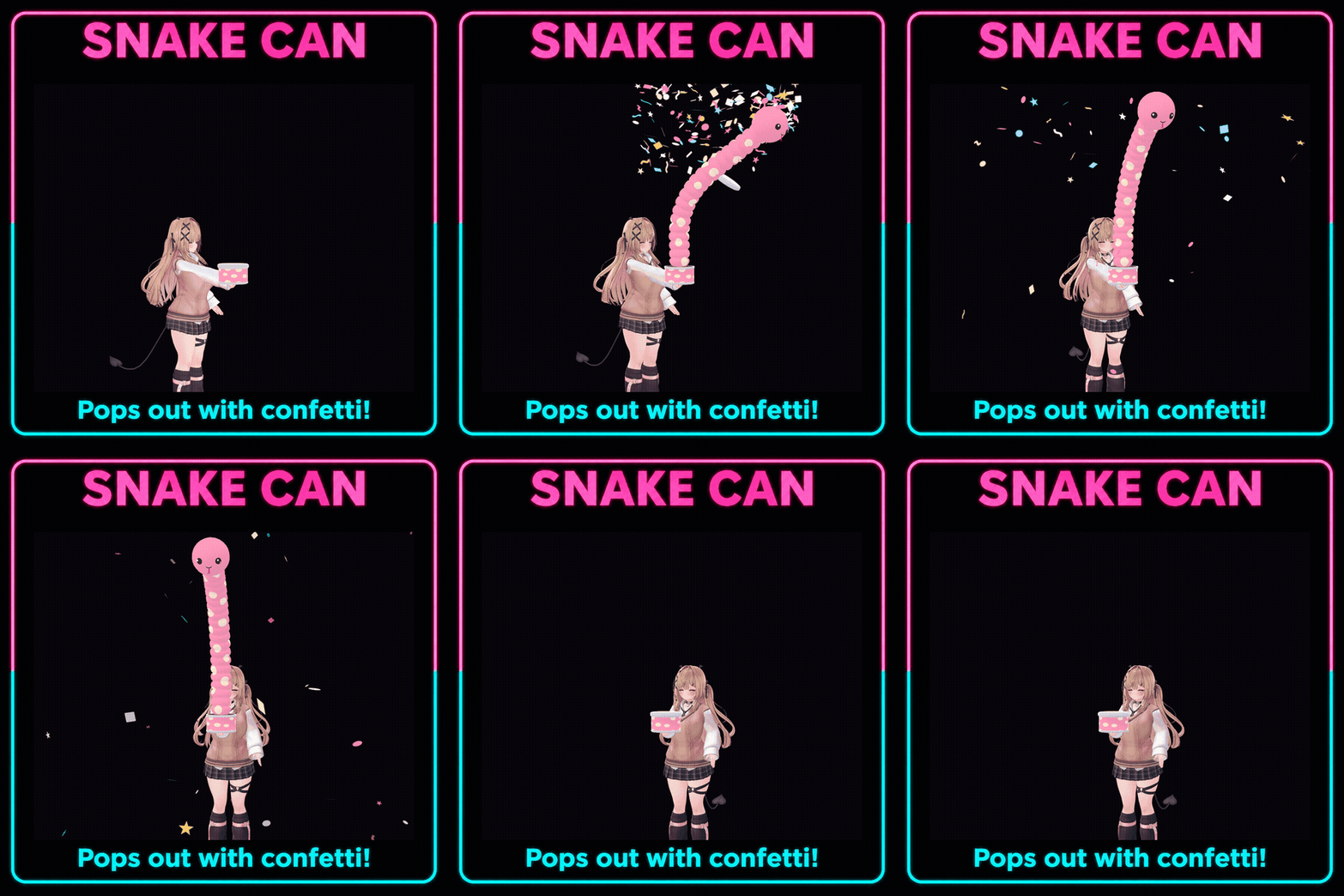
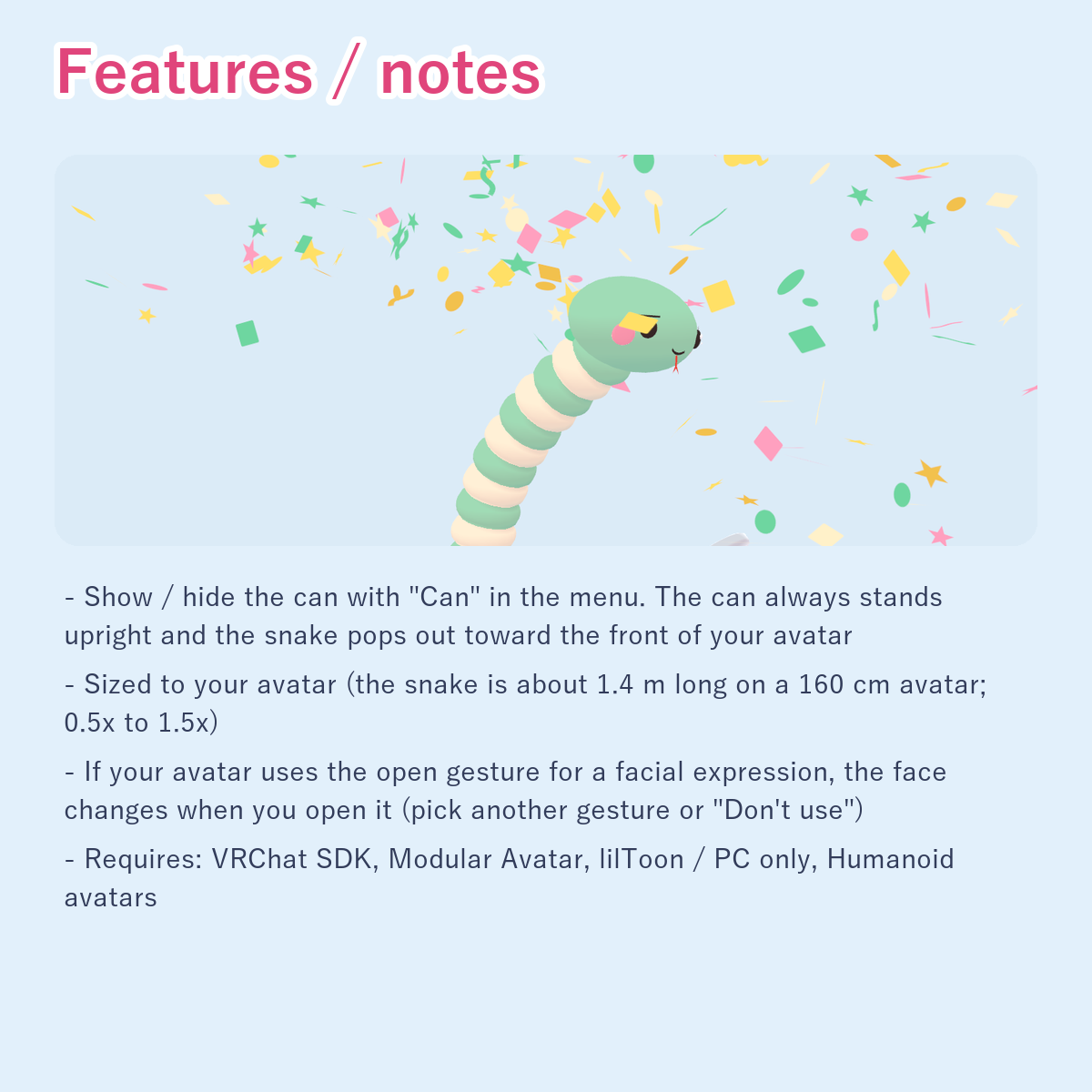
A prank can: open it and a snake springs out with a burst of confetti, then goes back into the can in about 2 seconds.
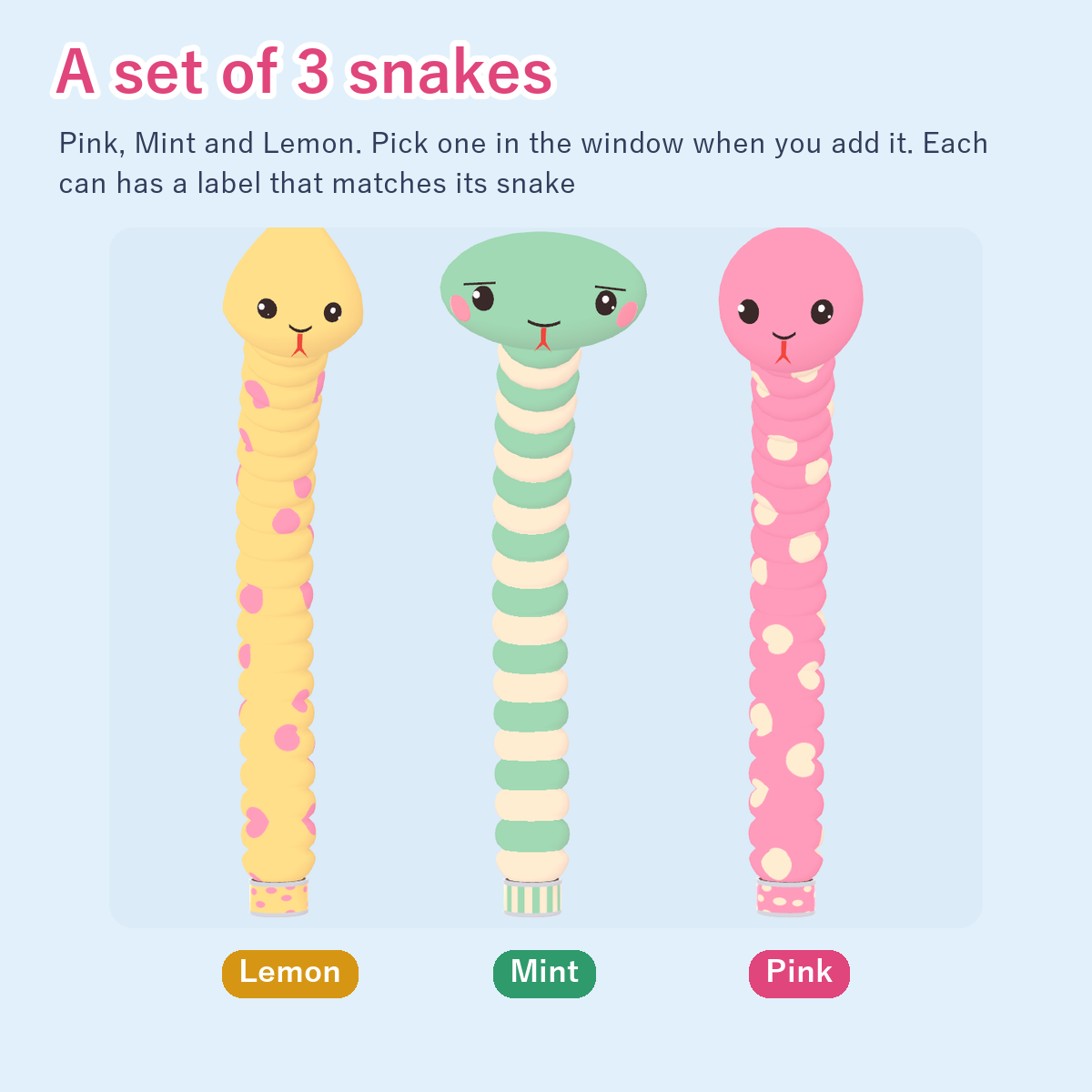
It comes as a set of 3 snakes: Pink, Mint and Lemon. Each can has a label that matches its snake.
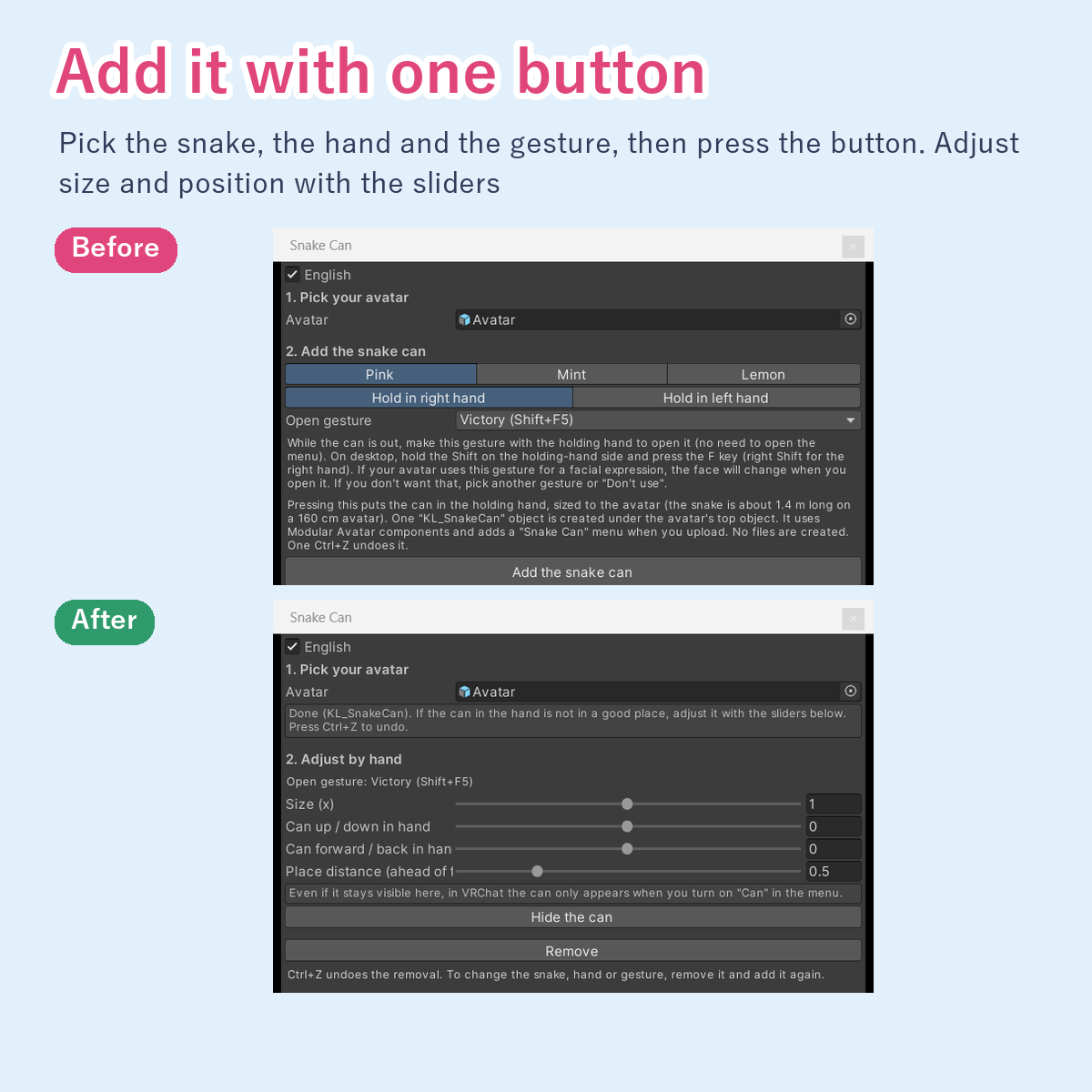
One button adds it to your avatar. Adjust the size and the can position with sliders.
Good for
- "Here, open this" pranks
- Leaving a surprise by the door or in front of a table
- Birthday and celebration surprises with confetti
- Pop-moment photos at meetups
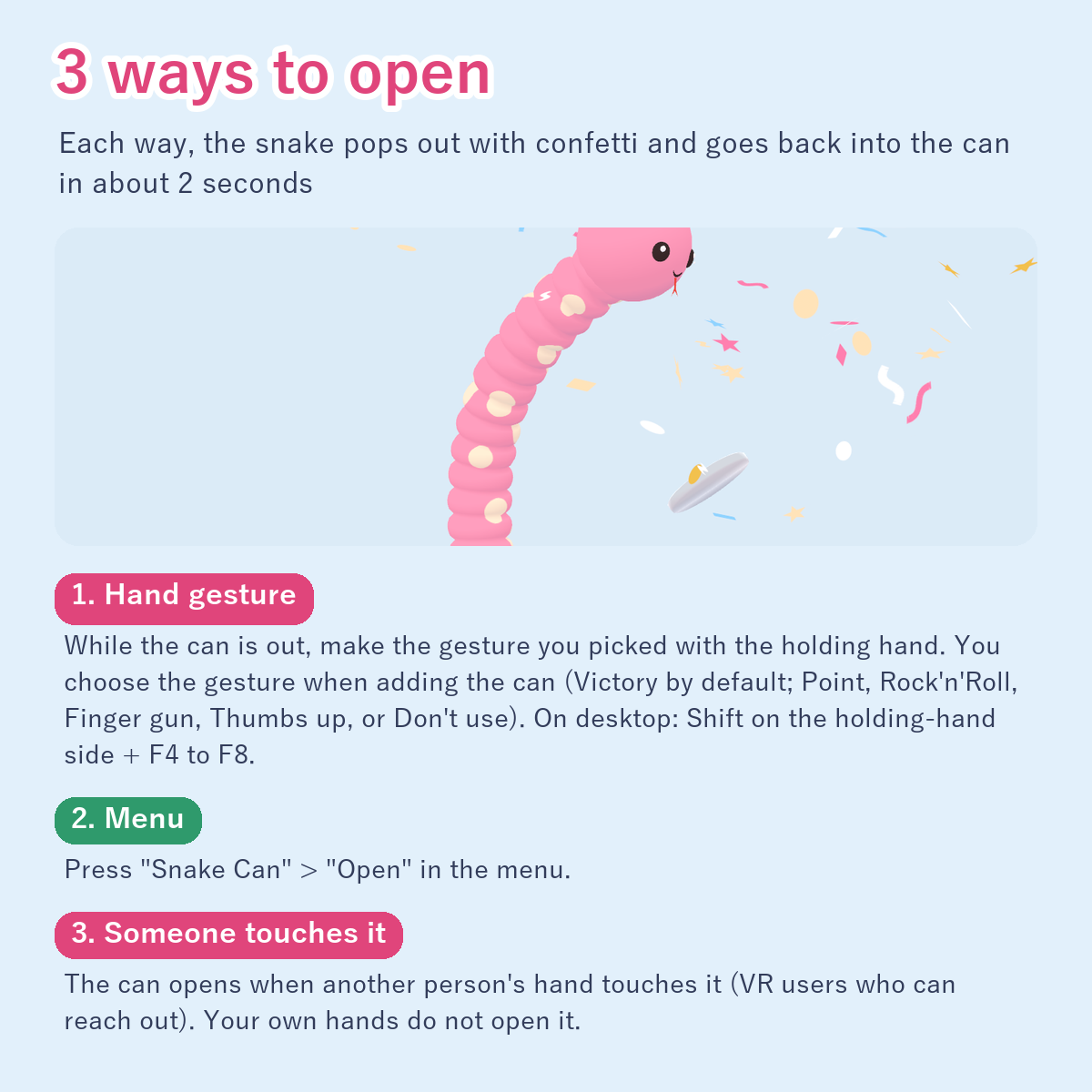
3 ways to open
Each way, the snake pops out with confetti and returns to the can in about 2 seconds. You can open it as many times as you like.
1. Hand gesture: while the can is out, make the gesture you picked with the holding hand. No need to open the menu. You choose the gesture when adding the can (Victory / peace sign by default; Point, Rock'n'Roll, Finger gun, Thumbs up, or Don't use). On desktop, hold the Shift key on the holding-hand side and press an F key (right-hand peace sign = Right Shift+F5; Point F4, Rock'n'Roll F6, Finger gun F7, Thumbs up F8). To open it again with the gesture, go back to a neutral hand first (on desktop: Shift+F1). The "Open" button and another person's touch work even while you keep the gesture.
2. Menu: press "Snake Can" > "Open" in the menu.
3. Someone touches it: the can opens when another person's hand touches it (VR users who can reach out).
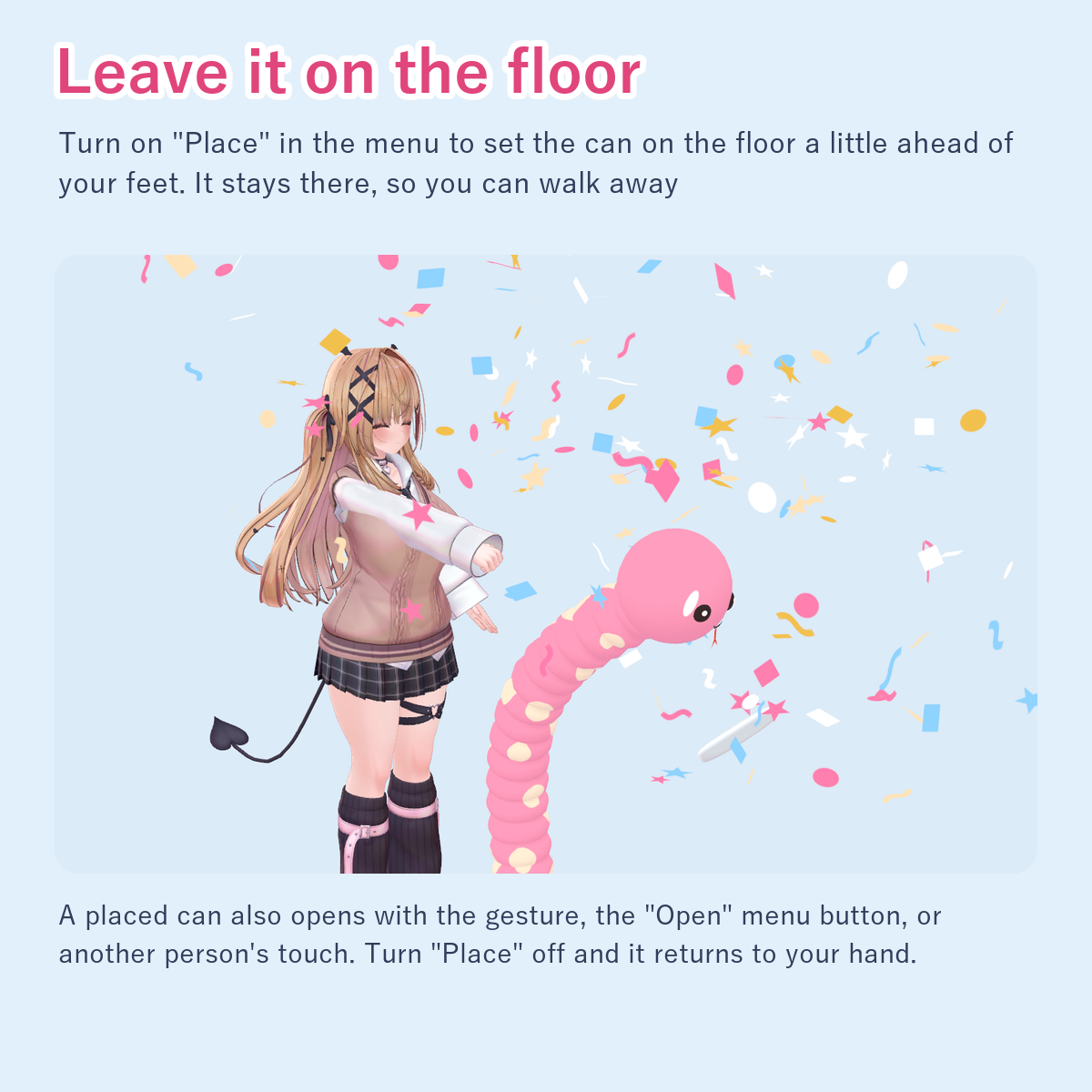
Leave it on the floor
Turn on "Snake Can" > "Place" to set the can on the floor a little ahead of your feet. It stays there, so you can walk away. A placed can also opens with the gesture, the "Open" button, or another person's touch. Turn "Place" off and it returns to your hand.
Features
- Show / hide the can with "Can" in the menu
- The can always stands upright and the snake pops out toward the front of your avatar
- One-button setup; pick the snake (Pink, Mint or Lemon), the holding hand (right or left) and the open gesture
- Size (0.5x to 1.5x), the can's up / down and forward / back position in the hand, and the place distance can be adjusted by hand
- Remove it with one button (or Ctrl+Z). To change the snake, hand or gesture, remove it and add it again
Notes
- If your avatar uses the chosen gesture for a facial expression, the face changes when you open the can. Pick another gesture or "Don't use" if you do not want that
- Sized to your avatar (the snake is about 1.4 m long on a 160 cm avatar)
- While the can is out, the holding hand stays closed (it is back to normal while the can is placed)
- Only other people's hands open it by touch. Your own hands do not
- The can is placed about 50 cm ahead of your feet on a 160 cm avatar (adjustable). On slopes and steps it may float above or sink into the floor
- If the avatar already has a parameter with the same name (KL_Snake, KL_SnakePop and 4 others), the tool does not add it (the window tells you why). It still adds it if another gimmick's menu field is empty
- PC only. For Humanoid avatars with the index, middle and little finger bones assigned
- Uses 3 synced parameters (3 bits)
- Requires Unity 2022.3, VRChat SDK (Avatars; tested with 3.10.5), Modular Avatar (tested with 1.18.7) and lilToon (tested with 2.3.4)
Tested
- In Unity: adding, re-adjusting and removing on 3 avatars (right and left hand)
- In VRChat (desktop): showing the can, opening with a gesture, opening with "Open", placing it, and opening the placed can from a distance
- In Unity play mode: the can follows the hand while moving the arm and walking; a placed can stays put
- On an avatar with other gimmicks (including one with an empty menu field), through the same processing as an upload
Contents
- 3 snake cans (snake about 5,400 to 5,900 triangles, can and lid about 800; only the one you pick goes on the avatar), effects (2 confetti particle systems, 230 particles in total; 1 sound), animators (FX, Gesture), the setup window (Japanese / English)
Terms: use and modify on your own avatar OK / streams, videos and photos OK / redistribution or resale not allowed
Developed with AI assistance (coding and testing). The store cover frame was made with generative AI. The snake designs started from an AI-generated concept sketch; the models, textures and sounds were built with scripts written with AI assistance.