
상품 설명
이 상품에는 AI로 생성된 콘텐츠가 포함되어 있습니다.
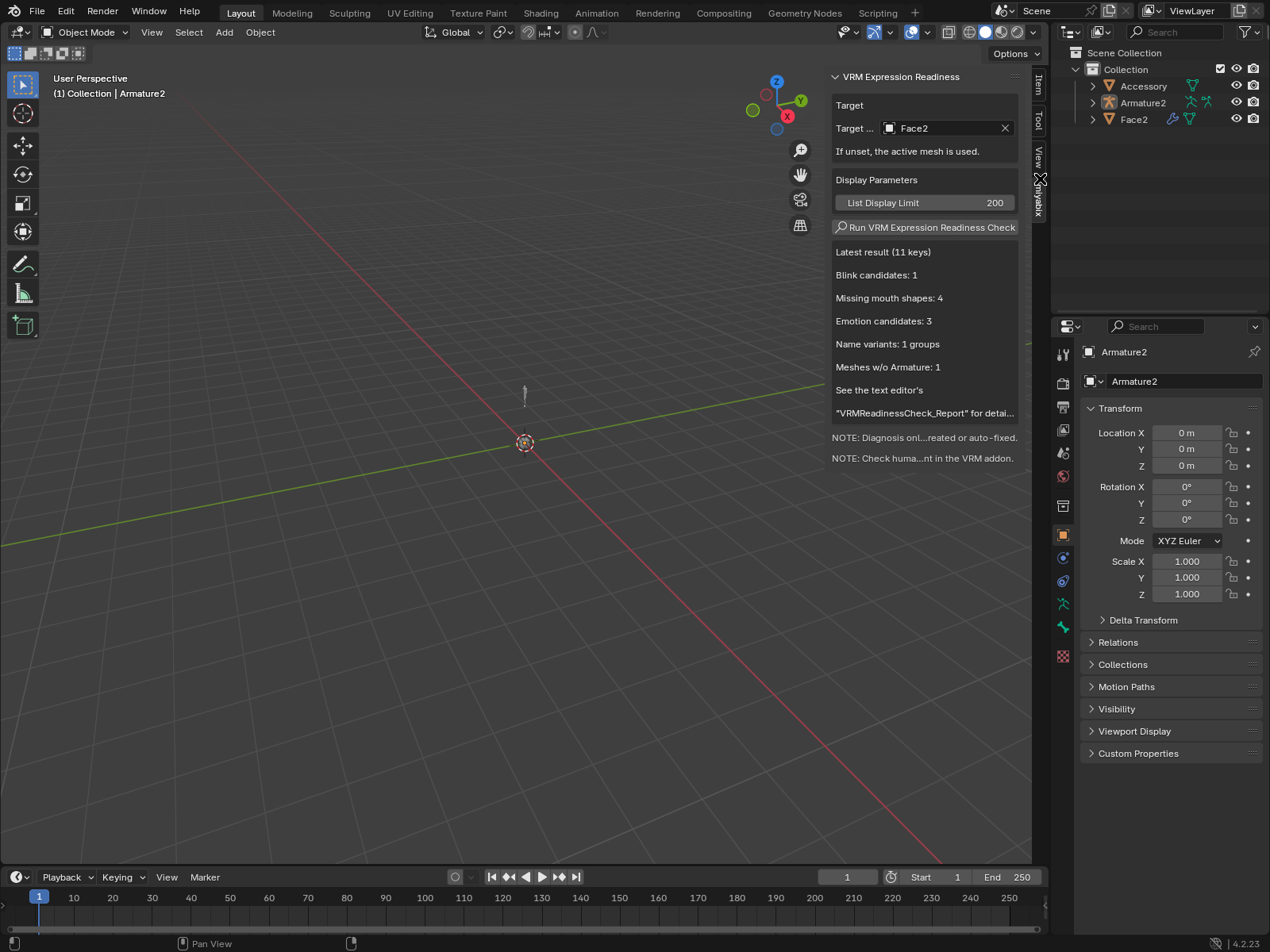
You export to VRM — and only then you notice: there was no blink key. No mouth key. The expression you wanted was never on the model. The keys were missing before the export. You just didn't know. VRM Expression Readiness Checker diagnoses the expression shape keys and the mesh prerequisites BEFORE you make your model a VRM — so you don't go back and redo it. Check. Read the list. Add the keys before you export. Blender 4.2 or 5.3. $9.99. What it checks Blink key candidates — searches name candidates such as Blink / blink / mabataki and shows whether they can be used for the VRM preset. Mouth shape key candidates — Japanese vowels あ / い / う / え / お = aa / ih / ou / ee / oh, searches both Japanese and English candidate names and lists what is missing. Emotion preset candidates — happy / angry / sad / relaxed / surprised and their Japanese equivalents (shown as optional). Spelling variation detection — lists key groups with the same meaning but different spelling (full-width / half-width, upper / lower case, etc.). Meshes without an Armature modifier — lists all meshes in the scene that have none. Rest-pose arm angle (reference only) — a reference value from the upper arm / shoulder bones. Reference only, not a judgement. Guide: 75 degrees or more = T-pose-like, 30–75 degrees = A-pose-like, under 30 degrees = pointing down. Results are written to the "VRMReadinessCheck_Report" text block. How to use Set the Target Mesh. If unset, the active mesh is used. Adjust the parameter if needed: List Display Limit. Press "Run VRM Expression Readiness Check". Read the report in the "VRMReadinessCheck_Report" text block (open it in the Text Editor). Notes and limitations This addon does not create keys, add modifiers, assign bones, or fix anything automatically. Key detection is by name only — it does not check whether the contents of a same-named key are correct. Humanoid bone assignment is checked in the free VRM Add-on for Blender's own panel. This tool is the diagnosis before that, works on its own, and does not connect to the VRM addon. Emotion presets are optional — a VRM works without them. The results are based on the scene at the time you run it. Run it again after making changes. If a problem occurs, try running it with other addons disabled to isolate conflicts. Works fully offline. No external libraries are used (only Blender's standard bpy). Installation Start Blender 4.2 or 5.3, open Edit > Preferences > Add-ons. Install the .py file via Preferences > Add-ons > Install... and select the .py file, then enable the addon by checking its checkbox. A "miyabix" tab is added to the 3D Viewport sidebar (N key). System requirements Blender 4.2 or 5.3 (Windows / macOS / Linux — any environment where Blender runs) Files included vrm_readiness_check.py — the addon README.txt — full English instructions Refund policy For defects such as the addon failing to start, please contact the shop within 5 days of purchase with a detailed description of your operating conditions (Blender version, object structure, error messages, etc.). We will review the details and respond. Refunds cannot be accepted for requests outside the scope of use, or for behavior that matches the specifications.