
상품 설명
이 상품에는 AI로 생성된 콘텐츠가 포함되어 있습니다.
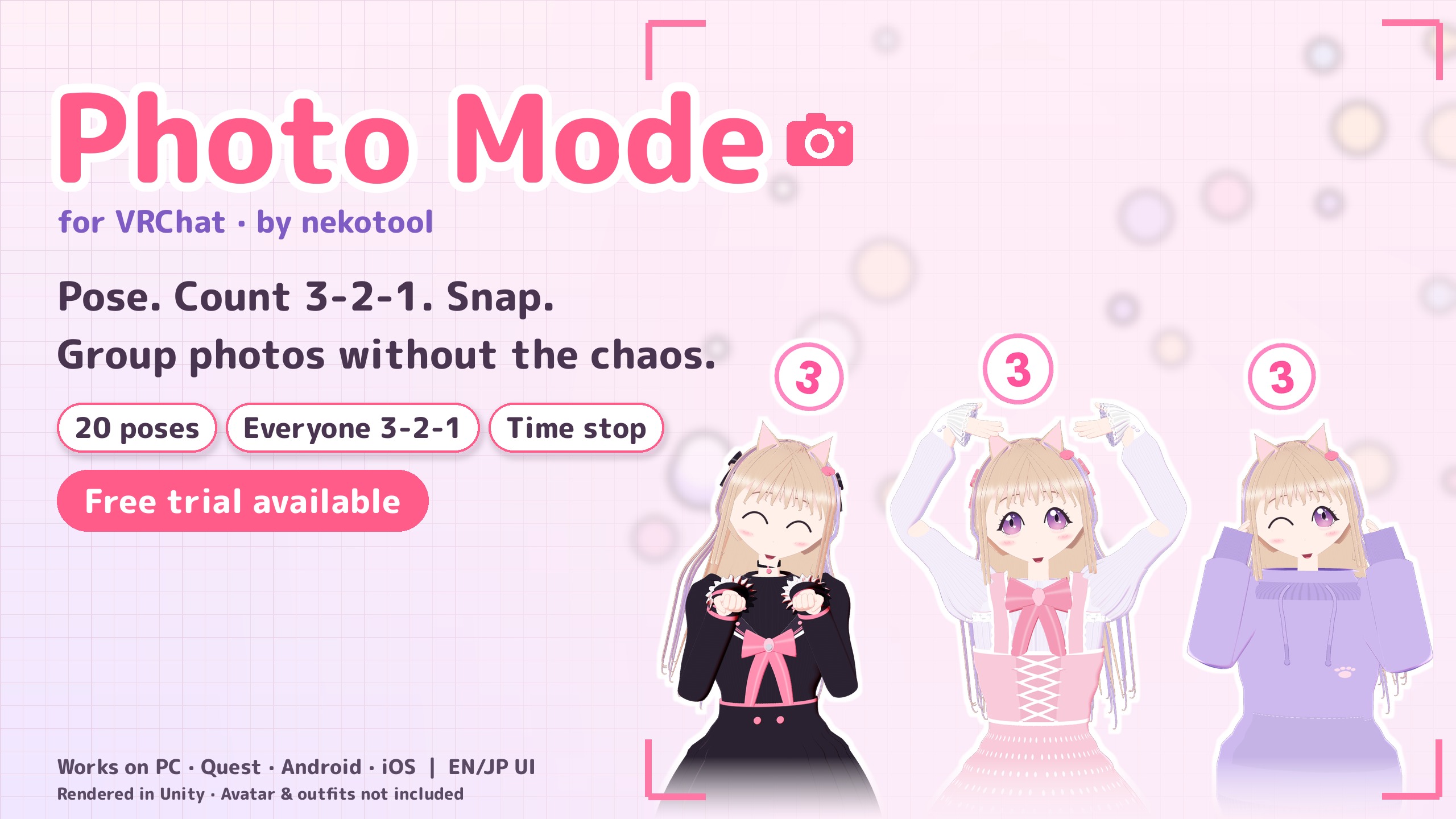
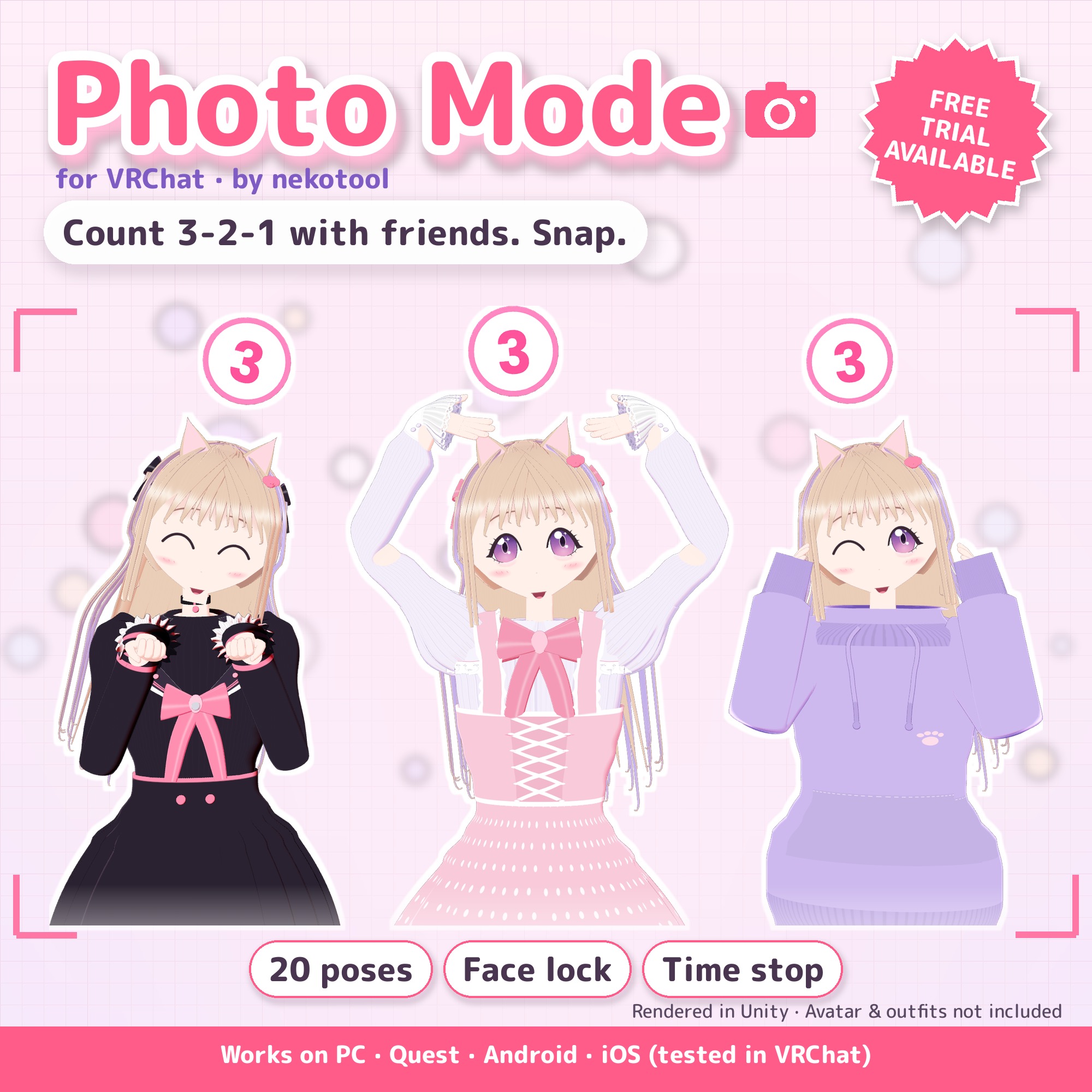
Someone always blinks, drops the pose, or misses the count. Photo Mode fixes all three from one Expression menu: pose, lock your face, look at the camera, and count 3-2-1 with friends.
Add it with a right-click, then upload. Tested in VRChat on PC, Quest, Android and iPhone (Oct 2026), plus NDMF build checks on 9 different avatars. Uses only Quest/mobile-allowed components. English and Japanese UI.
Launch price: $4.99 USD until Nov 12, 2026, 11:59 PM JST (6:59 AM PST / 14:59 UTC). After that, the regular price is $6.49 USD. Prices are in USD; your card provider converts to your local currency, and any applicable tax is shown at checkout.
Not sure it fits your avatar? Try the free trial first: 8 poses and timers, ready to upload and test on your own setup.
What you can do
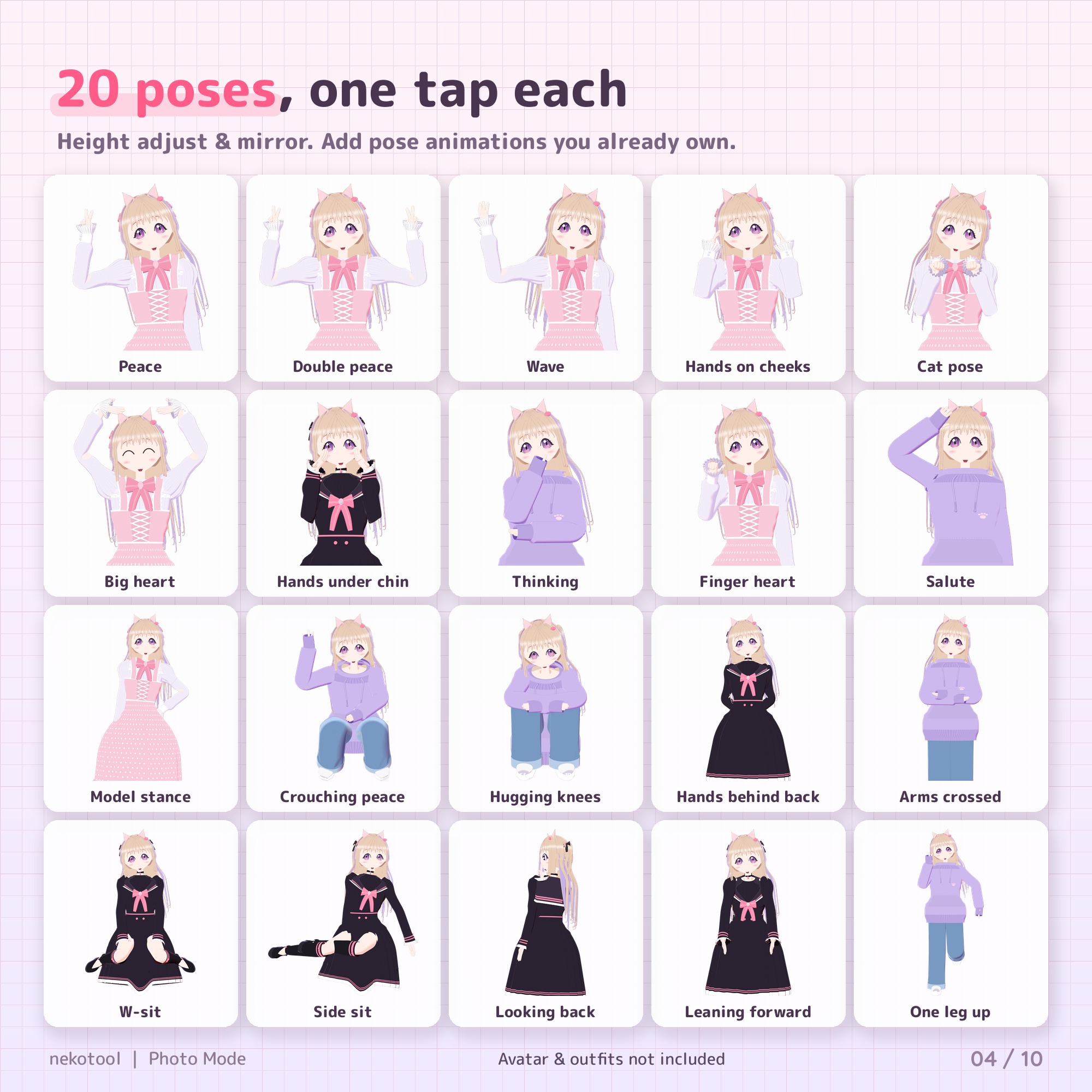
- 20 one-tap poses. Your whole body holds the pose, even on desktop or phone. Add your own pose animations too.
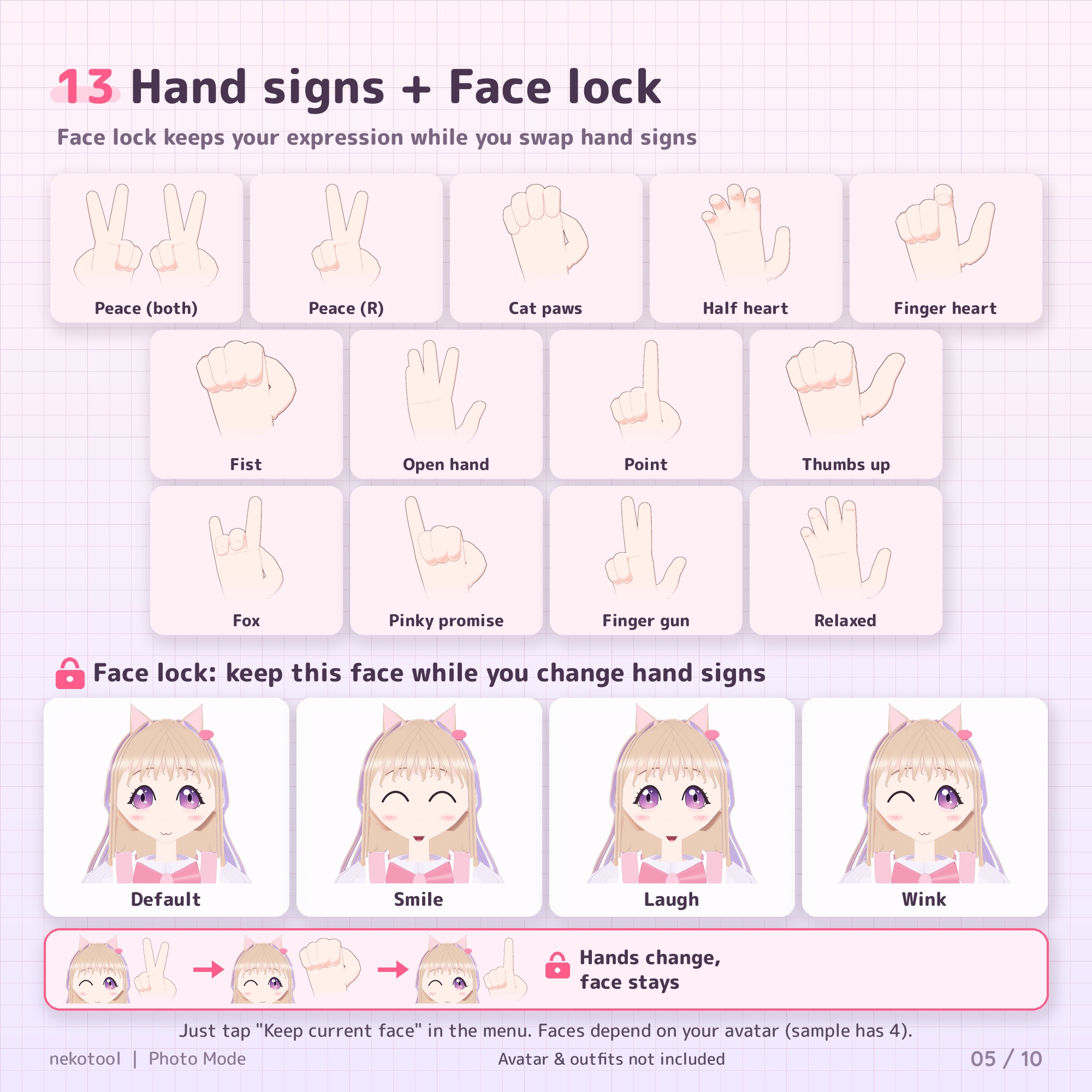
- 13 hand shapes: peace, cat paws, half heart, finger heart and more.
- Face lock: freeze the expression you're making right now, or pick one from your avatar's expressions.
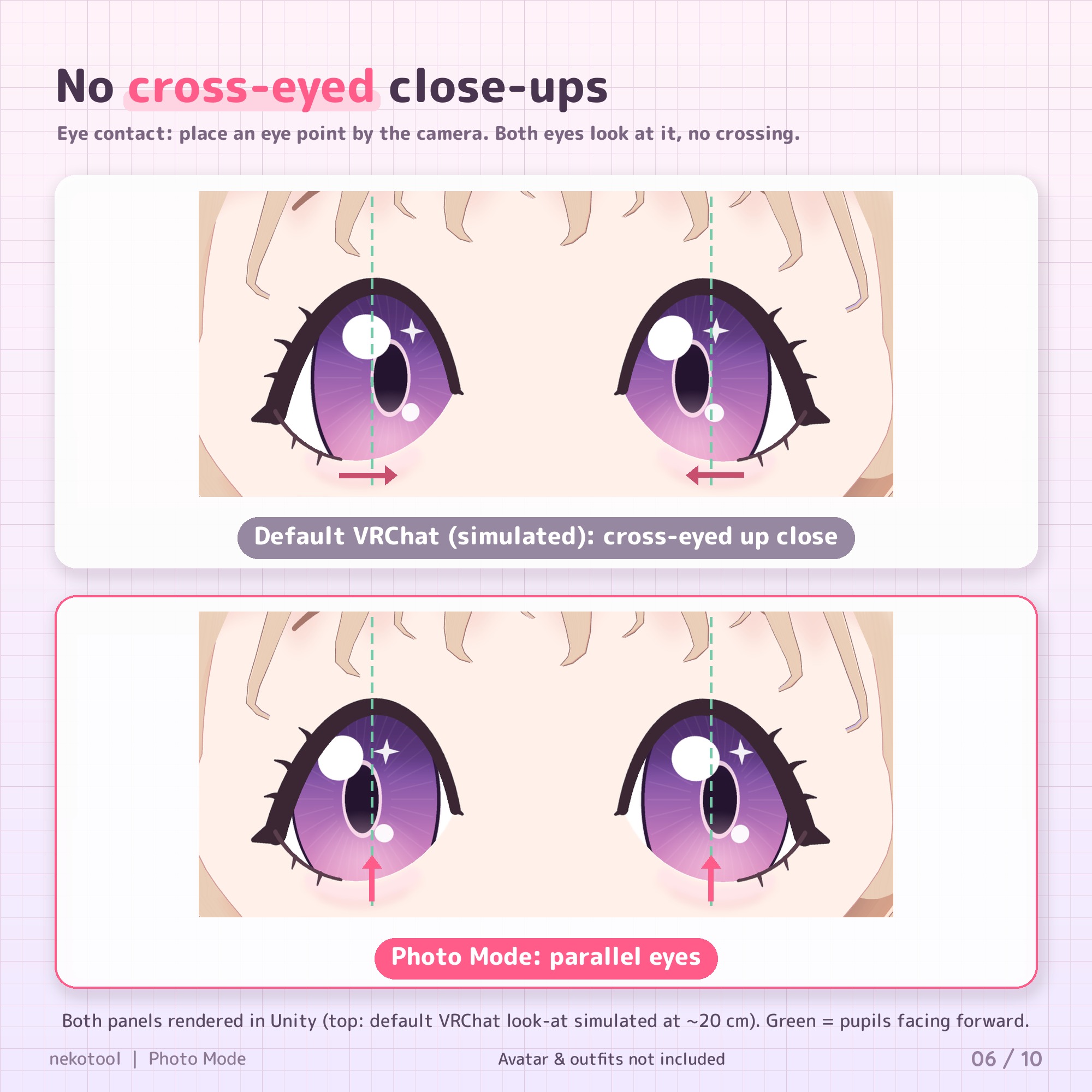
- Eye contact: place an eye point next to the camera; both eyes look at it and stay parallel, so no cross-eyed close-ups.
- 5- or 10-second timer with a countdown above your head that everyone can see.
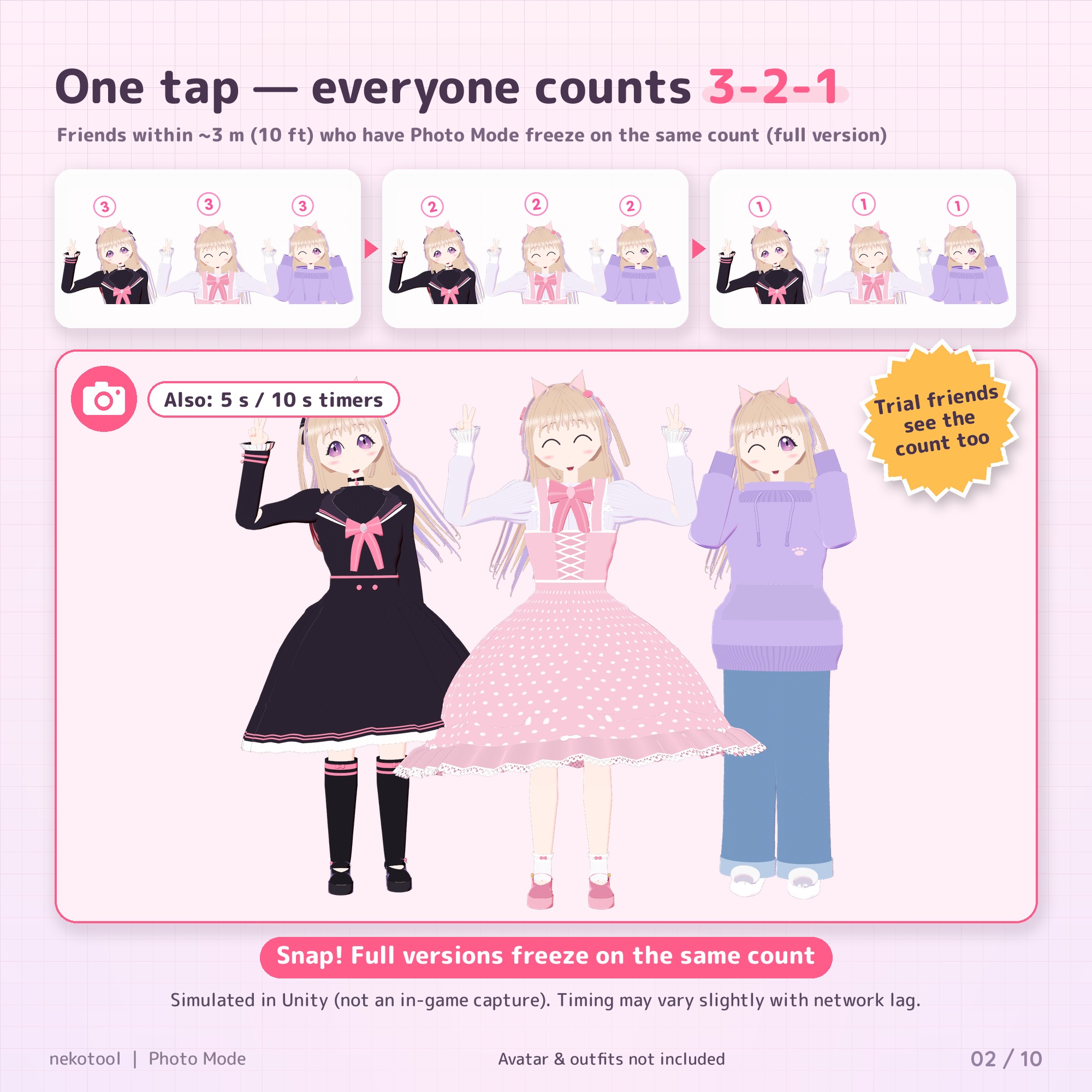
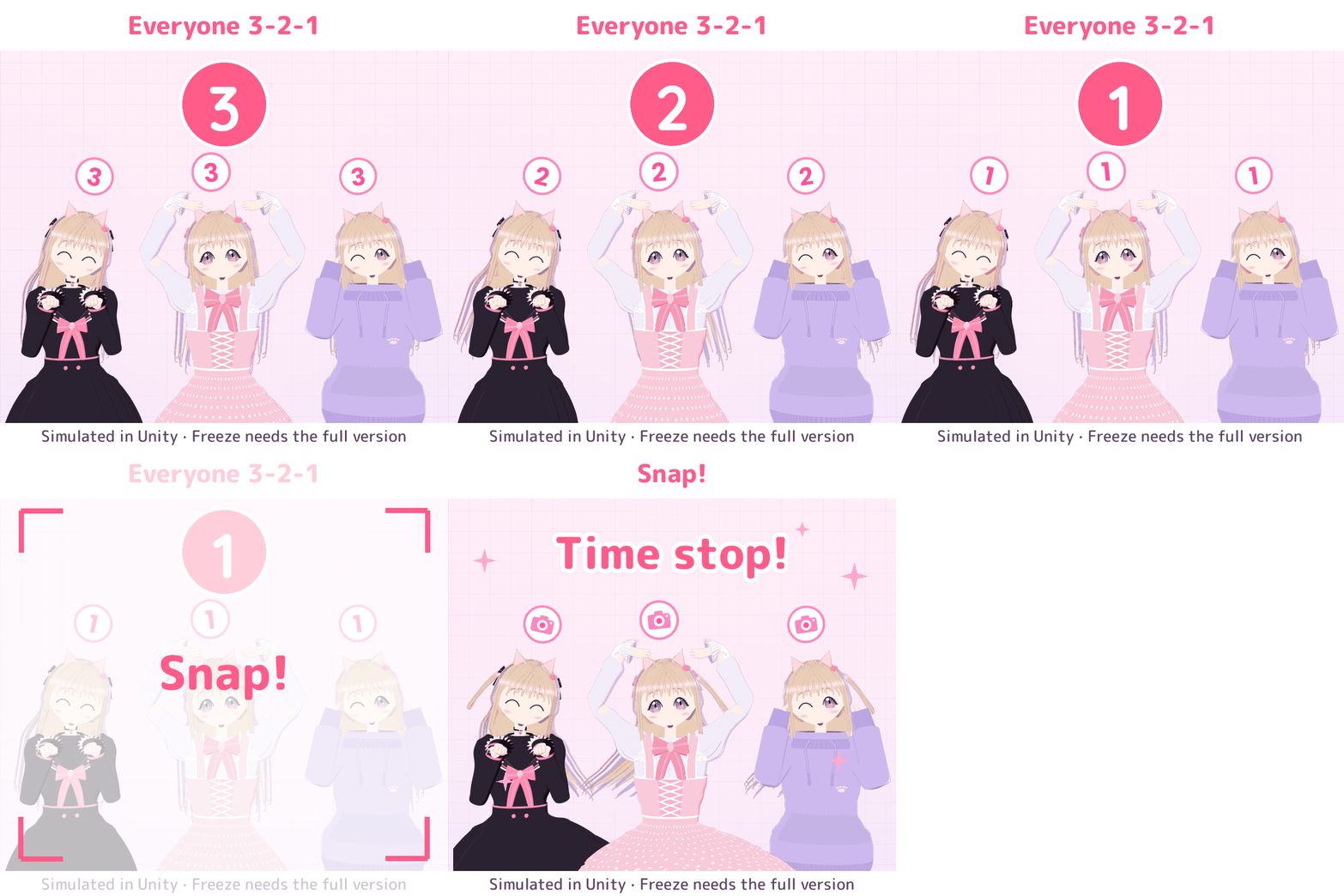
- Everyone 3-2-1: one tap, and friends within about 3 m (10 ft) who also have Photo Mode count down with you and freeze on the same count. Friends on the free trial count along but don't freeze.
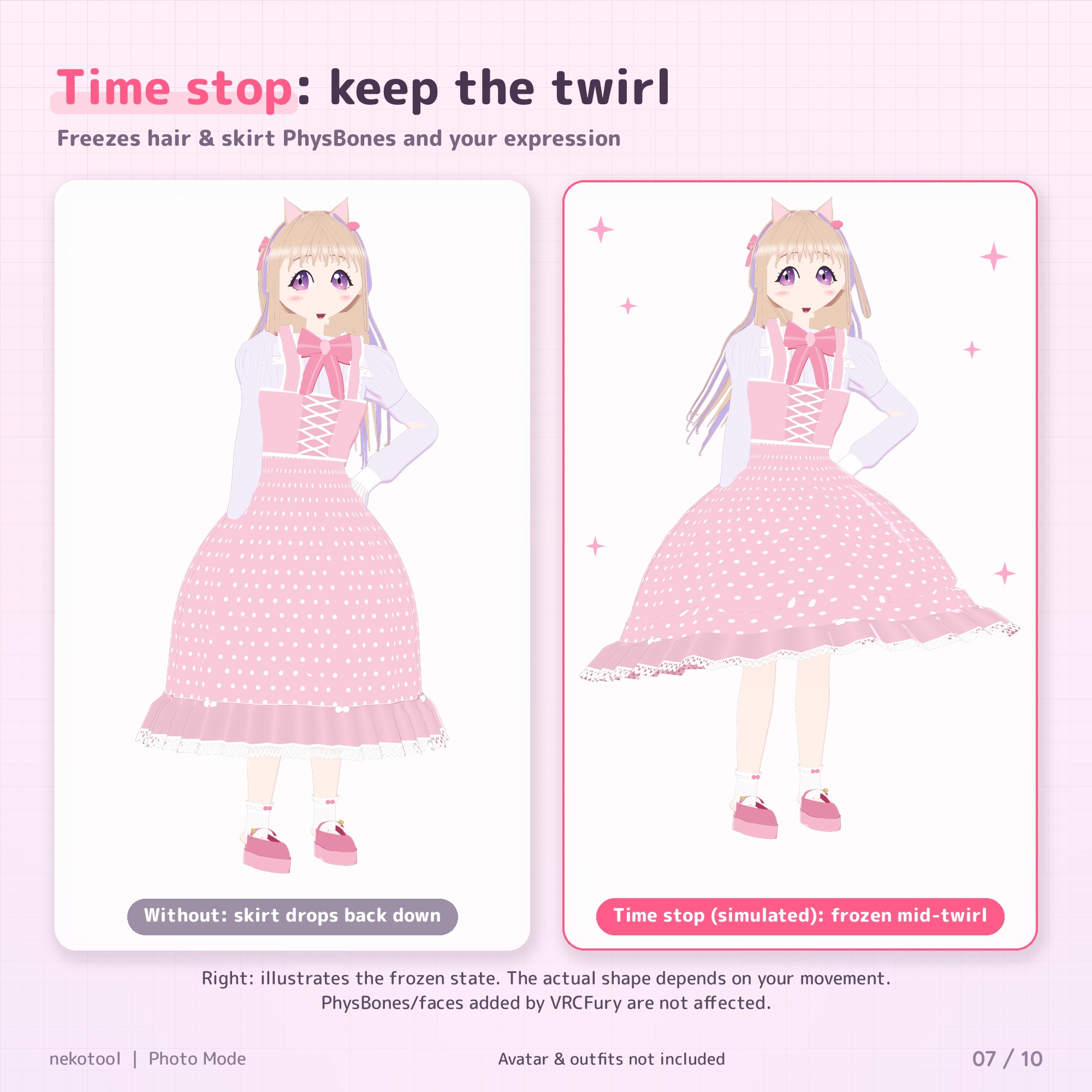
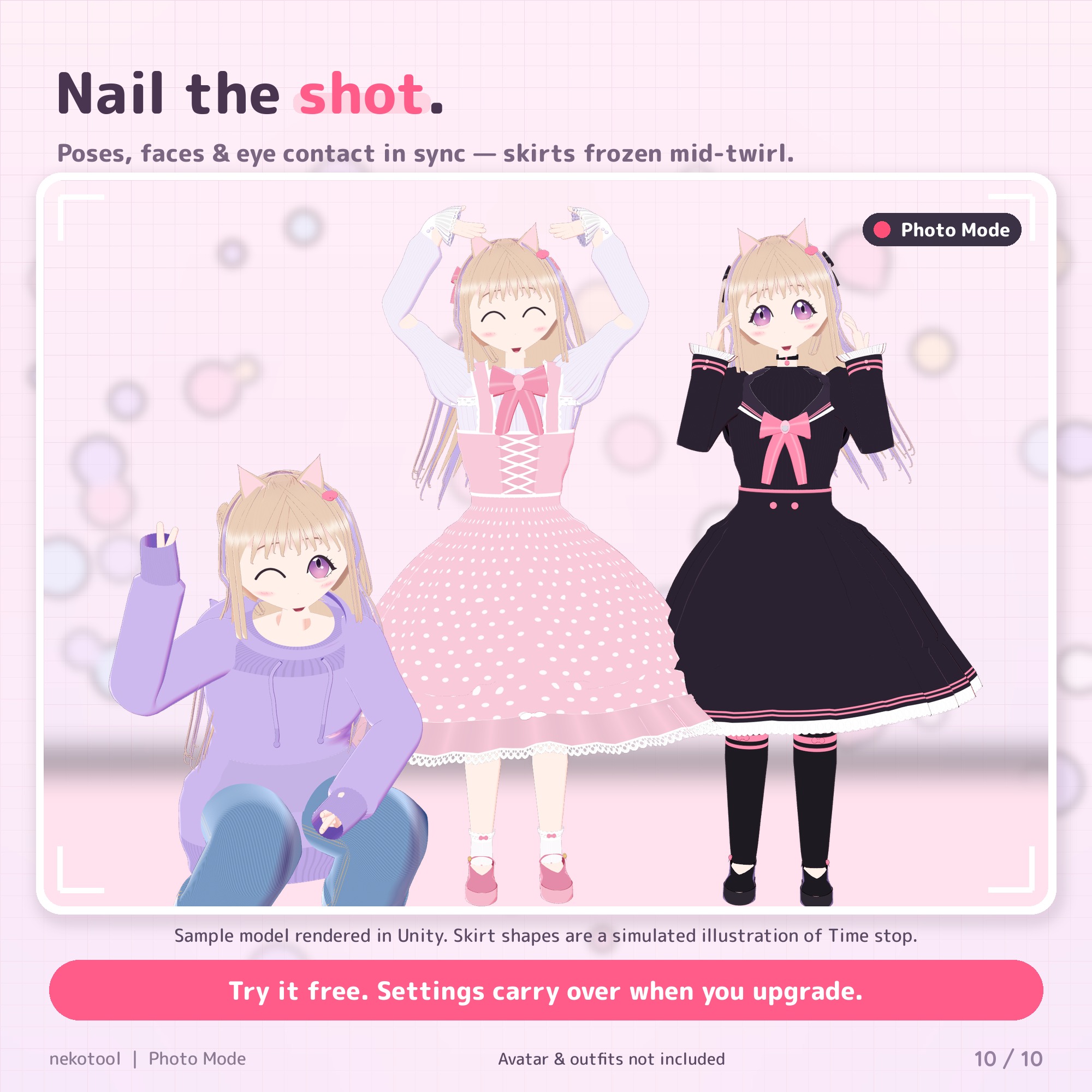
- Time stop: freezes hair and skirt PhysBones and your expression mid-motion.
- Reset all: one button puts everything back.
Quick FAQ
Do my friends need it? Only for Everyone 3-2-1. They need Photo Mode on their avatar, "Join everyone's signal" on, and Avatar Interactions allowed. Everything else works on your avatar alone. Timing can differ slightly with network lag.
GoGo Loco? You can have both, but they share the Action layer, so using GoGo Loco (or going AFK) can cancel a pose. Press "Pose off" and pick the pose again. The Inspector warns you about this.
VRCFury? Works on the same avatar, but outfits, expressions and PhysBones added with VRCFury aren't covered by Face lock or Time stop, because VRCFury runs after Photo Mode.
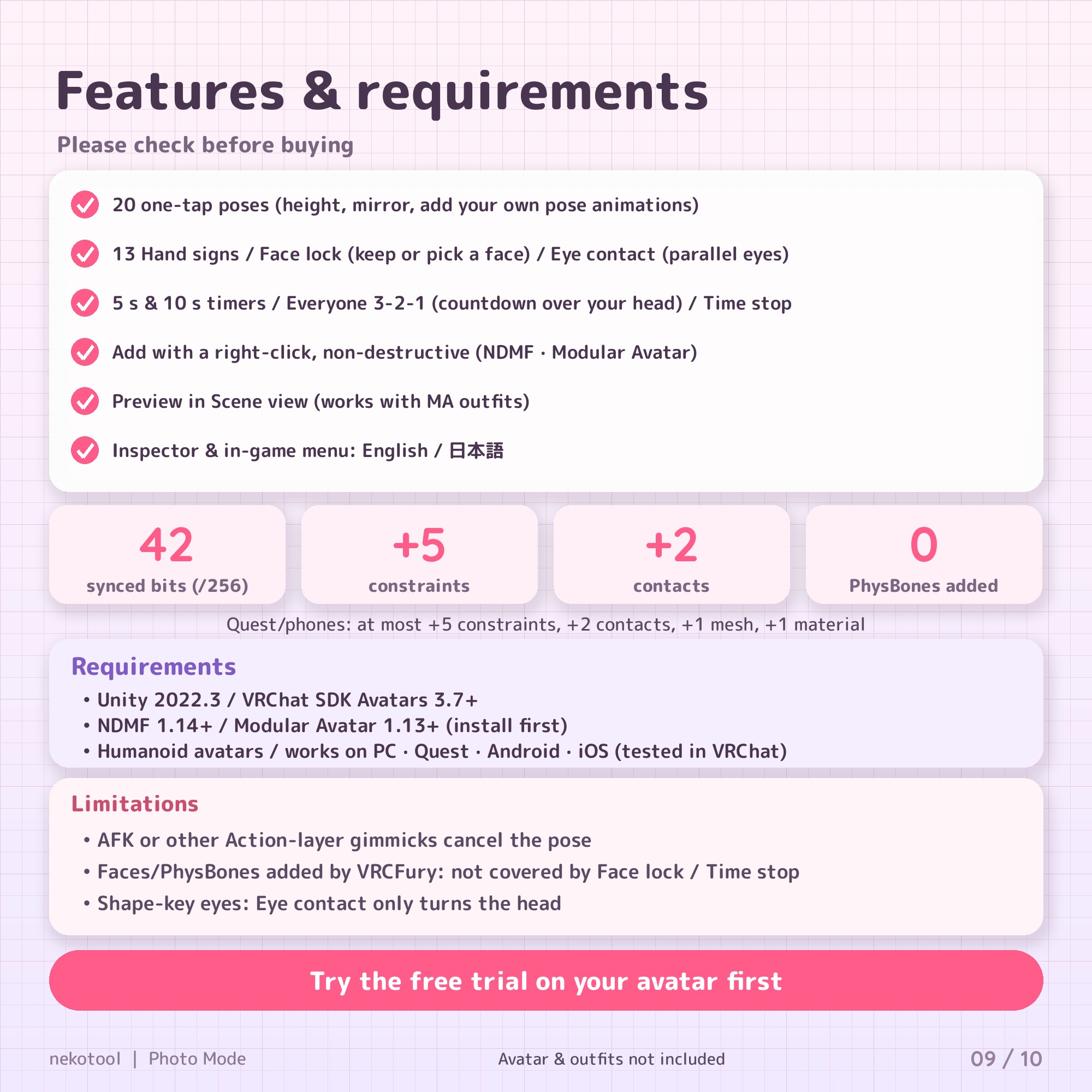
Quest and phones? Yes. It adds no PhysBones, lights or cameras, and at most 5 constraints, 2 contacts, 1 mesh and 1 material (turn off the countdown display and the mesh and material go away).
Features in detail
Poses (20 built-in + your own)
Includes photo-friendly poses such as crouching peace, hugging knees, looking back and arms crossed. "Pose settings" has Height (fix sitting poses that sink or float), Mirror, and Head follows HMD (turn your head freely while your body holds the pose). Drag your own Humanoid pose animations (.anim) into the Inspector and they appear in the same menu. With "Stay in place while posing", your avatar stays put while you step away in VR, so you can photograph your own posed avatar.
13 hand shapes
Peace, peace (right hand only), cat paws, half heart, finger heart (right), fist, open hand, pointing (right), thumbs up, fox, pinky promise (right), finger gun (right), relaxed. They override hand gestures and finger tracking, so your fingers keep their shape even while posing.
Face lock
"Keep current face" freezes the face you're making. Photo Mode also reads your avatar's expressions automatically (hand-gesture expressions and FaceEmo-style systems), and you can build your own from shape keys or animation clips. Blinking and lip sync pause while the face is locked.
Eye contact
Avatars can't know where the camera is, so you place an eye point next to it (same on PC, Quest and phones): hold "Place eye point (hold)", move your right hand next to the camera, release, then choose "Look at eye point". On desktop or phone, face the camera first; the point lands near your right hand. In VR you can also choose "Look at hand" for selfies. Blinking pauses during eye contact, so your eyes stay open.
Timers and Everyone 3-2-1
When the timer ends, Time stop holds for 10 seconds (adjustable in the Inspector). You can turn "Join everyone's signal" off any time if you don't want strangers' signals.
Time stop
Freezes PhysBones (hair, skirt…) and your expression. Choose "Freeze in place" or "Return to rest shape", and exclude PhysBones you don't want stopped.
Easy and non-destructive
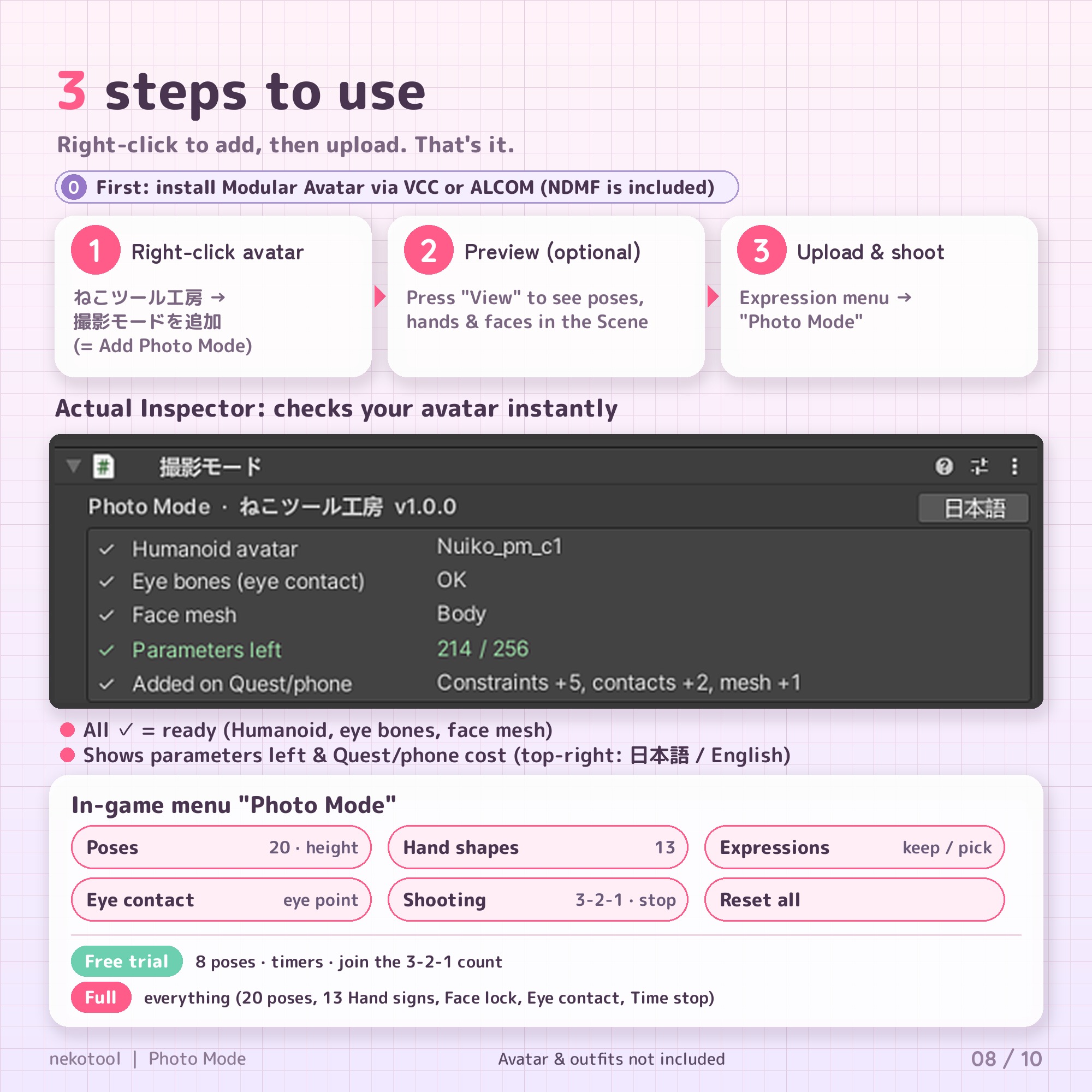
Everything is built at upload with NDMF / Modular Avatar; your avatar data is never changed. Delete the object to undo. Press "View" to preview poses, hand shapes and faces in the Scene, and "Quick check" to see anything to watch for. Features you turn off aren't built and use no parameters (up to 42 synced bits with everything on).
How to use (3 steps)
Before you start: install Modular Avatar with VCC or ALCOM (NDMF comes with it).
- Right-click your avatar → ねこツール工房 → 撮影モードを追加 ("Add Photo Mode"), or drag the prefab into your avatar.
- (Optional) Press "View" to preview, add your own poses, press "Quick check". Switch the Inspector to English with the button at the top right, and tick "English in-game menu".
- Upload as usual. In game: Expression menu → Photo Mode (Poses / Hand shapes / Expressions / Eye contact / Shooting / Reset all).
If you upload both PC and Quest/mobile versions, add Photo Mode with the same settings to both.
Requirements
- Unity 2022.3 (VRChat's recommended version)
- VRChat SDK - Avatars 3.7.0+ · NDMF 1.14.0+ · Modular Avatar 1.13.0+
- Humanoid avatar; any shader (lilToon, Poiyomi, etc.)
- Up to 42 synced parameter bits (fewer if you turn features off)
What's included
PhotoMode_v1.0.0.unitypackage, README_EN.txt and TERMS_OF_USE_EN.txt (plus the Japanese originals). The Jinxxy download has no VCC local package, so skip README section "B. VCC local package".
Limitations (please read before buying)
- The eye point is stored per viewer. People who join later or reload your avatar may see it elsewhere, so place it again right before shooting. Keep it in front of your face (within about 45°). On avatars that move their eyes with shape keys, eye contact turns only the head.
- While the face is locked, blinking, lip sync and hand-gesture toggles for props/effects pause. Expressions built as blend trees may not hold.
- Time stop skips PhysBones your avatar toggles itself (e.g. outfit toggles) and PhysBones used by other tools such as AAO, so nothing breaks. Those keep moving.
- No camera, filters or lights: use VRChat's camera or your favorite camera gimmick.
- The model and outfits in the images (our original model "Nuiko") are not included.
- Not guaranteed with every avatar or gimmick combination. Please back up your project first.
Refunds
Digital download, so no refunds for change of mind. Please try the free trial first. If Photo Mode doesn't work as described and we can't fix it with an update within 14 days of your report, we'll give you a full refund. This doesn't affect your rights under consumer law or Jinxxy's Customer Protection.
Terms (summary)
- Personal and commercial use, on any number of machines. Avatars with Photo Mode can be uploaded, streamed and filmed; photos taken with the included poses can be published freely. Credit is optional.
- Commission work: an editor may add Photo Mode to a client's avatar if the client owns a copy.
- Not allowed: redistributing, reselling or sharing the tool (code, poses, manuals, images or modified versions), or distributing or selling avatar files that contain it.
Full terms are at the bottom of this page and in TERMS_OF_USE_EN.txt.
Updates and support
Free updates for buyers, right here on Jinxxy. Questions before or after buying: email [email protected]. For bug reports, include your avatar's name, the feature, and a screenshot.
v1.0.0 (Oct 29, 2026): first release.
Also from nekotool: Take Maker: shorten sleeves, pants and skirts with a slider in Unity, no Blender needed (free trial available).
Made by nekotool (ねこツール工房) · News: X @nekotool_kobo · Also on BOOTH and Gumroad
Full terms of use
The bundled terms file will be updated to match this page in v1.0.1. Until then, if they differ, the terms on this page apply.
Photo Mode (撮影モード) Terms of Use
These are the terms of use for "Photo Mode (撮影モード)" (the "Tool") sold by nekotool (ねこツール工房) (the "Author"). By purchasing, downloading or using the Tool, you agree to these terms.
1. Permitted use
- The person who purchased or downloaded the Tool may use it for personal and commercial purposes on any number of machines.
- Avatars that include the Tool may be uploaded to VRChat etc. and used in photos, videos and streams. Credit is optional.
- Commissioned avatar edits: an editor may add the Tool to a client's avatar and upload it for them, as long as the client has bought their own copy of the Tool (the editor does not need to buy it).
- Photos and videos taken with the included poses may be published freely, personally or commercially.
2. Prohibited
- Redistributing, reselling, transferring or sharing all or part of the Tool (source code, package, manuals, included poses, images), free or paid
- Distributing or selling modified versions of the Tool, or anything reusing its code or included pose data
- Distributing or selling avatar data that contains the Tool
- Use for purposes that violate laws, public order or VRChat's terms
3. Modification
- You may modify the source code for your own personal use (distribution of modified versions is prohibited).
4. Disclaimer
- Except for intentional misconduct or gross negligence, the Author's liability for any damage caused by using the Tool is limited to the amount you paid or USD 6.49, whichever is greater (USD 6.49 for the free trial).
- The Tool is designed not to modify your avatar's original data, but backing up your project before use is recommended.
- Operation with every avatar and every combination of gimmicks is not guaranteed.
- Nothing in these terms limits rights you have under applicable consumer law.
5. Updates and support
- Bug fixes and updates are free to download for purchasers from the store where you bought the Tool (BOOTH / Gumroad / Jinxxy).
- Support is provided as far as possible: BOOTH messages for BOOTH purchases; for Gumroad and Jinxxy, email [email protected] (Gumroad buyers may also reply to their receipt).
- If these terms change, the change is announced on the product page and the new terms are included with the new version. A change never retroactively narrows the permitted use of anyone who bought before the change.
6. Refunds
- As a digital download, there are no refunds for change of mind.
- If the Tool doesn't work as described and an update can't fix it within 14 days of your report, you'll get a full refund. This doesn't affect any refund the store grants under its own policy.
7. Language and governing law
- The Japanese version (利用規約.txt) is the original. For purchases on BOOTH the Japanese terms (JPY amounts) apply; for purchases on Gumroad / Jinxxy these English terms (USD amounts) apply.
- These terms are governed by the laws of Japan.
(c) 2026 nekotool (ねこツール工房). All rights reserved.