
![Angle Grinder - VRChat Avatar Gimmick [PC | Quest | iOS]](https://jinxxy-c.jinxxy-cdn.com/cdn-cgi/image/format=auto,onerror=redirect/9d9a2820-d5c3-5d6c-8139-e837760d1699/4003604737235617276/1028387106773495808.png)
![Angle Grinder - VRChat Avatar Gimmick [PC | Quest | iOS]](https://jinxxy-c.jinxxy-cdn.com/cdn-cgi/image/format=auto,onerror=redirect/9d9a2820-d5c3-5d6c-8139-e837760d1699/4003604737235617276/1028387153025090560.png)
![Angle Grinder - VRChat Avatar Gimmick [PC | Quest | iOS]](https://jinxxy-c.jinxxy-cdn.com/cdn-cgi/image/format=auto,onerror=redirect/9d9a2820-d5c3-5d6c-8139-e837760d1699/4003604737235617276/1028387194877870080.png)
![Angle Grinder - VRChat Avatar Gimmick [PC | Quest | iOS]](https://jinxxy-c.jinxxy-cdn.com/cdn-cgi/image/format=auto,onerror=redirect/9d9a2820-d5c3-5d6c-8139-e837760d1699/4003604737235617276/1028387236829888512.png)
상품 설명
A two-handed angle grinder with loadable discs to help you break into locked facilities and to grind your friends :D
Part of the Tools of the Trade set
Check out the full set, which includes 4 more wacky gimmicks to terrorize your friends with! Full set available here!
Works on any VRChat avatar. Made for Wylie, so it fits him best (jinxxy.com/woel/Wylie)
 PC, Quest & iOS compatible.
 Easy installation with VRCFury!
Try before you buy!
Try the Angle Grinder free on my public avatar here!
 Switch it on
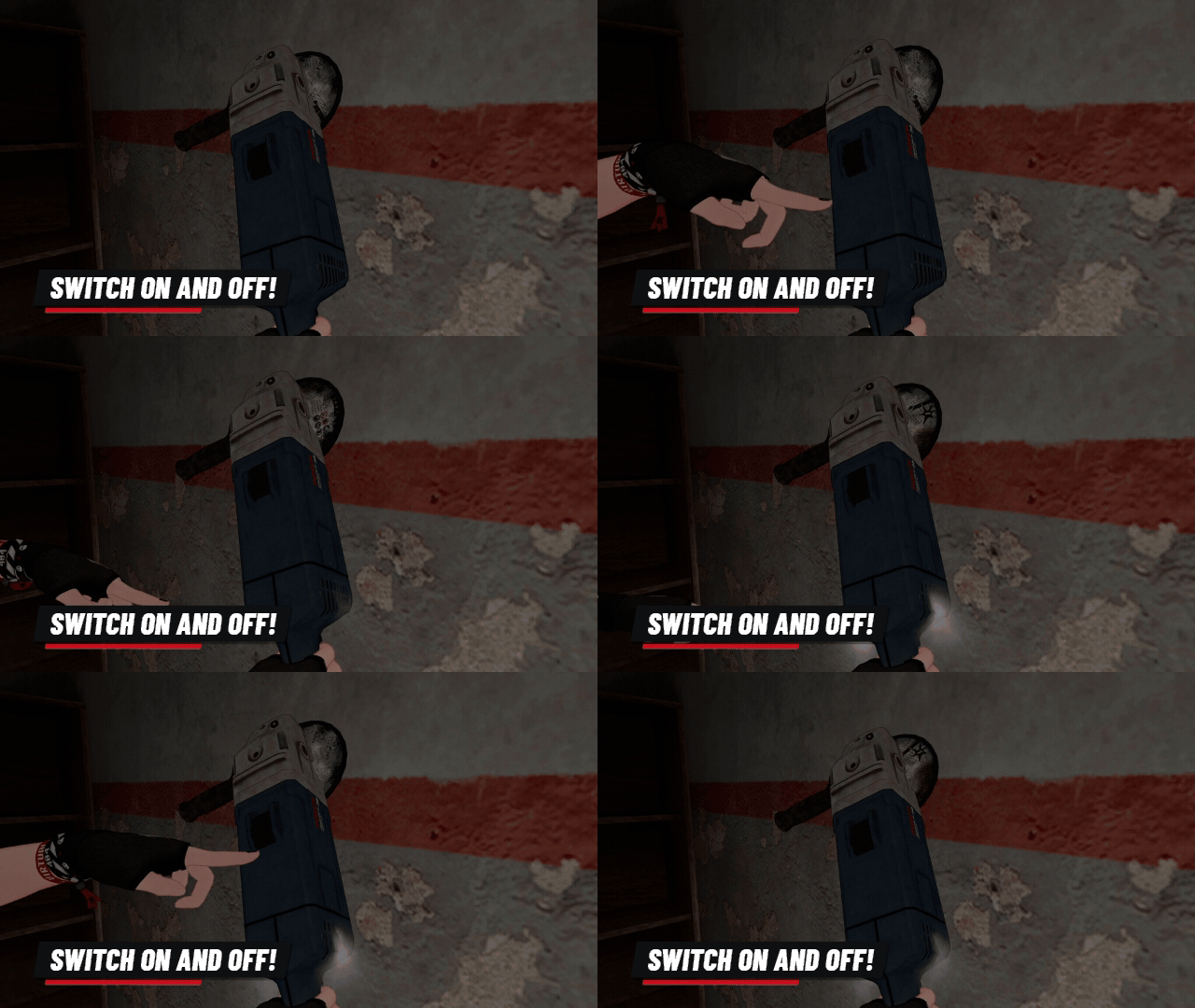 Flip the top switch to turn it on. Fully gesture controlled or via a toggle.
Two handed
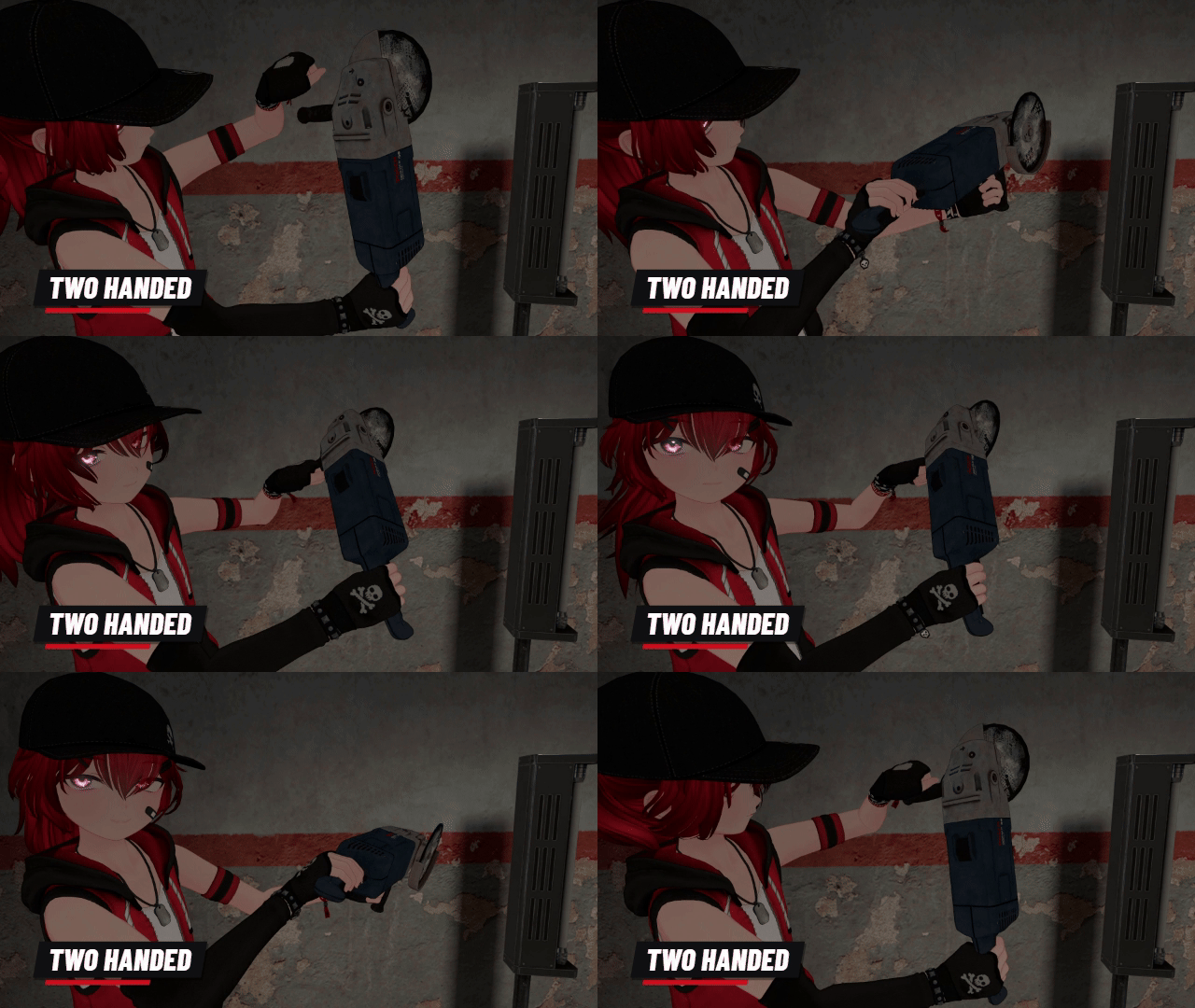 Grab the handle with your left hand to aim it!
Replaceable discs
 Grab a spare disc and mount it to the spindle to load the grinder!
Discs wear out
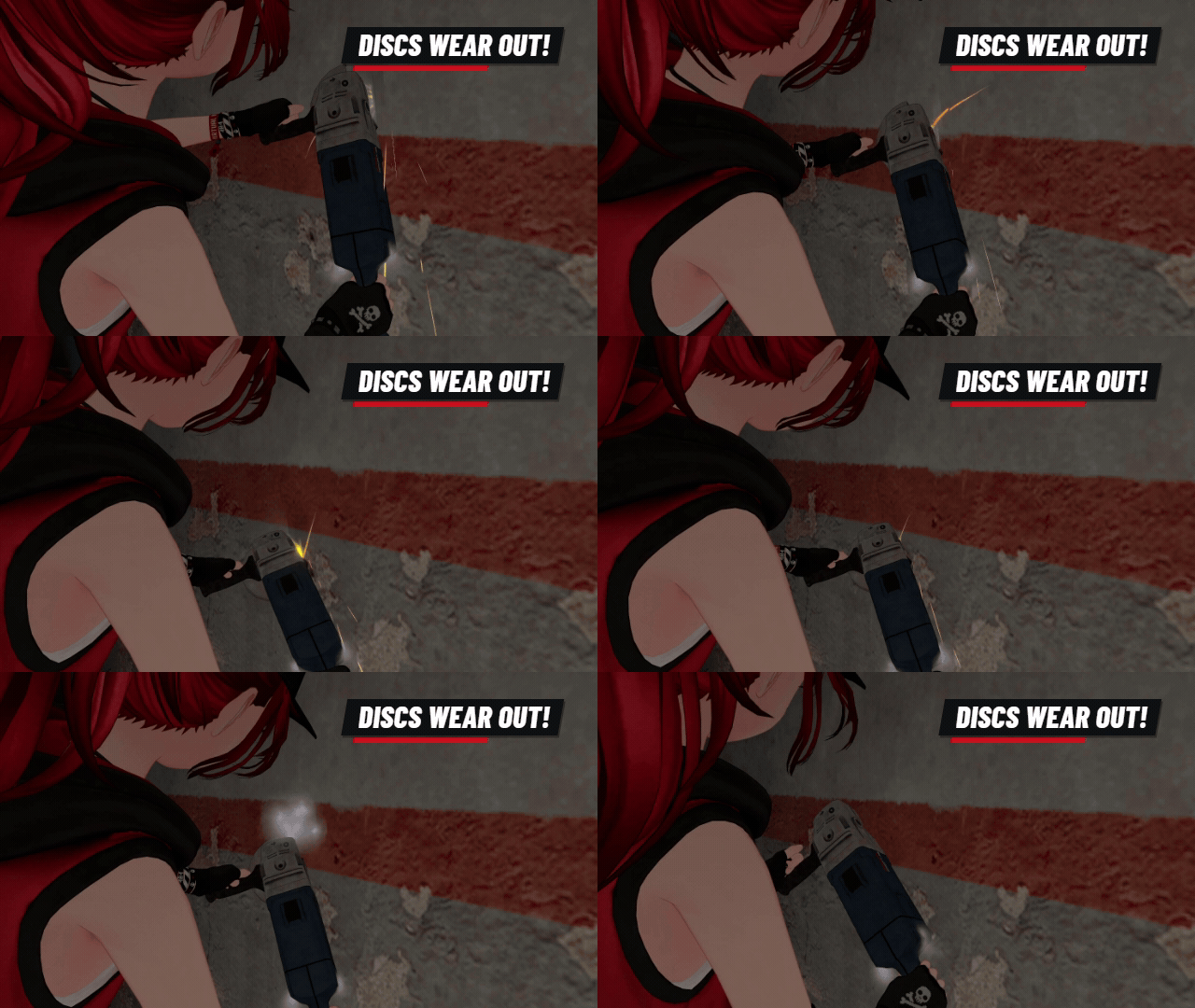 Careful! Discs wear down and shatter. Don't like it? Turn wear off in the menu.
 What you get
- PC and Quest & iOS prefabs in one package
- 2 versions each: With Gestures (poses your hands while you hold it) and No Gestures (keeps your own hand animations). The poses were made on Wylie, so other avatars may need a small adjustment
- Menu: toggle, turn on, grab a disc, manually load disc, disc wear, in-game instructions
- Video install guide, in the download and on YouTube
Requirements
- Unity 2022.3.22f1
- VRChat Avatars SDK 3.10.5 or newer
- VRCFury 1.1418.0 or newer (free)
- lilToon 2.3.4 or newer (PC prefabs only)
- Works with Write Defaults On or Off. If using the With Gestures prefabs, you must use Write Defaults On.
Setup
- Install VRCFury, then import the package
- Pick a prefab (PC or Quest & iOS, With or No Gestures) and drag it onto your avatar's root
- Move AngleGrinder (right hand) and CuttingWheel (left hand) inside the prefab until they sit in your hands
- Upload!
Performance
Same on PC and Quest & iOS unless noted
- Triangles: 5,306
- Skinned meshes: 2, basic meshes: 1
- Material slots: 23 on PC, 22 on Quest & iOS
- Contacts: 4
- Constraints: 3 (depth 2)
- Bones: 4
- Lights: 1 on PC, 0 on Quest & iOS
- Particle systems: 19 on PC (641 max particles, 5,248 mesh particle polys), 18 on Quest & iOS (591, 1,248)
- Raycasts: 1
- Synced parameters: 17 bits of your avatar's 256
- Texture memory: 1.7 MB on PC, 0.7 MB on Quest & iOS
- Audio sources: 5 on PC, 0 on Quest & iOS
Heads up! The Quest & iOS version doesn't have audio!
 Terms of use
By purchasing the Angle Grinder, you agree to the following (the latest version always applies):
✅ You can:
- Use it personally in VRChat
- Upload avatars with it as public avatars (pedestals are fine)
- Edit and modify it, and use your edits in VRChat
- Install it for someone else as a commission, if you both own the Angle Grinder
- Post screenshots, videos, streams and socials, monetized content included
🚫 You cannot:
- Redistribute, resell or share the files (original or edited)
- Include it in avatars or assets you sell
- Use it in a way that causes trouble for me or anyone else
- Use it in NFTs, blockchain projects or AI training datasets
- Claim it as your own work
- Rip out parts to reuse in other products
Monetized videos and streams are fine. Company, event, advertising or merch use: ask me first.
Support
Questions or bugs? DM me on Discord (woel) or X (@WoelVRC). When reporting an issue, include your Unity version, VRChat SDK version, shader version, a screenshot, and any error message.
Credits
- Angle grinder model by Damian Tkaczyk, CC BY 4.0, modified
- Magic Decal shader by Nebula Animations
- Helpless prisoner - The FeFe
Changelog
2026/10/11 v1.00 Release
Digital product: all sales are final (no refunds or returns)!